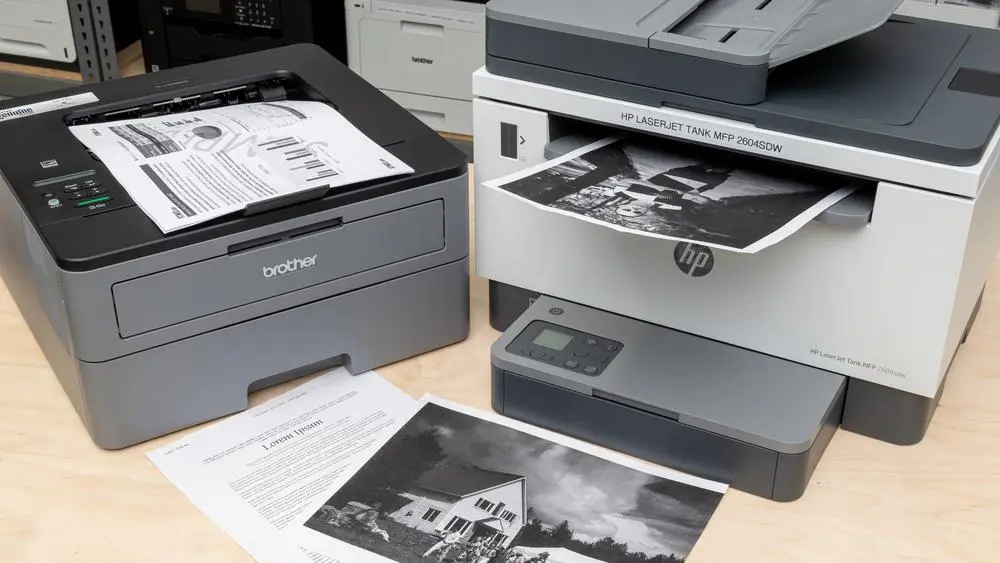
A monochrome laser printer is a type of printer that prints only in black and white using toner instead of liquid ink. It is mainly used for fast, clean, and low-cost document printing. But in real offices, it is one of the most powerful tools. It handles heavy printing needs without slowing down or wasting money on expensive ink.
Unlike inkjet printers, a laser printer uses heat and pressure to fuse toner onto paper. This makes prints sharp, fast, and smudge-free. No drying time, no messy ink, just clean black-and-white pages. Research shows the monochrome segment dominates the global laser printer market, valued in billions of dollars. In fact, printing costs can go as low as 2–5 cents per page, which is much cheaper than most ink-based systems.
A monochrome printer is best for offices, schools, and businesses where most work is text-based, like reports, invoices, and documents. It is not designed for photos or creative color work, but for daily productivity; it performs extremely well. In simple words, a laser printer like this is built for speed, savings, and reliability—especially for users who don’t need a color printer and just want smooth, affordable printing every day.
What is a Monochrome Laser Printer? (Simple Explanation)
A monochrome laser printer is mainly used for fast and low-cost document printing in offices and schools. It focuses only on black-and-white printing, which makes it efficient for text-heavy work like reports, invoices, and forms.
In real office use, this type of printer is preferred when color is not needed, and speed matters more. It helps reduce printing costs and handles large workloads without slowing down.
Industry data shows the monochrome segment dominates the laser printer market. In 2024, the global laser printer market was valued at around $10 billion to $16 billion, and monochrome systems hold a major share because businesses prefer low printing costs and high speed.
I’ve seen many cases where people choose expensive printers with color cartridges, even though they only print documents. Later, they realize a simpler monochrome option would have saved more money and effort.
Meaning of Monochrome Printing
Monochrome printing means printing using only one color, usually black.
- “Mono” = single
- “Chrome” = color
So it uses only black ink or toner, not multiple colors like a color laser printer.
This type of black-and-white printing is widely used in offices, schools, and legal work. A laser printer uses heat to fuse toner onto paper, making prints sharp and fast.
How is a Monochrome Laser Printer Different from Regular Printers?
A monochrome laser printer is different from ink-based machines and multifunction printers in several ways.
| Feature | Monochrome Laser Printer | Regular Ink Printer |
| Output | Black-and-white printing | Monochrome and color |
| Technology | Uses toner | Uses ink |
| Speed | High (30+ PPM in many models) | Lower |
| Cost per page | 2–5 cents | 5–10 cents |
| Maintenance | Low | Higher |
A color laser printer uses multiple color cartridges, which increases cost. But a monochrome system avoids that completely. Also, businesses don’t choose randomly. Around 91% of commercial printing demand comes from offices and institutions. That clearly shows why monochrome systems are preferred for daily work.
And I’ll be honest—I get a bit frustrated when people buy feature-heavy printers without understanding this. It often leads to unnecessary cost and stress later
Why Businesses Prefer Monochrome Laser Printers?
Businesses prefer a mono laser printer because it solves real daily problems.
Main reasons:
- Fast print speed for large documents
- Low cost per page (2–5 cents range)
- No need for color cartridges
- Reliable for heavy workloads
- Stable black-and-white printing for reports and invoices
Global research shows that enterprises choose laser printers mainly for speed and cost efficiency. About 55% of businesses say lower cost per page is the main reason for adoption.
I’ve seen this myself in small offices—printing costs drop immediately after switching. That’s why I respect this machine. It is simple, but it saves real money.
And honestly, I care about this part a lot. I don’t like seeing people waste money on the wrong printer when a simpler solution exists.
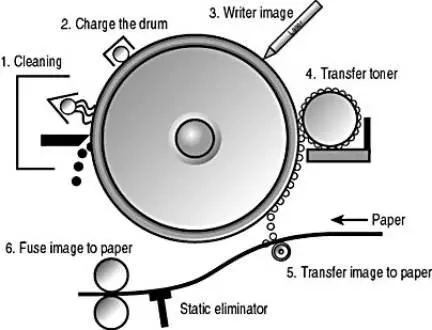
How Does a Monochrome Laser Printer Work? (Step-by-Step Process)
A monochrome laser printer works in a very smart way, even though it looks simple from the outside. It does not use liquid ink or toner liquid systems like inkjets. Instead, it uses heat, electricity, and a powder-based toner to produce clean black-and-white prints.
I’ll be honest, the first time I learned this process, I was a bit surprised. It feels almost like science magic, but it’s actually pure engineering. Let’s break it step by step.
Step 1 – Laser Scanning Process
The process starts when the document is sent from your computer to the printer.
Inside the machine, a laser beam scans across a rotating drum. This laser “draws” your text or image pattern on the drum surface. This is where print speed starts to matter. Faster scanning means faster output, which is why modern laser printers use high-speed laser systems.
Many printer models today can handle over 30 pages per minute, which is why offices prefer them when they need to print large documents quickly. I still remember thinking, “How can light draw text?” It’s a bit fascinating, honestly.
Step 2 – Electrostatic Image Formation on Drum
Now the drum inside the printer becomes charged with electricity.
The laser removes charge from specific areas, forming an invisible pattern in your document. This is called an electrostatic image. At this stage, the printer is basically preparing a “hidden copy” of your file.
This is one reason why black and white printers are so efficient. They don’t waste energy on monochrome and color printers’ functions when only one single color is needed.
From an industry point of view, this process is why laser systems are more stable compared to laser or inkjet combinations in low-end machines.
Step 3 – Toner Application Process
Now comes the important part.
The toner (a fine powder) sticks only to the charged areas on the drum.
This toner is what replaces black ink in this system. It is dry, fast, and does not smudge easily.
Then the paper rolls over the drum, picking up the toner pattern.
At this point, your document is almost formed—but not permanent yet.
This stage shows why a mono laser system is so clean compared to ink systems. It just feels more professional, honestly.
This is also where choosing a monochrome printer becomes important. If your work is mostly text-based, this system saves money and time.
Step 4 – Heat and Pressure (Fusing Process)
Now the paper passes through a hot roller system.
Heat and pressure melt the toner into the paper fibers permanently.
This is why prints come out dry immediately. No waiting, no smudging.
This is also why a printer for your office that uses laser technology is often preferred over ink systems.
In real-world data, monochrome systems can print at a very low cost per page (around 2–5 cents), which is why businesses prefer them for heavy use.
I personally find this step satisfying because it turns loose powder into a permanent document in seconds. It’s simple but powerful.
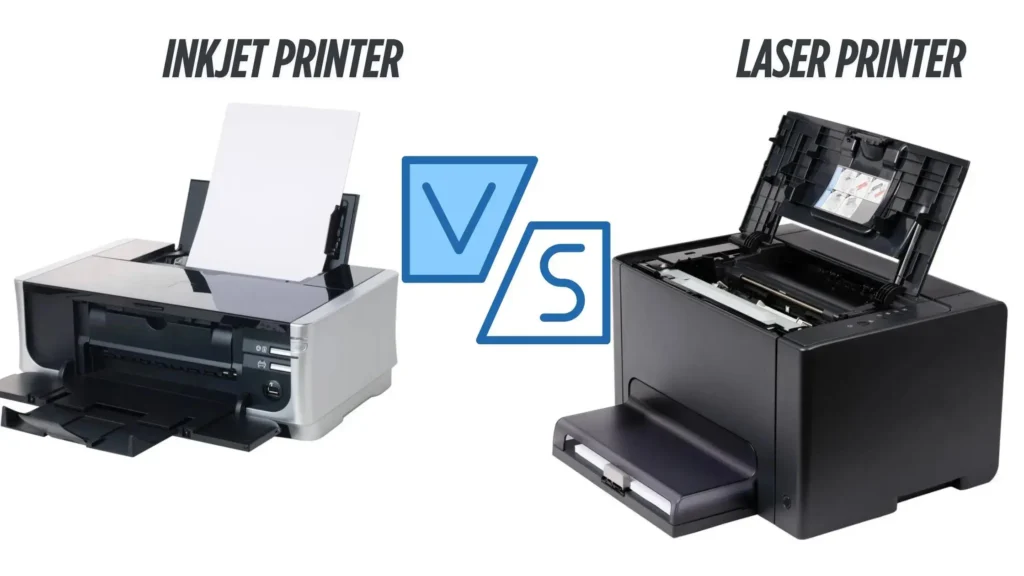
Monochrome Laser Printer vs Inkjet Printer (Full Technical Comparison)
When people compare printers, they usually get confused between inkjet and laser systems. I’ve seen this confusion many times, and honestly, it often leads to wrong buying decisions. The truth is simple: both machines work differently, but their performance and cost are not the same at all.
A mono laser printer is built for speed and high-volume printing, while inkjet systems are more flexible for color printing and photos. Let’s break it down clearly.
Cost Per Page Comparison (2–5 cents vs Inkjet 5–10 cents)
One of the biggest differences is cost. A monochrome laser printer costs much less per page, usually around 2–5 cents. Inkjet printers can go higher, around 5–10 cents per page for black-and-white output.
This difference looks small, but in real office use, it becomes huge. I’ve seen offices struggle with rising expenses just because they didn’t calculate the cost per page properly.
Also, laser printers use toner, which lasts longer than ink. Inkjet systems depend on liquid ink, which runs out faster and increases replacement cycles.
Simply put:
- Monochrome printers use only black toner
- Inkjet uses liquid ink
- Long-term, laser wins on cost
And honestly, I feel a bit frustrated when people ignore this basic math and later complain about expenses.
Print Speed Comparison (30+ PPM vs slower inkjets)
Speed is another major difference. A mono laser printer can easily handle 30+ pages per minute, making it perfect for high-volume printing tasks like reports and invoices. Some advanced models go even higher.
Inkjet printers are slower because they spray liquid ink line by line. That makes them better for small jobs but not for bulk office work.
In simple terms:
- Laser = fast office work
- Inkjet = slow personal use
This is why monochrome printers are typically preferred in offices where speed matters more than design.
Maintenance and Durability Difference
Maintenance is where many users face problems. Inkjet printers often clog if not used regularly. Ink dries, nozzles block, and suddenly your printer stops working. I’ve seen users get really frustrated with this.
On the other hand, laser systems are more stable. Since they use dry toner, they don’t face drying issues. A brother printer or similar laser model can sit unused for weeks and still work fine.
Also, inkjet monochrome printers exist, but they still face ink-related maintenance problems compared to laser systems. This is one reason why monochrome printers offer better reliability for office environments.
Long-Term Ownership Cost (TCO Analysis)
Now let’s talk about the total cost of ownership (TCO).
Many people only look at the purchase price, but that is a mistake. The real cost comes from:
- Ink or toner replacement
- Maintenance
- Downtime
- Page output efficiency
Even though inkjet printers are cheaper upfront, they become expensive over time due to frequent ink refills. Laser printers, on the other hand, have a higher starting price but lower running costs. Over time, they are more cost-efficient for printing uses like office documents and reports.
I’ve personally seen businesses switch to laser systems after realizing they were spending too much on ink. It’s one of those “why didn’t we do this earlier” moments.
Which One is Better for Office Use?
If your main work involves documents, reports, or forms, a monochrome laser printer is the better choice.
Here’s a simple breakdown:
| Need | Best Choice |
| Print in color | Inkjet or color toner |
| Text documents | Mono laser printer |
| Photos/design work | Inkjet |
| Office documents | Laser printer |
A mono laser printer is ideal for offices because it focuses on speed, cost control, and reliability. A color toner system or inkjet is better when you must print in color for design or creative work. So, when choosing a printer, always look for a monochrome system if your work is mostly documents.
To be honest, I’ve seen many users regret buying the wrong system just because they didn’t match the printer with their actual needs. That’s why understanding this comparison is so important.
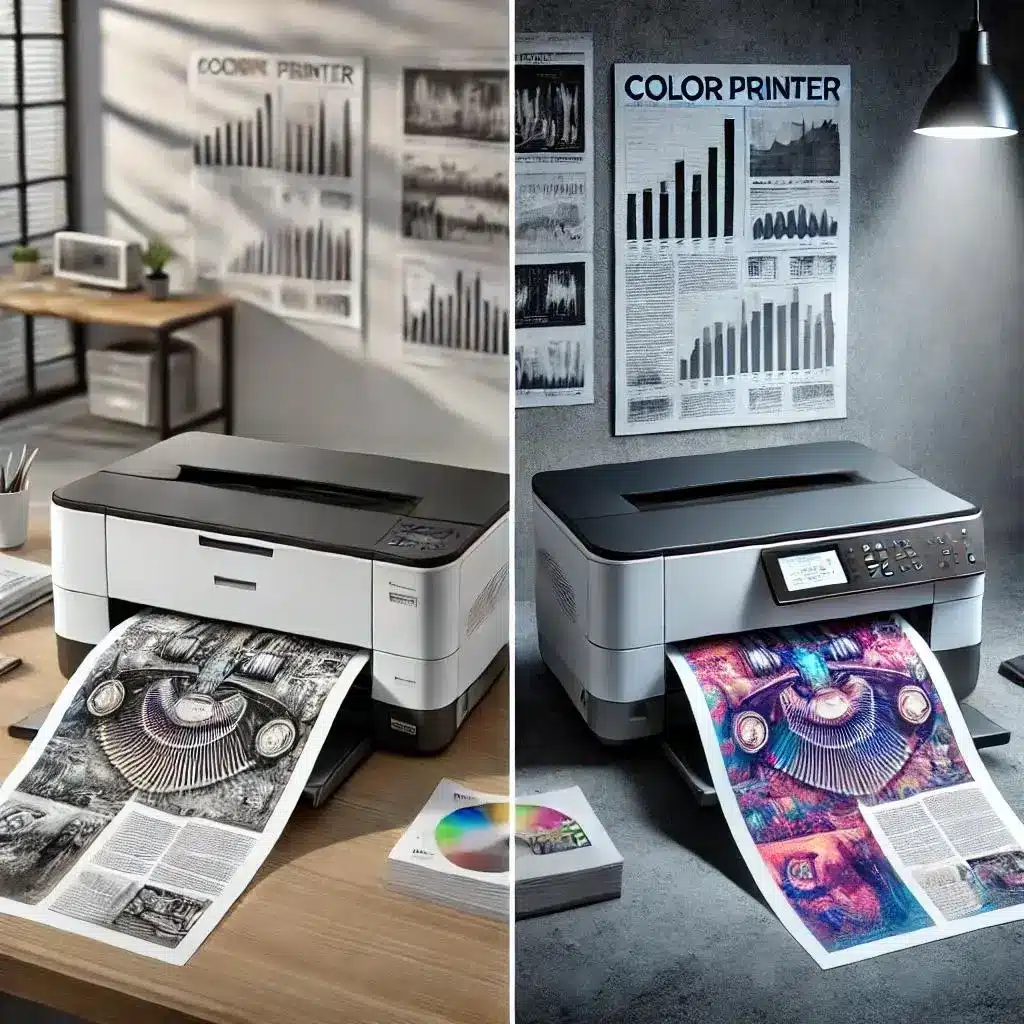
Monochrome Laser Printer vs Color Laser Printer
When people buy a printer, they often get stuck between monochrome and color options. I’ve seen this confusion many times, and honestly, it leads to wrong buying decisions more than it should.
A black-and-white laser printer is designed for simple document work, while a color model is built for visuals, graphics, and presentations. Both are useful, but their purpose is not the same.
Let’s break it down clearly.
Key Functional Differences
A type of printer that prints only in black-and-white is called a monochrome system. It uses toner to print using only one color, which is black. A printer that prints using multiple cartridges, on the other hand, can produce full color printing.
Here is a simple comparison:
| Feature | Monochrome Laser Printer | Color Laser Printer |
| Output | Black-and-white documents | Full color documents |
| Ink system | Single toner | Multiple color toner cartridges |
| Speed | Faster printing for text | Slightly slower due to color mixing |
| Purpose | Office documents | Design, charts, presentations |
A monochrome printer for your office is usually more practical when the work is text-based. A color model is better when you need to print in color for visuals or client work.
I’ve personally seen offices struggle because they bought color machines for simple document work. It feels like overkill—and honestly, a bit frustrating when costs increase for no reason.
When Monochrome is Better Than Color Printing?
A monochrome printer is the better choice when your work is focused on documents, not visuals.
It is ideal when:
- You only print reports, invoices, or forms
- You don’t need graphics or images
- You want faster printing with less waiting time
- You want stable, low-maintenance performance
In real office environments, a printer of choice for business is often monochrome because it handles bulk printing easily without extra cost pressure.
From my experience working with small offices, I’ve noticed one thing clearly—people don’t always realize how much they save until they switch. That moment when they see reduced monthly printing costs… it feels like a relief.
Still, I always tell users honestly: if your work needs visuals, then color is necessary. But if not, monochrome is the smarter choice.
Cost Efficiency Comparison
Now let’s talk about money, because this is where the biggest difference appears.
A color laser printer is usually more expensive than monochrome printers because it uses multiple toner cartridges (cyan, magenta, yellow, and black). This increases the running cost over time. Monochrome systems use only black toner, which makes them cheaper for daily use.
| Factor | Monochrome Printer | Color Laser Printer |
| Purchase cost | Lower | Higher |
| Running cost | Low | High |
| Cartridge usage | Single toner | Multiple color toner |
| Best use | Documents | Graphics & color work |
A suitable monochrome printer is often the best option for offices where documents matter more than design work.
In simple words:
- If you only print documents → go monochrome
- If you need visuals → go color
I’ve seen people choose the wrong option just because they liked features they never actually used. That always leads to regret later.
And honestly, I don’t like it when buyers are not guided properly—it feels like the industry sometimes pushes expensive options instead of practical ones.
What is a Monochrome Laser Printer Used For? (Real-Life Uses)
A monochrome laser printer is not just a machine for printing paper. In real life, it is used where people need fast, clear, and low-cost documents every day. I’ve seen many offices depend on it because it simply gets the job done without stress.
Unlike machines, where printers use ink, this system uses laser technology and toner, which gives better, faster printing speed for bulk work. Let’s look at real uses.
Office Document Printing (Reports, Contracts, Invoices)
In offices, a printer can print thousands of pages every month. Most of these are reports, contracts, and invoices.
A monochrome system is perfect here because it supports heavy workloads and reduces cost. The monochrome printing uses only black toner, which makes it cheaper and faster for daily office tasks.
Many offices prefer this because:
- It handles bulk documents easily
- It supports automatic duplex printing in many models
- It reduces waiting time during busy work
I’ve personally seen office staff get frustrated with slow printers during deadlines. That’s where this machine really helps—it keeps things smooth and stable.
And honestly, I take pride when I see businesses working more efficiently after switching. It feels like a simple fix that makes a big difference.
Schools and Educational Institutions (Exam Papers, Notes)
Schools and colleges also use monochrome printers a lot.
They print:
- Exam papers
- Notes
- Worksheets
Here, monochrome printing offers a big advantage because schools don’t need color for most academic work.
A printer can help institutions save money while printing large volumes quickly. Many schools prefer systems that are simple and reliable because breakdowns during exams can create serious problems.
From experience, I’ve seen schools struggle when they use low-quality printers. It creates delays, and honestly, that kind of poor service is something I strongly dislike because it affects students directly.
Legal and Government Offices (High-Volume Text Printing)
Legal and government offices deal with heavy documentation.
They print:
- Case files
- Official records
- Legal contracts
In these environments, printers are significantly used for long documents where accuracy matters more than color. A monochrome system is preferred because:
- It is stable for long printing jobs
- It delivers consistent text quality
- It supports high-volume printing without overheating
These offices usually choose systems built for reliability, not design. A printer buying decision here is based on durability and cost control.
Banking and Financial Documents
Banks need secure and clear document printing every day.
They print:
- Account statements
- Transaction records
- Financial reports
In this sector, printers are generally expected to be fast, secure, and consistent.
A mono laser printer is ideal because it produces sharp text without smudging. Since banking work is sensitive, even small printing errors can confuse, and that is something professionals try hard to avoid. Also, modern printers in banks often use laser technology for better reliability compared to older systems.
Small Business Operations
Small businesses use monochrome printers for daily tasks like:
- Bills
- Inventory sheets
- Customer invoices
A printer can print these documents quickly, which helps business owners save time. In many cases, small businesses don’t need color output, so using only one color is enough for daily operations. A monochrome system also reduces long-term cost compared to brother color or other color-based machines.
I’ve worked with small shops where switching to monochrome reduced monthly printing stress. It felt like one less problem for them to worry about—and that matters in real business life.
Advantages of Monochrome Laser Printers
A monochrome laser printer is mainly valued for its practical performance in everyday document work. It is designed to handle frequent printing tasks smoothly, especially in busy office environments where speed and consistency matter.
In real use, it helps reduce workload pressure because it processes documents quickly and keeps output stable even during continuous printing. Many users only understand its usefulness after they start using it regularly in their daily work routine.
Now, let’s look at its main benefits simply.
Low Cost Per Page (2–5 cents printing cost)
A major advantage of this printer is its low running cost. On average, it prints each page at around 2–5 cents, which makes it more budget-friendly for daily document work. This is especially useful in workplaces where printing happens every day.
The design is focused only on text output, so it avoids extra expenses that come with color systems. That’s also why it removes the need for multiple color cartridges, keeping things simple and affordable.
In real office environments, this small cost difference becomes a big saving over time. I’ve personally noticed that many small businesses don’t realize how quickly ink expenses add up until they switch.
High-Speed Printing (30–80 PPM)
Speed is another strong benefit. These printers can deliver around 30 to 80 pages per minute, depending on the model. That means large documents finish quickly without long waiting times.
Because the system handles only text output, it processes pages faster than color-based machines. This makes a clear difference during busy work hours when documents pile up.
In simple terms:
- Faster output
- Less waiting
- Smooth office workflow
I’ve seen situations where slow printing creates unnecessary stress in offices, especially during deadlines. Faster output really helps reduce that pressure.
Sharp and Professional Text Output
The print quality is clean and easy to read. It uses grayscale printing to produce sharp black text without blur or smudging. This is important for official work like reports, contracts, and forms.
The focus is purely on clarity, not decoration. That’s why many businesses prefer it for document-based communication.
From a practical point of view, clear text makes documents look more professional and trustworthy. I’ve noticed that people take well-printed papers more seriously, even in simple business settings.
Low Maintenance and Long Life
Maintenance is much easier compared to ink-based machines. Since it uses dry toner instead of liquid ink, it avoids common issues like clogging or drying. This reduces breakdowns and keeps the printer stable for longer periods.
Most printing problems come from ink systems, but this setup stays more consistent over time. That reliability is one reason it is widely used in offices.
Printers often fail due to simple ink issues in inkjet systems. This system removes most of those problems, which makes daily work smoother.
Reliable for Bulk Printing
These printers are built for heavy usage. They handle large volumes of documents, such as:
- Office reports
- Financial records
- Invoices
- Forms
They are especially useful when the workload increases, and consistency matters more than design. Because they focus only on black text output, they stay stable even during long printing sessions. That makes them a practical choice for busy workplaces where delays are not acceptable.
From real experience, I’ve seen businesses rely on them daily because they don’t slow down under pressure. That reliability is what makes them valuable in real work environments.
Limitations You Should Know Before Buying
A monochrome laser printer is very useful for document work, but it is not perfect for every situation. Before buying, it is important to understand its limits so you don’t end up disappointed later.
I’ve seen many users make the mistake of buying without checking their real needs, and honestly, that leads to frustration and wasted money.
No Color Printing Support
This printer cannot print in color. It only produces black text and simple grayscale output. So if you ever need design work, photos, or presentations, this will not help you. You will need a separate color printer for that.
I’ve seen people get surprised after buying it, and I always feel they should have been guided better from the start.
High Initial Purchase Cost
The starting price of a monochrome laser printer is usually higher than that of basic ink-based models. Even though it saves money in the long run, the first purchase can feel expensive for some users.
This is where many people hesitate, but the reality is—cheaper machines often cost more later in ink and maintenance. I’ve personally seen that pattern many times, and it can be frustrating for buyers who were not informed properly.
Limited Use for Creative Work
This printer is not suitable for creative or design-heavy tasks. It is mainly built for text documents, not images or graphics. So if someone works in marketing, design, or content creation, they may feel limited.
It performs best in offices where documents matter more than visuals. Outside that use, its value becomes lower.
Warm-Up Time in Some Models
Some models take a few seconds before starting printing, especially when they are idle for a long time. It is not a big issue, but in fast-paced environments, even small delays can feel noticeable.
I’ve seen office staff get slightly annoyed by this during urgent print jobs. It’s not a major problem, but still something to be aware of before buying.
Cost Analysis of Monochrome Laser Printers (Hidden Real Cost)
When people buy a printer, they usually look only at the price tag. But honestly, that is where most confusion starts. The real cost shows up later in daily use, and I’ve seen many users get surprised by it.
Let’s break it down in a simple way so you can actually understand what you are paying for
Cost Per Page (CPP) Breakdown
The most important factor is cost per page. A monochrome laser printer usually prints at a very low cost per page, often around 2–5 cents per page. This makes it a strong option for regular document printing.
The reason is simple—it is designed for text-based work, so it avoids unnecessary expenses linked with color printing or complex output.
I’ve noticed many offices ignore this detail and later struggle with high monthly printing bills. That’s something I personally find frustrating because it’s avoidable with the right choice.
Toner Cartridge Cost vs Yield
Toner is more expensive upfront compared to ink, but it lasts much longer. One toner cartridge can print thousands of pages, which reduces how often you need replacements. This improves overall efficiency in busy environments.
Compared to ink systems, where refills happen frequently, toner gives better output stability.
From real-world use, I’ve seen businesses appreciate this because it reduces interruptions during work. And honestly, fewer disruptions always mean better productivity.
Drum Unit Replacement Cost
Some users forget about the drum unit, but it is an important part of the long-term cost.
The drum transfers toner onto paper and eventually needs replacement after heavy usage. While it does not change often, it still adds to the overall maintenance cost.
This is something many buyers don’t consider at first, and later they feel surprised when servicing becomes necessary. I always feel this is a “hidden cost” people should be told about clearly before buying.
Electricity Consumption Cost (Energy Usage Data)
Monochrome laser printers use more power during active printing compared to ink-based systems. During printing, energy use is higher, but in standby mode, it drops significantly. Over time, this balances out for normal office use.
In most cases, electricity cost is not the biggest concern, but in high-volume printing environments, it can still add up slightly. In simple terms, the energy usage is acceptable for business work, but not the lowest in the market.
Long-Term Ownership Cost (TCO)
Now let’s talk about the real picture—total cost of ownership (TCO). This includes:
- Printer price
- Toner replacement
- Drum cost
- Electricity usage
- Maintenance
Even though the starting cost may feel higher, the long-term cost becomes lower due to efficient toner usage and fewer breakdowns.
I’ve seen many offices switch after realizing they were spending more on ink systems over time. It’s one of those moments where people say, “We should have done this earlier.” And honestly, that realization is very common in real-world business settings.
Who Should Use a Monochrome Laser Printer?
A monochrome laser printer is not for everyone. It works best when the main job is printing a lot of simple documents. I’ve seen many people buy it without checking their needs, and later they either love it or feel it was the wrong choice. So let’s make it clear and simple.
Offices with Heavy Document Printing
Offices that print a large number of files every day are the best match for this printer.
Think about reports, invoices, contracts, and internal paperwork. In these places, speed and cost matter more than color. This is where the printer really proves its value.
I’ve noticed one common issue in offices—people often use low-speed printers and then complain about delays. Honestly, that frustrates me because the solution is simple: use the right machine for the workload. From real experience, offices that switch to this system usually see smoother daily operations and fewer printing delays.
Businesses Focused on Text-Based Work
If a business mainly works with documents, forms, or written records, this printer fits perfectly.
It is built for clear text output and steady performance. You don’t need color when your work is mostly numbers, words, or official paperwork.
I’ve seen many small businesses overpay for machines they don’t fully use. That’s something I always feel should be guided better in the market. Choosing the right tool saves both money and stress. In simple terms, if your work does not depend on visuals, this type of printer becomes a smart and practical choice.
Schools, Colleges, and Institutions
Educational institutes also benefit a lot from this printer type. They regularly print exam papers, assignments, notes, and worksheets. Most of this work does not need color, so a simple black-and-white system is enough.
From my observation, institutions often struggle when printing systems are not reliable. It creates delays, especially during exams, and that can become a serious problem.
A monochrome setup helps avoid those issues by giving stable performance even during bulk printing. And I must say, when systems work smoothly in education, it genuinely feels satisfying because students don’t face unnecessary delays.
Who Should NOT Use a Monochrome Laser Printer?
A monochrome laser printer is powerful, but it is not the right fit for every user. I’ve seen many people regret buying it just because they didn’t match it with their actual work. So let’s make this very clear and simple.
Graphic Designers
Graphic designers should avoid this type of printer. Their work depends on color balance, gradients, and visual detail. A black-only output cannot show the real design properly.
I’ve personally seen designers get frustrated when prints don’t match their screen work. And honestly, I understand that feeling—it affects their creative confidence. If your work depends on visuals, this is not the right tool.
Photo Printing Users
People who print photos should not use this printer. It cannot handle color tones, skin shades, or image depth. Everything comes out in black and white, which removes the purpose of photo printing.
From real experience, users often expect “good photo results,” but later feel disappointed. This is one of those cases where expectations and reality don’t match at all. If your goal is photo printing, this option will not satisfy your needs.
Creative Agencies and Marketing Teams
Creative and marketing teams also need to stay away from this printer. Their work includes posters, ads, social media visuals, and branded content—all of which require color.
I’ve seen agencies struggle when they rely on the wrong printing setup. It slows down work and affects presentation quality. And honestly, that kind of poor planning is something I strongly dislike because it impacts professional output.
For creative work, color support is essential, so this printer simply does not fit that environment.
Maintenance Guide for Monochrome Laser Printers
A monochrome laser printer is reliable, but like any machine, it needs basic care. If you ignore maintenance, even a good printer can start giving problems. I’ve seen this happen many times in offices, and honestly, most issues come from small neglect, not big faults.
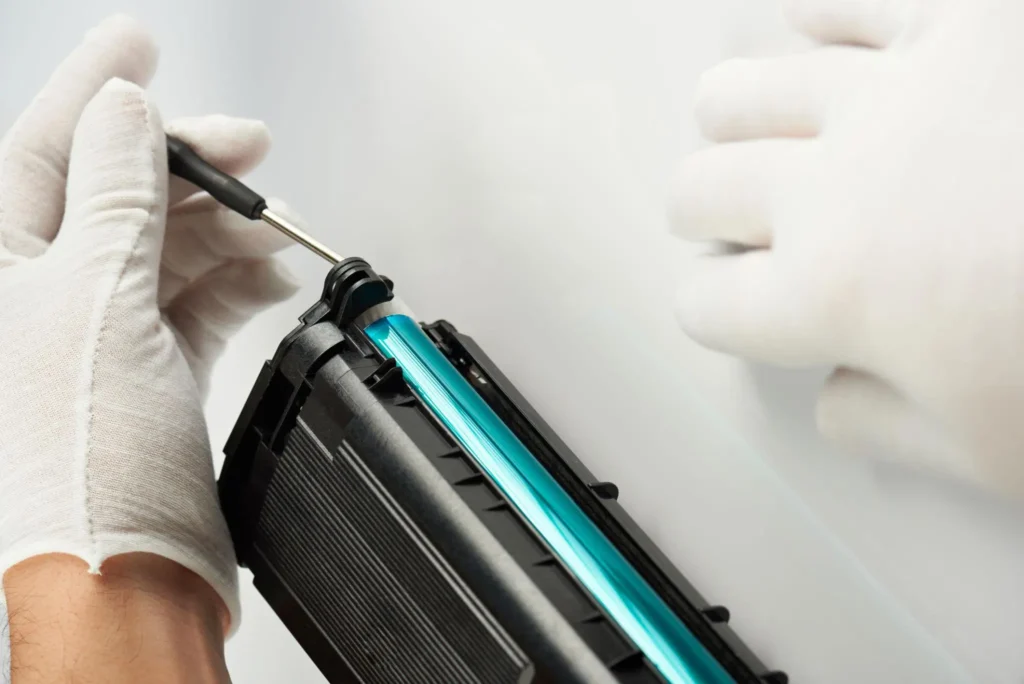
Let’s keep it simple and practical.
How to Clean a Laser Printer Properly?
Cleaning is important to keep print quality stable.
Turn off the printer first, then gently remove dust from the outer body using a soft cloth. Inside, avoid touching sensitive parts. Just clean the light dust around the paper area.
One small tip from experience—dust buildup is often the hidden reason behind faded prints. Many users blame the machine, but the real issue is poor cleaning habits. And yes, that part always bothers me a bit because it’s so easy to fix. Regular light cleaning every few weeks is enough for smooth performance.
When to Replace a Toner Cartridge
Toner replacement depends on usage, not just time. When prints start looking light or uneven, it usually means the toner is running low. Some printers also give a warning signal before it fully runs out.
A toner cartridge can last for thousands of pages, which is why it is cost-efficient for heavy users. But once quality drops, replacing it quickly avoids printing delays.
From real-world use, I’ve seen offices ignore this sign and then face a sudden work stoppage. That kind of delay always creates unnecessary stress.
Drum Unit Replacement Timing
The drum unit is another key part, but it lasts longer than the toner. It usually needs replacement after heavy usage cycles, depending on the printer model. If you notice repeated lines or marks on pages even after changing the toner, the drum might be the reason.
I’ve noticed many users forget about this part completely, and then they get confused when print quality drops again. It’s a small detail, but it matters a lot for long-term performance.
Replacing it on time keeps the printer stable and avoids poor output quality.
Common Printer Errors and Fixes
Most printer problems are simple and can be fixed quickly. Some common issues include paper jams, faded printing, and connectivity errors. In most cases, restarting the printer or checking paper alignment solves the problem.
Here’s a quick guide:
| Problem | Simple Fix |
| Paper jam | Remove paper gently and reload correctly |
| Faded print | Check toner level |
| Printer not responding | Restart the device and reconnect the cable/Wi-Fi |
I’ve seen users panic over small errors, but honestly, most of them are easy fixes. What frustrates me is when basic troubleshooting is ignored, and people assume the printer is broken. With a little care, these issues rarely become serious.
Best Monochrome Laser Printer (How to Choose the Right One)
Choosing the right monochrome laser printer is not just about buying the cheapest or the most popular model. I’ve seen many people make quick decisions and later regret them because the printer doesn’t match their real work needs.
Let’s make this simple so you can choose wisely without confusion.
Print Speed (PPM) Consideration
Print speed matters more than most people think.
If you print a lot of documents daily, look for a printer with higher pages per minute (PPM). A faster printer helps reduce waiting time and keeps work smooth in busy offices.
From real experience, slow printing often becomes a hidden frustration in workplaces. People don’t notice it at first, but over time, it affects productivity. So always match print speed with your daily workload instead of guessing.
Duty Cycle Importance
Duty cycle means how many pages a printer can handle in a month without stress.
If your work involves high-volume printing, this number becomes very important. A low-duty cycle printer will struggle under heavy use, even if it looks good on paper.
I’ve seen businesses ignore this and face breakdowns later. Honestly, that’s one of those mistakes that could easily be avoided with a little checking before buying. Always choose a model that can handle more than your expected monthly usage.
Connectivity Options (Wi-Fi, USB, Cloud Printing)
Modern printers now come with different connection options. Wi-Fi allows wireless printing, USB is simple and direct, and cloud printing helps you print from remote devices.
This is where modern printers really improve daily work. It saves time and removes cable dependency.
But I’ll be honest—some users still don’t use these features properly. And that feels like wasted potential because these tools are meant to make life easier. So always check connectivity based on your workflow, not just design.
Budget vs Performance Balance
Price is important, but it should not be the only factor. A low-cost printer may look attractive, but it can cost more later in maintenance and toner use. On the other hand, a slightly expensive model often gives better long-term value.
I’ve seen this mistake many times—people choose cheap options and then complain about performance. That’s something I strongly feel could be avoided with better planning. Try to balance the budget with real performance needs, not just initial cost.
Avoiding Cheap Toner Traps
One common issue is cheap or low-quality toner. It may look like a good deal, but it often leads to poor print quality, damage risk, or more frequent replacements.
A reliable printer works best with trusted toner. Using low-quality supplies can reduce performance and even shorten printer life.
From my experience, this is one of the most ignored mistakes. And honestly, it frustrates me because users think they are saving money, but they end up spending more later. Always choose a genuine or trusted toner for stable results.
Buying Mistakes to Avoid
Buying a monochrome laser printer seems simple, but I’ve seen many users make small mistakes that later turn into big regrets. And honestly, these mistakes are not technical—they are just poor decisions during buying time.
Let’s go step by step so you don’t fall into the same trap.
Choosing Wrong Print Speed
One of the most common mistakes is ignoring print speed. People often buy a printer without checking how many pages it can print per minute. Later, when work increases, they start feeling slow output and frustration.
If your work involves daily document printing, speed matters a lot. A slow printer can easily disturb workflow in busy environments.
Offices often struggle when print speed does not match workload requirements. And honestly, that situation is avoidable with a little attention.
Ignoring Duty Cycle
Duty cycle is something many buyers skip completely. It tells you how many pages a printer can handle in a month. If you ignore this, the printer may fail under heavy use, even if it looks strong on paper.
This is one of those hidden details that only matters after purchase. And that’s where most regret begins.
I find it frustrating when users are not informed about this properly. It’s a simple check, but it saves a lot of trouble later.
Overpaying for Unused Features
Another mistake is buying features you don’t need. Some printers come with advanced options like cloud printing, mobile apps, or extra settings. These look attractive, but many users never use them.
You should always focus on what you actually need, not what looks fancy.
I’ve seen people pay extra for features they never even touch once. That always feels like wasted money that could have been saved.
Not Checking Toner Cost
This is one of the biggest hidden mistakes. People check the printer price but forget about the toner cost. Later, they realize replacements are expensive, and the running cost becomes high.
Toner price affects long-term spending more than the actual printer price.
From real experience, this is the moment where users say, “I wish I had checked this earlier.” And honestly, I feel that pain because it’s so avoidable. Always check toner cost before final purchase.
Conclusion
A monochrome laser printer is a strong choice for people who mainly print black-and-white documents. It gives fast printing, low running cost, and stable performance, which makes it very useful for offices, schools, and business work.
It works best where daily document printing is high, and speed really matters. It also helps reduce long-term printing expenses compared to many other options.
But here is the important part—this printer is not for everyone. If you need color printing, photos, or creative design work, then it will not suit your needs. Many users regret this mistake when they do not consider their actual usage, because they didn’t think about their actual usage.
So, the main idea is simple: choose it only if your work is mostly text-based and you want fast, cost-effective printing for the long run.
Frequently Asked Questions
Is a monochrome laser printer good for home use?
Yes, it is good for home use if you mainly print documents like assignments, notes, or forms. It is fast and saves cost on every page. But if you need photos or color work, it may feel limited for home needs.
Can it print color images?
No, it cannot print color images. It only prints in black-and-white, so any image will appear in grayscale only.
How long does a toner last?
A toner usually lasts for thousands of pages, depending on usage. Some last 1,500 pages, while high-capacity ones can go up to 10,000 pages.
Is it cheaper than an inkjet in the long run?
Yes, it is cheaper over time because toner lasts longer and the cost per page is lower compared to ink.
What is the average lifespan of a laser printer?
A laser printer can last around 5 to 7 years if you use it properly and maintain it well.

Willis C. Mathes
I’m Willis C. Mathes With hands-on experience and technical knowledge of printers, I dive deep into printer reviews, troubleshooting, and tips, ensuring you get the most out of your printing investment.