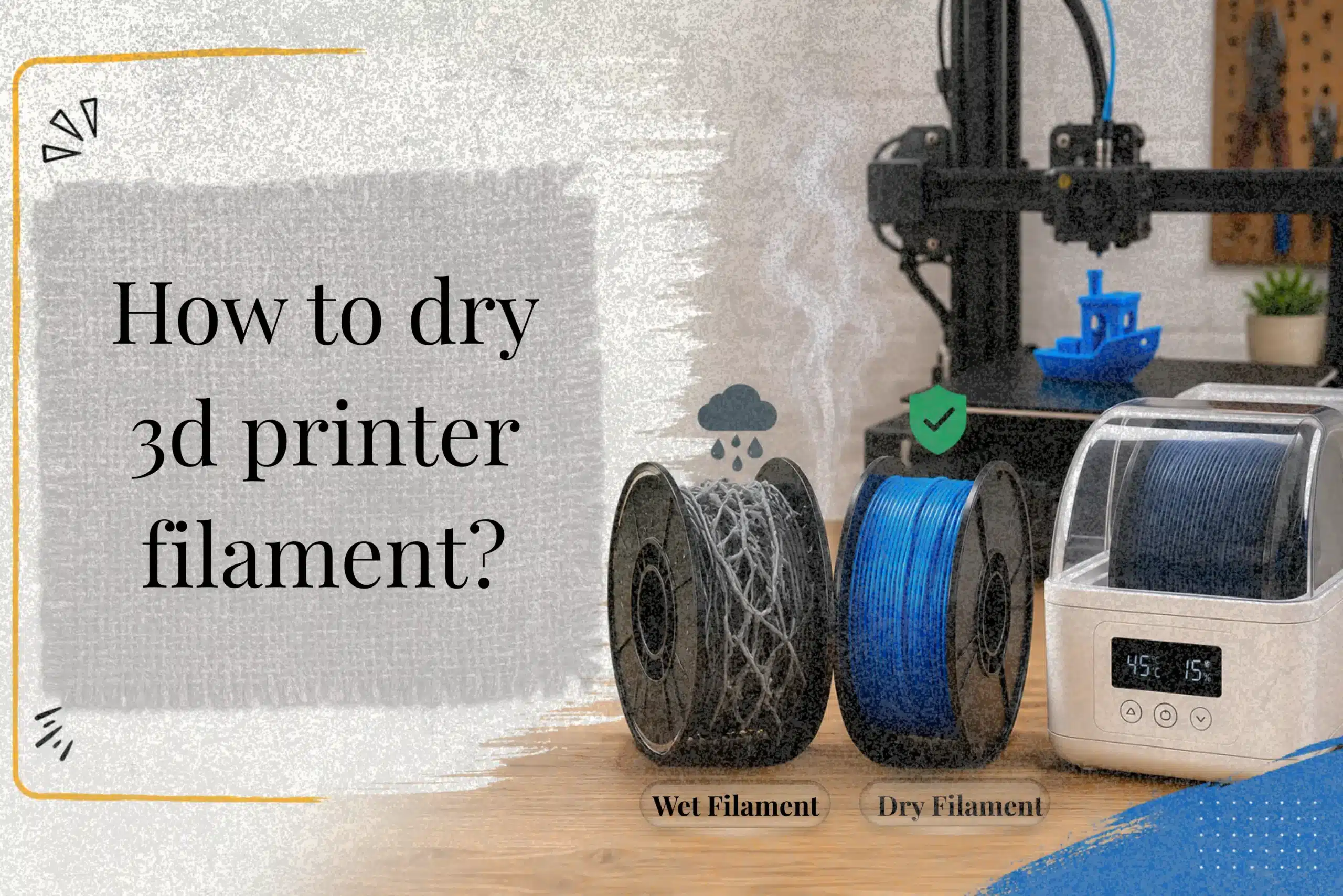
Many 3d printing problems start long before the printer begins working. Moisture inside the filament can cause popping sounds, rough surfaces, weak layers, and failed prints, especially in humid environments. Sadly, a lot of users blame the printer when the actual problem is wet filament. This article on how to dry 3d printer filament explains how moisture affects different filament types, how to dry filament safely without damaging it, and how proper storage can improve print quality and reduce material waste over time.
Why Drying 3D Printer Filament Is Important?
Moisture is one of the most common reasons behind poor 3d printing results. Even when a spool looks perfectly fine, tiny amounts of water inside the material can affect extrusion quality, surface smoothness, and layer strength. When the filament heats inside the printer nozzle, trapped moisture turns into steam. This creates popping sounds, bubbling, stringing, and rough print surfaces that many users mistakenly blame on printer settings.
How Moisture Affects Print Quality
Water absorption changes how filament melts and flows during printing. Instead of producing smooth and stable extrusion, wet material creates uneven layers and weak bonding. Research on hygroscopic materials has shown that moisture can reduce print strength and increase internal porosity, especially in Nylon and PLA. In humid environments, some spools begin absorbing moisture within hours after exposure.
Why Even New Filament Can Contain Moisture
Factory-sealed packaging does not always guarantee perfectly dry material. Filament may absorb humidity during manufacturing, storage, or shipping. Temperature changes inside warehouses and delivery trucks also affect sealed spools over time. A small print shop once tested two unopened PLA rolls from different suppliers, and one immediately produced crackling sounds during printing while the other worked smoothly. That difference alone showed how storage conditions matter before the spool even reaches the customer.
Common Printing Problems Caused by Wet Filament
Wet filament often causes stringing, weak layers, nozzle sputtering, and rough wall texture. Some users waste hours adjusting slicer profiles without realizing that moisture is the actual problem. Using a filament dryer, sealed storage box, or desiccant packs helps maintain stable print quality and reduces failed prints over time.
Signs Your 3D Printer Filament Needs Drying
Moisture problems usually appear slowly, which makes them frustrating to diagnose. A spool may print perfectly one week and suddenly start producing rough layers or messy extrusion a few days later. In most cases, the real issue is humidity exposure rather than a faulty machine. Some filament-type materials absorb moisture much faster than others, especially when they are left exposed near windows, garages, or non-air-conditioned rooms.
Popping or Crackling Sounds During Printing
One of the clearest warning signs is a popping sound coming from the nozzle during extrusion. That noise happens when trapped water inside the material heats up and turns into steam. A small 3d printer repair shop once tested a nylon spool stored openly during rainy weather, and the popping started within minutes of printing. The surface quality dropped almost immediately afterward.
Excessive Stringing and Blobs
Wet material often leaves thin strings between movements and creates random blobs around corners. This happens because unstable extrusion interrupts smooth material flow. Some users spend hours adjusting retraction settings before realizing the spool itself is the problem. That part can feel a little annoying, honestly, especially during longer prints.
Rough Surface Finish and Bubbling
Moisture can also create uneven walls and tiny bubble marks on the print surface. Steam escaping through the nozzle disrupts consistent extrusion and leaves visible defects behind. The problem becomes more noticeable in high-humidity environments where the filament absorbs water quickly.
| Common Symptom | Possible Cause |
|---|---|
| Popping sounds | Moisture turning into steam |
| Stringing | Unstable extrusion flow |
| Rough texture | Water trapped inside the material |
| Small bubbles | Steam escaping during printing |
Weak Layer Adhesion
When material contains moisture, layers may not bond correctly. Parts often crack more easily under pressure, even when print settings appear correct. Research on hygroscopic materials has shown that excess moisture can reduce mechanical strength and affect long-term durability.
Brittle Filament and Inconsistent Extrusion
A damaged spool may snap during feeding or produce uneven extrusion lines. To keep filament in good condition, experienced users often store filament inside airtight containers with silica gel packs after printing sessions. This simple habit helps keep your filament dry and improves print quality over time.
Which 3D Printing Filaments Absorb Moisture the Fastest?
Not every material reacts to humidity the same way. Some filaments can stay stable for weeks, while others begin absorbing moisture from the air within hours. This difference matters because moisture absorption directly affects extrusion stability, surface smoothness, and final part strength. Understanding which material absorbs water faster helps users protect each filament spool properly before printing starts.
PLA Moisture Behavior
PLA handles normal environments better than some engineering materials, but it still reacts to humid conditions over time. A spool left exposed near an open window or workshop shelf may slowly develop stringing and rough extrusion. During one small calibration test, a PLA roll stored openly for two weeks started producing tiny popping sounds near the nozzle, even though the material still looked clean from the outside.
PETG Moisture Sensitivity
PETG absorbs less water than Nylon, but more than many users expect. When exposed to humid air, it often develops fine strings and uneven walls. Some users mistake this for incorrect retraction settings. In reality, the material itself may simply need drying.
TPU and Flexible Filament Issues
TPU is highly hygroscopic and reacts quickly to poor storage conditions. Flexible materials trap water easily, especially during summer weather. Once moisture enters the spool, extrusion becomes inconsistent, and bubbling may appear during printing. This is one reason experienced users often place TPU inside airtight containers with desiccant packs immediately after use.
Why Nylon Absorbs Moisture Very Quickly
Nylon is one of the fastest moisture-absorbing materials used in 3d printing. Research has shown that certain nylon blends can absorb enough water in only a few hours to reduce strength and surface quality noticeably. In severe cases, steam escaping through the hot end creates unstable extrusion and weak layers.
| Filament Type | Moisture Sensitivity |
|---|---|
| PLA | Moderate |
| PETG | Medium-High |
| TPU | High |
| Nylon | Very High |
| ABS/ASA | Moderate |
ABS and ASA Humidity Exposure
ABS and ASA resist moisture better than TPU or Nylon, though long exposure still affects print consistency. A hygrometer placed near storage shelves can help monitor environmental conditions and prevent hidden moisture problems before they affect print jobs.
Recommended Drying Temperatures and Times for Every Filament Type
Using the correct drying temperature matters more than some users realize. If the heat is too low, the material may still contain hidden moisture. If the temperature becomes too high, the spool can soften, warp, or even fuse. That mistake feels especially frustrating because the filament may become unusable before printing even starts.
Different materials react differently to heat because each filament type has its own moisture sensitivity and thermal limits. Proper drying helps remove moisture safely while keeping the material stable and ready to print.
Safe Drying Settings for PLA
PLA requires gentle heat because it softens faster than many materials. Most users keep temperature settings between 45°C and 55°C for about 6 to 8 hours. Going above this range may deform the spool edges. A small print studio once tested PLA near 65°C inside a kitchen oven, and several loops partially fused together overnight. Since then, they switched to food dehydrators for safer drying control.
PETG Drying Temperature and Timing
PETG handles slightly higher heat than PLA. Most drying setups work best around 65°C for 4 to 6 hours. If PETG absorbs moisture from the air, prints may develop stringing and rough walls quickly. Once properly dried, extrusion usually becomes smoother again.
TPU Drying Recommendations
TPU absorbs water aggressively, especially in humid environments. Many users notice bubbling or hear popping during printing after only short exposure periods. A food dehydrator often works well for TPU because it provides steady airflow without overheating the material.
Nylon Drying Requirements
Nylon is extremely moisture-sensitive. Research has shown that some nylon blends absorb enough water within hours to affect mechanical strength. Drying often requires 90°C or higher for long periods to fully remove moisture. Many hobby-level dryers struggle to maintain stable heat for Nylon, which creates issues like incomplete drying.
ABS and ASA Drying Settings
ABS and ASA usually dry well around 75°C to 80°C. While they resist moisture better than TPU or Nylon, prolonged exposure to high humidity levels still affects layer bonding and extrusion consistency. To help materials stay dry after drying, experienced users often place spools inside airtight containers with desiccant immediately after cooling.
Filament Drying Temperature and Time Chart
| Filament | Temperature | Drying Time |
|---|---|---|
| PLA | 45–55°C | 6–8 Hours |
| PETG | 65–70°C | 4–6 Hours |
| TPU | 70°C | 4–6 Hours |
| Nylon | 90–95°C | 8–24 Hours |
| ABS | 75–80°C | 4–6 Hours |
| ASA | 75–80°C | 4–6 Hours |
Best Methods to Dry 3D Printer Filament at Home
There are several effective methods to dry 3d printing filament at home, but each setup works differently depending on the material and the surrounding environment. Some users only notice moisture problems after hearing popping sounds or seeing weak layers during long prints. By that stage, the filament has absorbed enough humidity to affect extrusion quality noticeably. Choosing the right drying method helps restore stable performance and keeps prints looking clean.
Using a Filament Dryer
Dedicated filament dryers are one of the safest options because they maintain controlled heat for long periods. These units are designed specifically for spools and usually provide better airflow than improvised solutions. Certain systems from companies like Bambu Lab even allow printing directly from the dryer while the material stays heated. That setup helps keep the filament dry during longer projects where humidity exposure becomes a problem.
Drying Filament With a Food Dehydrator
A food dehydrator is another popular option because it distributes warm air evenly around the spool. This steady airflow helps the filament dry evenly without overheating delicate materials like PLA filament. A small repair workshop once tested two identical PETG spools during rainy weather. The spool dried inside a food dehydrator produced smoother walls and cleaner extrusion compared to the untreated roll, only a few hours later.
How to Dry Filament in an Oven Safely
Kitchen ovens can work, though careful monitoring is important. Uneven heating inside some ovens may soften spools if temperatures rise too high. Users often place a thermometer inside first to confirm accurate heat levels. This method works best when trying to dry your filament slowly at low temperatures.
Using a Heated Print Bed
Some modern printers allow spools to sit above a heated build plate under a cover. This creates a simple warming chamber that can remove light moisture buildup. It may not work as fast as other methods to dry materials, but it can help in smaller setups.
DIY Dry Box Methods
A homemade dry box using sealed containers and reusable desiccants offers a budget-friendly solution for keeping filament as dry as possible between prints.
| Drying Method | Best Advantage |
|---|---|
| Filament Dryer | Stable temperature control |
| Food Dehydrator | Even airflow distribution |
| Oven | Easy household option |
| Heated Bed | Simple temporary solution |
| Dry Box | Long-term storage support |
How to Dry PLA, PETG, TPU, and Nylon Without Damaging the Filament
Drying the filament the wrong way can ruin an entire spool before printing even begins. Some materials handle heat well, while others soften quickly and lose their shape. Proper temperature control matters because even a small mistake may create warped coils, fused strands, or brittle extrusion later during 3d printing projects. The goal is not only to remove moisture but also to protect the material structure at the same time.
Why Overheating Ruins Filament
Excess heat changes how the filament behaves during extrusion. PLA softens especially fast, and poorly controlled heating can deform the spool edges within hours. A small print lab once tested PLA inside a household oven without checking the internal heat properly. The oven display showed 50°C, but the actual temperature climbed much higher. By morning, several loops had partially melted together. Since then, the team has always recommended using an oven thermometer before drying sensitive materials.
Overheating may also create enough moisture to affect print consistency later because damaged filament no longer extrudes evenly. Instead of a smooth flow, users may notice weak layers, rough walls, and print failures during longer jobs.
How to Prevent Warped Spools
To avoid warping, users should place the filament in a stable heating environment with gentle airflow. Materials like Nylon and TPU tolerate higher temperatures, but PLA and PETG require more caution. Keeping temperatures steady is usually more important than increasing heat aggressively.
| Filament | Safer Drying Range |
|---|---|
| PLA | 45–55°C |
| PETG | 65–70°C |
| TPU | Around 70°C |
| Nylon | 90°C+ |
Safe Drying Duration for Different Materials
Drying time depends on how much moisture the spool has absorbed. In humid environments, some materials collect enough moisture to affect print quality within a short period. Nylon often requires overnight drying, while PLA usually dries faster.
Cooling Filament Correctly After Drying
After heating, the properly dried filament should cool slowly in a cool and dry environment. Many experienced users immediately transfer spools into sealed storage containers after drying until you’re ready to use them. This helps prevent moisture from returning before you’re ready to print and keeps the filament correctly protected between sessions.
Common Filament Drying Mistakes That Ruin Prints
Drying filament helps improve print quality, but mistakes during the process can damage the material instead of fixing it. Some users try to speed things up with extra heat or unsafe drying methods, and that usually creates even bigger problems later. A spool may look fine at first, though hidden damage often appears during long prints through weak layers, rough surfaces, or unstable extrusion.
Using the Wrong Temperature
Incorrect heat settings are one of the most common causes of failed drying attempts. Materials like Nylon tolerate higher temperatures, while PLA softens much faster. If heat becomes excessive, the filament may warp or partially melt together on the spool. A small maker workshop once tested PETG above the recommended range to save time, but the outer loops fused overnight. The entire spool became unusable before printing even started.
Uneven Heating Inside Ovens
Household ovens do not always heat evenly. Some areas become much hotter than the displayed setting, which can damage the filament quietly over several hours. Uneven heat also makes it harder to remove moisture without affecting the material structure. This issue becomes more serious when the filament absorbs enough moisture to affect extrusion consistency before drying even begins.
Drying Filament Too Long
Extended heating may weaken certain materials over time. Instead of improving performance, excessive drying can create brittle sections or poor layer bonding. When moisture inside the material heats up, it turns to steam and escapes during printing. If drying is poorly controlled, users may still notice issues like bubbling and rough surfaces afterward.
| Drying Mistake | Possible Result |
|---|---|
| Too much heat | Warped spool |
| Uneven oven heating | Inconsistent drying |
| Over-drying | Brittle material |
| Poor storage afterward | Moisture returns quickly |
Storing Filament Incorrectly After Drying
Good storage is just as important as drying itself. Even properly dried spools can absorb moisture again within hours in humid rooms. To help prevent moisture absorption, experienced users often use the desiccant packs inside sealed containers right after drying. Some printing setups even place storage systems inside the AMS to reduce humidity exposure during longer jobs.
Why Microwaves Should Never Be Used
Microwaves heat materials unevenly and can damage spools very quickly. In severe cases, they may deform the plastic or create dangerous overheating spots. Safe drying methods make it possible to prevent print failures and achieve cleaner, more reliable prints every time.
Print Quality Before and After Drying Filament
The difference between wet and properly dried material becomes obvious once printing starts. Some users spend days adjusting slicer profiles or replacing nozzles without realizing that moisture is the real issue behind poor results. After drying, extrusion often becomes smoother, cleaner, and much more predictable. That improvement feels surprisingly satisfying, especially during long prints that previously failed halfway through.
Reduced Stringing and Oozing
Moisture inside the spool creates unstable extrusion during heating. As trapped water heats up, it expands and pushes melted plastic unevenly through the nozzle. This usually causes thin strings and random blobs between movements. After drying, those problems often decrease noticeably. A small workshop once compared two PETG spools during testing, and the dried roll produced far cleaner travel paths with almost no extra stringing.
Better Layer Adhesion
Dry material bonds more consistently between layers. Wet filament weakens that connection because steam interrupts extrusion flow during printing. Research on hygroscopic materials has shown that excess moisture can reduce part strength significantly, especially for materials like Nylon. Once dried correctly, printed parts usually feel more solid and durable under pressure.
Smoother Wall Surfaces
Surface texture also improves after moisture removal. Wet material may create rough patches, tiny holes, or uneven outer walls. Some users even hear popping or hissing sounds during printing before realizing the filament contains trapped moisture. After proper drying, walls often appear cleaner with fewer visible imperfections.
| Before Drying | After Drying |
|---|---|
| Stringing and blobs | Cleaner extrusion |
| Weak layer bonding | Stronger adhesion |
| Rough wall texture | Smoother surfaces |
| Random print defects | More stable results |
Improved First-Layer Consistency
A stable first layer is important for successful printing. Moisture affects extrusion stability during the earliest stages of a print, which may lead to uneven flow or weak bed adhesion. Some users also use a dehumidifier near printing areas to help keep the heat and humidity more controlled during long sessions.
Cleaner and Stronger Final Prints
Whether you choose a dedicated dryer, food dehydrator, or sealed storage system, keeping filament dry is key to achieving reliable print quality. Proper drying helps reduce failed prints, improves strength, and creates cleaner finished parts with fewer visible defects.
Can Wet Filament Damage a 3D Printer?
Yes, wet filament can create problems inside a 3D printer over time. When moisture heats inside the hot end, it turns into steam and interrupts smooth extrusion. This may cause nozzle clogs, uneven flow, grinding sounds, and weak print layers. A small repair workshop once found that repeated clogging on a PETG setup was caused by damp material rather than faulty hardware. While occasional moisture exposure may not permanently damage the machine, constant printing with wet filament can increase maintenance issues and reduce overall print reliability.
Problems Caused by Wet Filament
- Nozzle clogs from unstable extrusion
- Extruder grinding and slipping
- Inconsistent material flow
- Weak layer bonding
- Rough print surfaces
- Residue buildup inside the hotend
- Increased risk of failed prints
- More frequent maintenance and cleaning
Is It Safe to Print While Drying Filament?
Yes, printing while drying can be safe if the setup uses controlled heat and steady airflow. This method helps keep the material stable during long prints, especially in humid environments where spools quickly absorb moisture again. A small print workshop once tested Nylon in an active dryer during a rainy week and observed fewer surface defects and stronger layer bonding compared to spools left exposed. Continuous drying is most useful for moisture-sensitive materials and overnight printing jobs where stable extrusion matters more.
| Benefit | Result |
|---|---|
| Continuous drying | More stable extrusion |
| Reduced moisture exposure | Fewer print defects |
| Better layer bonding | Stronger finished parts |
| Controlled airflow | Cleaner surface quality |
Best Storage Methods to Keep 3D Printer Filament Dry
Proper storage matters just as much as drying. A spool can absorb moisture again within hours if it stays exposed in a humid room. Some users dry material carefully and then leave it sitting openly beside the printer, which quietly brings the same problems back. A small print farm once noticed repeated surface defects during the summer months, even after drying their Nylon spools. After switching to sealed storage containers with humidity monitoring, the failed prints dropped noticeably within a week.
Using Airtight Containers
Airtight storage boxes help block outside humidity and protect spools between printing sessions. Many users place reusable desiccant packs inside the container to absorb trapped moisture more effectively.
Vacuum Bags vs Dry Boxes
Vacuum bags work well for long-term storage because they reduce air exposure around the spool. Dry boxes are more convenient for daily use since the filament can feed directly into the printer while staying protected.
| Storage Method | Main Advantage |
|---|---|
| Airtight Containers | Simple moisture protection |
| Vacuum Bags | Best for long-term storage |
| Dry Boxes | Easy access during printing |
| Desiccant Packs | Absorbs trapped humidity |
Best Desiccants for Filament Storage
Silica gel is one of the most common options because it absorbs moisture efficiently and can be reused multiple times. Color-changing desiccants also help users monitor saturation levels more easily.
How to Recharge Silica Gel Packs
Most silica gel packs can be reheated inside an oven at low temperatures to remove trapped moisture. Once cooled, they can return to storage containers for reuse.
Using Hygrometers to Monitor Humidity
A small hygrometer inside the storage box helps track humidity levels before moisture problems begin. Many experienced users try to keep storage conditions below 30–40% humidity for more reliable printing results.
Expert Tips to Prevent Moisture Problems in 3D Printing
Preventing moisture problems is usually easier than fixing damaged material later. A spool may print perfectly one day and suddenly start producing rough surfaces or weak layers after sitting exposed for too long. Small storage habits make a surprisingly big difference over time. One small print workshop reduced failed prints noticeably after creating a simple storage system with sealed boxes and humidity monitoring for every spool.
Drying Filament Before Long Prints
Experienced users often dry sensitive materials before important projects, especially when prints run overnight. Long exposure to warm room air can slowly affect extrusion consistency during extended jobs.
Keeping Filament Sealed Between Prints
Leaving spools exposed beside the printer allows moisture to accumulate over time. Sealed storage containers or vacuum bags help protect material between sessions and reduce unexpected print defects later.
Managing Humidity in Storage Areas
Humidity control matters more in garages, basements, and non-air-conditioned rooms. A small hygrometer inside storage boxes helps track conditions before problems begin. Some users also place reusable desiccant packs near their printing shelves for extra protection.
| Prevention Tip | Benefit |
|---|---|
| Dry before long prints | More stable extrusion |
| Use sealed storage | Less moisture exposure |
| Monitor humidity | Better print consistency |
| Separate material types | Easier spool management |
Organizing Multiple Filament Types Correctly
Different materials react to moisture differently. Nylon and TPU usually need stricter storage control than PLA or ABS. Labeling containers and organizing spools by material type helps avoid confusion and keeps sensitive materials protected for longer periods.
Conclusion
Keeping filament dry is one of the simplest ways to improve 3D printing results. Moisture may seem like a small issue at first, but over time it can cause stringing, weak layers, rough surfaces, and failed prints that waste both time and material. Proper drying methods, safe storage habits, and humidity control help maintain stable extrusion and cleaner print quality across different filament types.
Small adjustments often make a bigger difference than expected. A properly stored spool usually performs more consistently, especially during long or detailed projects where reliability matters most. Whether someone uses a filament dryer, food dehydrator, airtight container, or dry box, protecting material from moisture helps reduce printing problems and improve overall performance.
In the end, consistent storage and drying habits are not just about protecting filament. They also help create stronger, smoother, and more dependable prints with far less frustration during the printing process.
Frequently Asked Questions
Can you remove moisture from the filament?
Yes, moisture can usually be removed by heating the filament at a safe temperature for several hours. Methods like filament dryers, food dehydrators, and low-temperature ovens work well for most materials.
Can I dry filament in the oven?
Yes, filament can be dried in an oven if the temperature is carefully controlled. Using an oven thermometer is important because overheating may warp or melt the spool.
What is the 45-degree rule in 3D printing?
The 45-degree rule means most printers can print overhangs up to 45 degrees without support structures. Angles beyond that often need supports to prevent sagging or poor surface quality.
How to tell if PLA is bad?
Bad PLA may become brittle, snap easily, or produce rough and inconsistent extrusion during printing. Popping sounds, weak layers, and excessive stringing are also common warning signs.

Willis C. Mathes
About the Author
Willis C. Mathes is a technical writer focused on 3D printing workflows, printer setup, and troubleshooting. His content is based on practical research into FDM and resin printing systems, slicer optimization, filament handling, and common beginner printing problems.
He regularly covers topics related to printer performance, calibration, maintenance, and beginner-friendly 3D printing setups.