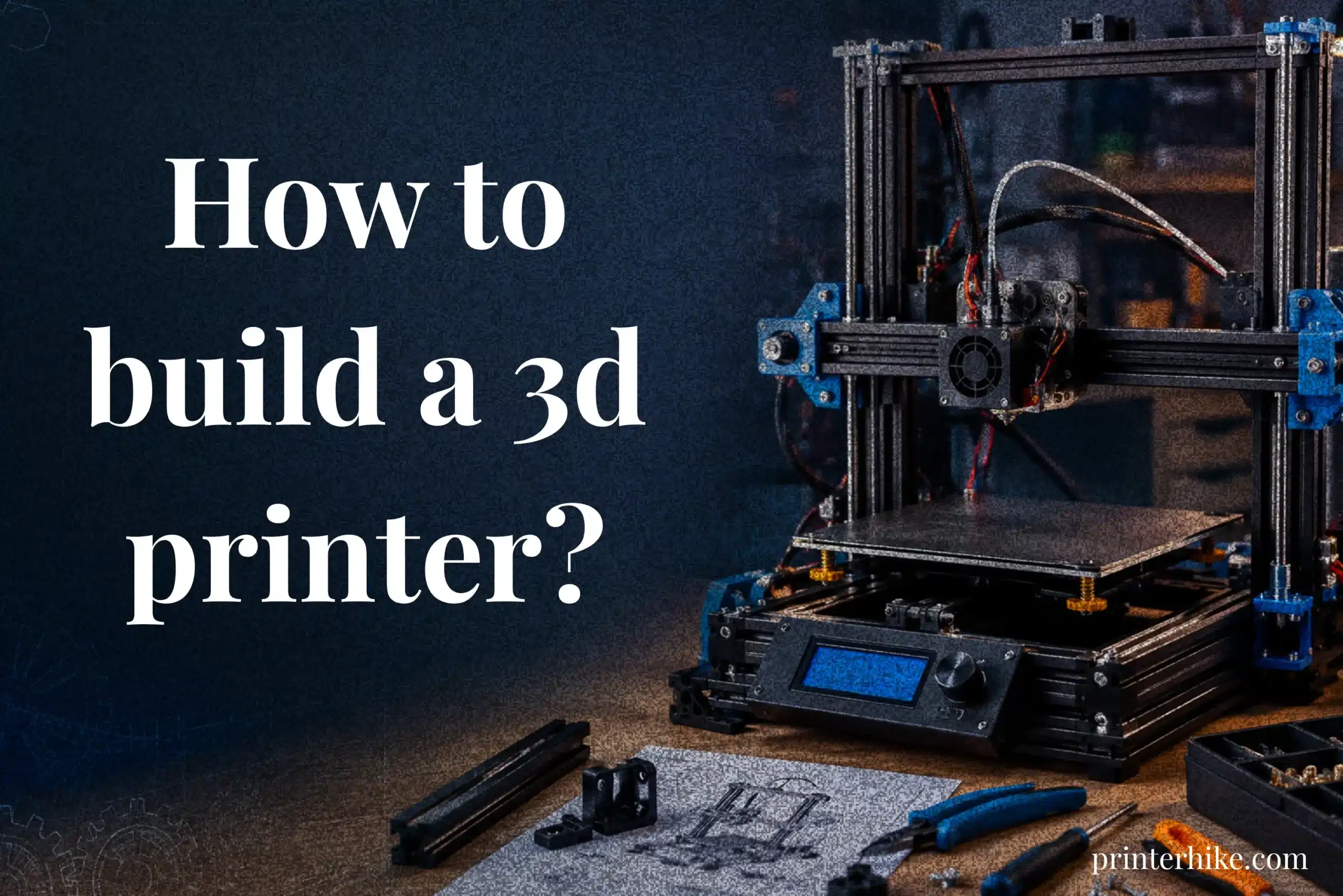
Many people buy cheap 3D printers expecting smooth performance, but later struggle with poor print quality, weak frames, firmware problems, and expensive upgrades. That frustration is one reason why DIY 3D printers are becoming more popular among hobbyists and makers. Building your own machine allows you to choose better parts, customize the setup, and understand how every component works. In this article, you will learn how to build a 3D printer from scratch, including the tools and parts, firmware setup, calibration process, and common problems beginners often encounter during assembly.
How a DIY 3D Printer Works
Most DIY machines use FDM because it balances cost, simplicity, and repairability compared to other 3D printing methods. The process starts when a 3D model is converted into G-code, which tells the printer where to move and how much material to extrude. The hotend melts filament while the motors move the nozzle across the print bed to create the final shape.
Main Parts of a DIY 3D Printer
A 3d printer depends on several important components working together correctly.
| Part | Function |
|---|---|
| Frame | Keeps the machine stable |
| Stepper Motors | Control movement |
| Hotend | Melts filament |
| Heated Bed | Improves first-layer adhesion |
| Motherboard | Controls the entire printer |
Weak frame alignment or loose belts often reduce print quality, even when the electronics are good.
Why Many People Prefer DIY 3D Printers
DIY 3D printers remain popular because they allow easier upgrades, repairs, and customization. because they allow full control over the design, upgrades, and repairs. Building your own 3D printer also helps users better understand calibration and troubleshooting. Some kits start around $200, making them attractive for people who want a customizable machine without paying premium prices.
Is It Better to Build or Buy a 3D Printer?
Choosing between a diy setup and a prebuilt machine depends on budget, patience, and technical comfort. Some users enjoy assembling parts from scratch and learning how every axis, motor, and extruder works together. Others simply want reliable printing without spending hours adjusting settings or tightening every screw by hand. Both options have advantages, though the experience feels very different once the first project begins.
DIY vs Prebuilt 3D Printer Cost
A diy setup usually costs less at the beginning, especially when using a 3d printer kit like the popular Prusa i3-style machines. Entry-level kits often start around $200, while advanced systems with linear rail upgrades and stronger electronics can cost much more.
| Type | Average Cost | Setup Difficulty |
|---|---|---|
| DIY Build | $200–$800 | Medium to High |
| Prebuilt Printer | $400–$1500+ | Low |
Still, hidden costs surprise people sometimes. Replacement parts, failed test prints, and wiring tools add up faster than expected. One builder spent nearly an entire weekend fixing a loose motor connection that caused skipped layers. The repair process also helps builders understand printer mechanics better.
Print Quality Comparison
Prebuilt machines usually deliver smoother results immediately because the factory calibration is already finished. DIY systems, however, can produce outstanding quality after proper tuning. A stable frame, accurate linear movement, and careful extruder calibration make a huge difference. Some hobbyists even modify CNC motion parts to improve precision further.
Who Should Build a DIY 3D Printer?
A diy route works best for users who enjoy learning hardware, testing upgrades, and solving technical problems. Someone interested in customization or repair skills often gains more satisfaction from assembling a machine personally.
When Buying a Prebuilt Printer Is the Better Choice
Prebuilt systems are better for users who need fast setup and dependable operation. Schools, offices, or beginners with limited time usually prefer ready-to-use machines because calibration and assembly are already completed.
Things to Know Before Building a 3D Printer
Building a custom machine sounds exciting at first, but the process takes patience, careful setup, and problem-solving skills. A DIY printer depends on electronics, firmware, and mechanical alignment working correctly together. Mechanical alignment plays a major role in final print accuracy. Many assembly mistakes become visible only during calibration.
Most modern systems are based on open-source projects like RepRap, which helped thousands of hobbyists learn how to assemble machines at home instead of buying expensive industrial equipment. The flexibility is impressive, though it also means users must understand how each component affects print quality, speed, and stability.
Skills That Help During a DIY Build
A builder does not need engineering experience, but basic technical skills make the process smoother. Understanding how to tighten a pulley correctly, align a bearing, or connect electronics safely saves hours of troubleshooting later. Firmware tuning often involves Arduino Mega boards and microstepping adjustments for smoother motion and microstepping settings to improve axis movement precision.
A simple understanding of extrusion behavior helps, too. For example, PLA usually prints more easily than advanced materials, making it a safer starting point during testing. Skipping calibration usually leads to uneven prints and wasted filament during testing.
How Long Does It Take to Build a 3D Printer?
The time depends on the machine design and experience level. A basic kit may take between two and eight hours to assemble, while larger custom systems with complex dimension adjustments can require several days of tuning.
| Build Type | Average Build Time |
|---|---|
| Basic DIY Kit | 2–8 Hours |
| Custom RepRap Build | 1–3 Days |
| Advanced Large-Format System | Several Days |
Testing and calibration usually take longer than assembly itself.
Common Beginner Challenges During Assembly
Beginners often notice issues during the first prints—like uneven layers, weak adhesion, or misaligned shapes—before realizing the machine needs calibration and tightening.
A small wiring mistake can stop the entire machine from working correctly. That moment feels discouraging at first, though solving those issues slowly builds real troubleshooting confidence.
Choosing the Right DIY 3D Printer Design
Choosing the right setup is one of the most important steps before starting a custom machine build. The printer design affects print quality, movement speed, upgrade options, and long-term reliability. Some systems are easier to assemble, while others need advanced calibration and stronger technical knowledge. That difference becomes very obvious during the first few test prints.
Cartesian 3D Printers
Cartesian machines are the most beginner-friendly option. They move along simple X, Y, and Z directions, which makes troubleshooting easier later. The well-known Prusa i3 layout remains popular because it offers stable performance, affordable parts, and a reliable build platform. Open source communities also provide detailed guides and replacement part recommendations, which help reduce setup stress.
CoreXY 3D Printers
CoreXY systems are built for higher speed and smoother motion. Their lightweight movement design helps reduce vibration during printing. However, belt tension and frame alignment must be adjusted carefully. Even a small setup mistake can affect print consistency. Incorrect belt tension can reduce print consistency.
Delta 3D Printers
Delta machines use three moving arms connected to the hot end. They print quickly and handle tall objects well, though calibration is more difficult than Cartesian setups.
Resin 3D Printers
Resin systems create highly detailed models using liquid resin instead of filament. These machines are often used to manufacture miniatures, dental parts, and smooth prototypes, but they require extra cleaning and ventilation.
Best DIY Printer Design for Beginners
For most first-time builders, a cartesian 3d printer diy setup is the safest choice because it is simpler to upgrade, easier to repair, and supported by large open-source printer communities.
How to Build a 3D Model for Printing?
Creating a printable model takes more than drawing a shape on a screen. The design must also work properly during printing. Thin walls, weak corners, or unsupported sections often cause failed prints later. That part surprises first-time users because the file may look completely fine inside the software.
Most FFF systems work best with clean geometry and balanced dimensions. A strong structure helps improve rigidity and reduces printing errors during movement. Some advanced builders working on Voron or IDEX setups even test models several times before final production to improve stability and fit.
Best Software for Creating Printable 3D Models
Different programs support different types of projects.
| Software | Best For |
|---|---|
| Tinkercad | Beginner models |
| Fusion 360 | Mechanical parts |
| Blender | Artistic designs |
| FreeCAD | Technical projects |
Fusion 360 is widely used for CNC machine parts, brackets, and custom upgrades because it allows precise measurements. Acrylic side panels and modular enclosures are also common on large-format 3D printer builds.
How to Prepare a 3D Model for Slicing
Before printing, the model should be checked carefully inside the slicer. Incorrect wall thickness or weak z-axis support areas can reduce print quality quickly. A builder once spent hours troubleshooting a failed print before discovering the model exceeded the max build size slightly. This issue is very common during early builds.
Good preparation also includes checking the lead screws’ alignment, testing movement paths, and making sure the printer can calibrate correctly before starting the final job.
Complete DIY 3D Printer Parts List
Building a reliable machine starts with choosing the right components. Every part affects movement accuracy, print quality, and long-term stability. A weak frame or poor electrical connection can create repeated failures later, even when the software settings look correct. Calibration errors can waste significant setup time.
Printer Frame
The frame holds the entire system together, so rigidity matters a lot. Aluminum extrusion is the most common option because it stays stable during movement and supports future upgrades. Acrylic frames still appear on smaller compact printer projects, although aluminum extrusion usually provides better stability, though stronger materials usually reduce vibration better.
Motion System and Linear Rails
The motion system controls how smoothly the print head moves across the axes. Linear rails and wheels must stay aligned correctly or surface quality drops quickly. Some custom setups use 16mm rods for better stability during fast movement. Poor alignment often creates layer shifting, especially on larger builds.
Stepper Motors
Most hobby systems use NEMA stepper motors because they provide accurate movement control. These motors move in tiny steps measured in mm, helping the printer create smoother layers. A weak motor can struggle during high-speed printing or heavy multi-material setups.
Motherboard and Electronics
The motherboard acts like the brain of the machine. It handles programming, temperature control, and movement commands at the same time. Modern boards also support quieter drivers and easier upgrades for advanced projects.
Hotend and Extruder
The hot end melts filament while the extruder pushes material forward during printing. Stable feeding becomes especially important during multi-color jobs where consistent flow prevents gaps or clogs.
Print Bed and Heated Bed
A heated bed improves first-layer adhesion and reduces warping. Most modern systems use either 12V or 24V heating setups, though 24V usually heats faster and stays more stable.
Power Supply Unit
The power supply provides energy to every component. Choosing a trusted unit improves safety and reduces sudden shutdown problems during long prints.
Cooling Fans and Cable Management
Cooling fans help control the temperature around the hot end and printed layers. Good cable management also protects wires from damage during movement. Some builders even use braided fiber sleeves to keep wiring organized and cleaner-looking. Good cable management simplifies future repairs.
Tools Required to Build a 3D Printer
Building a custom machine becomes much easier with the right tools nearby. A surprising number of assembly problems happen because builders use the wrong screwdriver size, poor wiring tools, or unstable measuring equipment. Loose hardware and poor wiring often lead to unstable printer movement later
A well-organized workspace also saves time during assembly. Some builders even place small labels on screws and connectors to avoid confusion during wiring. Slightly obsessive, maybe, but honestly, it prevents unnecessary mistakes.
Basic Hand Tools
Several simple hand tools are needed during assembly and adjustment work.
| Tool | Purpose |
|---|---|
| Hex Key Set | Tightening frame bolts |
| Screwdrivers | Installing electronics and panels |
| Adjustable Wrench | Securing nuts and fittings |
| Digital Caliper | Measuring alignment accurately |
| Pliers | Holding wires and connectors |
A digital caliper becomes especially useful during frame alignment and belt adjustment. Even small measurement errors can affect print quality later. One builder discovered a slight frame tilt only after checking both sides carefully with measuring tools. That tiny issue caused repeated layer shifting for hours.
Electrical and Wiring Tools
Electrical work requires extra attention because poor wiring can damage components or create unstable movement. Wire cutters, crimping tools, heat shrink tubing, and a multimeter help create cleaner and safer connections.
A soldering iron is sometimes needed for custom upgrades or fan replacements. Some users skip proper cable management during assembly, then later struggle to trace faulty wires buried inside the frame. Poor cable management makes troubleshooting harder later.
Recommended Safety Equipment
Safety equipment often gets ignored during diy projects, though it matters more than expected. Protective gloves help during metal assembly, while safety glasses protect against wire fragments and sharp edges.
Good ventilation is also important when testing heated components for long periods. Small safety habits may feel unnecessary early on, but they reduce accidents and protect expensive hardware during the build process.
DIY 3D Printer Cost Breakdown
The total cost of a DIY setup depends on the frame quality, electronics, and upgrade choices. Entry-level systems usually start around $200, while advanced custom builds can exceed $1,500 with premium hardware and enclosed designs. Budget setups work well for learning basic assembly and calibration, but mid-range systems often provide smoother motion and more stable print quality. Some builders later upgrade cooling fans, rails, or power supplies after facing vibration or overheating problems during long prints. Hidden costs also matter because failed prints, replacement nozzles, tools, and filament testing slowly increase the overall budget. One builder improved print consistency immediately after replacing weak belts and unstable cooling parts on a cheaper machine.
| Build Type | Average Cost |
|---|---|
| Budget Build | $200–$400 |
| Mid-Range Build | $500–$900 |
| High-End Custom Build | $1000–$2000+ |
| PLA Filament | $20–$30 per kg |
Step-by-Step Guide to Building a 3D Printer
Building a custom machine takes patience, careful assembly, and proper testing at every stage. Small setup mistakes can affect print quality later, especially when movement or wiring is not aligned correctly. Most builders start with the frame first, then install the motion system, motors, electronics, and firmware step by step.
Building the Printer Frame
The frame supports the entire machine, so stable assembly matters from the beginning. Aluminum extrusion frames are commonly used because they reduce vibration and improve movement accuracy. Every corner should stay square before tightening the bolts completely.
Installing the Motion System
The motion system controls how smoothly the print head moves across the axes. Rails, belts, and wheels must stay aligned correctly to prevent skipped layers or rough surfaces. Incorrect belt tension often creates unstable movement during faster prints.
Mounting the Stepper Motors
Stepper motors handle positioning accuracy during printing. Each motor should stay firmly mounted without excessive belt pressure. Loose installation may create vibration, noisy operation, or uneven layer alignment later.
Installing the Hotend and Extruder
The hotend melts filament while the extruder pushes material during printing. Correct alignment improves extrusion consistency and reduces clogging problems. Poor installation may cause uneven filament flow during longer print sessions.
Setting Up the Heated Bed
The heated bed improves first-layer adhesion and helps reduce warping issues. Proper bed leveling is extremely important because even a slight tilt affects print quality quickly. Stable alignment also improves long-term printing consistency.
Wiring the Electronics Safely
Clean wiring improves airflow and reduces electrical risks during operation. Loose connections sometimes cause unstable heating or sudden shutdown problems. Organized cable management also makes future repairs much easier.
Installing the Motherboard
The motherboard controls movement, temperatures, and motor communication inside the machine. Wiring order should always be checked carefully before powering the system. Incorrect connections may damage sensitive electronic components immediately.
Connecting the Power Supply
The power supply provides electricity to every component inside the printer. Reliable units improve safety and reduce overheating risks during long printing sessions. Stable voltage also helps maintain smoother printer operation.
Installing and Configuring Firmware
Firmware setup felt intimidating at first because one wrong setting caused my X-axis to move in the opposite direction during testing. Incorrect values may cause unstable motion or failed prints during testing. Most builders test every axis carefully before starting the first project.
First Power-On and Test Print
The first startup usually begins with a small calibration print to test movement accuracy and extrusion flow. Bed leveling should also be checked carefully before larger projects begin. A successful first print confirms the system is working correctly.
How to Install Firmware on a DIY 3D Printer
Firmware controls how the machine moves, heats, and responds during printing. Without proper firmware, the printer cannot understand movement commands or temperature settings correctly. Most builders install firmware after completing the wiring and motherboard setup. This stage feels slightly technical at first, though careful setup usually prevents larger problems later. Incorrect firmware settings can cause unstable movement, overheating, or failed prints within minutes of testing.
What Is Marlin Firmware?
Marlin is one of the most widely used firmware options for diy machines. It controls motor movement, bed heating, extrusion settings, and safety protections during printing. Builders often prefer Marlin because it supports many motherboard types and provides adjustable configuration options for custom setups.
How to Flash Firmware to a 3D Printer
Firmware is usually uploaded through a USB connection using software like Arduino IDE or Visual Studio Code. Builders first connect the motherboard to a computer, then upload the firmware file after selecting the correct board settings. A wrong firmware version may stop the printer from responding correctly after startup.
Important Firmware Settings for Beginners
Several settings affect print quality and machine safety during operation.
| Setting | Purpose |
|---|---|
| Steps Per MM | Controls movement accuracy |
| Max Temperature | Prevents overheating |
| Bed Size | Defines printable area |
| Motor Direction | Controls axis movement |
| PID Values | Stabilizes hotend temperature |
Incorrect movement values often create uneven dimensions or unstable extrusion during printing.
Common Firmware Problems and Fixes
Firmware issues usually appear during the first startup or calibration process. Some printers move in the wrong direction because the motor settings are reversed inside the firmware. Others fail to heat properly due to incorrect temperature limits or wiring mistakes. One builder spent hours troubleshooting failed movement before discovering the wrong motherboard profile was selected during installation. Incorrect firmware settings are a common beginner mistake.
How to Calibrate a DIY 3D Printer
Calibration helps the machine print smoother layers, better dimensions, and cleaner surfaces. Even a strong frame and good hardware cannot produce accurate results without proper tuning. Calibration often takes longer than expected because even small mistakes affect print quality quickly. because small calibration mistakes often create poor adhesion, uneven walls, or inconsistent extrusion. I probably releveled the bed at least ten times before getting a clean first layer, especially after a successful assembly. Careful calibration improves print quality, reduces failed projects, and helps the machine operate more reliably during long printing sessions.
PID Tuning
PID tuning stabilizes hotend and heated bed temperatures during printing. Unstable heating often causes rough surfaces or inconsistent extrusion flow. Proper tuning helps the machine maintain smoother temperatures during longer projects and reduces overheating problems.
E-Step Calibration
E-step calibration controls how much filament the extruder pushes through the nozzle. Incorrect settings may cause under-extrusion or excess material during printing. Builders usually measure filament movement carefully before adjusting the values inside the firmware.
Printing a Calibration Test Cube
A calibration cube helps test movement accuracy, extrusion flow, and dimensional consistency. Builders often use small 20mm cubes because measurement problems become easier to identify quickly. One builder discovered uneven axis movement after noticing the cube dimensions were slightly incorrect on one side.
Common DIY 3D Printer Problems and Fixes
Even a well-built machine can develop printing problems after assembly. Small calibration mistakes, loose hardware, or incorrect firmware settings often affect print quality faster than expected. Some issues appear immediately during the first test print, while others slowly develop after longer printing sessions. The good news is that most common problems can be fixed without replacing expensive components. Careful troubleshooting usually improves reliability and helps builders understand how the machine behaves under different conditions.
Layer Shifting
I noticed layer shifting for the first time after a long print, and suddenly developed crooked layers halfway through. The real problem turned out to be a loose belt pulley. Loose belts, unstable pulleys, or incorrect motor tension usually cause this issue. Tightening the belts and checking rail alignment often improves movement accuracy quickly.
Poor Bed Adhesion
When my first layer refused to stick, I initially blamed the filament. After cleaning the print bed and lowering the nozzle slightly, adhesion improved immediately. Incorrect bed leveling, low temperatures, or dirty surfaces commonly create this problem. Cleaning the bed and adjusting nozzle height usually improves first-layer stability immediately.
Extrusion Problems
One of my test prints developed random gaps in the walls before I realized the nozzle was partially clogged. Partial nozzle clogs, incorrect temperature settings, or worn extruder gears may cause inconsistent printing. Some builders notice better results immediately after recalibrating the extruder steps.
Overheating Issues
During longer prints, the hotend temperature started fluctuating because the cooling fan airflow was partially blocked by dust. Weak cooling fans, blocked airflow, or unstable power systems usually create excessive heat buildup. Proper ventilation helps maintain safer operating temperatures.
Frame Vibration Problems
Tall prints started showing visible ripples once the frame loosened slightly after several weeks of use. Loose bolts, weak frame connections, or unstable table placement often increase movement instability. Strengthening the frame usually improves print consistency quickly.
Stringing and Blobs
Stringing appears as thin plastic strands between printed sections, while blobs create uneven surface marks. Incorrect retraction settings or excessive nozzle temperature usually cause these defects. Lowering the temperature slightly often improves surface quality.
Firmware Connection Errors
Firmware connection problems may stop the printer from responding correctly during startup. Incorrect drivers, loose USB cables, or wrong firmware settings commonly cause communication failures. One builder spent hours troubleshooting movement problems before discovering a damaged USB cable was interrupting the connection randomly.
3D Printer Safety Tips for Beginners
Safety becomes very important once a diy machine starts running for long printing sessions. A custom setup includes heated components, moving parts, power supplies, and electrical wiring working together continuously. Small mistakes during assembly may create overheating problems, unstable connections, or damaged electronics later. Some builders focus heavily on print quality at first and forget basic safety checks completely. Long printing sessions can expose hidden safety issues.
Safe Electrical Wiring Practices
Electrical wiring should stay clean, secure, and properly insulated inside the machine. Loose connections sometimes create unstable heating or sudden shutdown problems during printing. Heat shrink tubing and quality connectors help reduce exposed wire risks and improve long-term reliability.
Preventing Power Supply Overheating
The power supply needs proper airflow during operation. Blocked ventilation or poor fan placement may cause overheating during large projects. Some builders place the printer inside tight cabinets, then later notice unstable temperatures because the airflow has become restricted.
Reducing Fire Risks
Fire risks increase when damaged wires, loose terminals, or incorrect firmware temperature settings are ignored. Keeping the printer away from curtains, paper, or other flammable objects improves safety during longer prints.
Proper Ventilation for 3D Printing
Good ventilation improves air quality and reduces heat buildup around the machine. Open windows, exhaust fans, or filtered enclosures help maintain safer working conditions during printing.
Safe Cable Management Tips
Organized cable management protects wires from movement damage and improves airflow inside the frame. Loose cables may catch moving parts or wear down over time, especially near the motion system.
Best DIY 3D Printer Kits for Beginners
Choosing the right kit can make the learning process much smoother for first-time builders. Some machines focus on simple assembly, while others offer advanced upgrades and faster printing speeds. A beginner-friendly kit should provide stable hardware, clear instructions, and strong community support. That support becomes extremely useful later during calibration and troubleshooting. Builders who start with reliable kits usually spend less time fixing hardware problems and more time improving print quality.
Prusa Research DIY Kits
Prusa kits are widely respected for their print quality, detailed instructions, and dependable performance. The assembly process takes time, but the guides are beginner-friendly and organized clearly. Prusa kits are widely used because replacement parts and troubleshooting help are easy to find online.
Voron Design Printer Builds
Voron systems are popular among experienced builders who want faster speeds and enclosed printing setups. These machines require more assembly work compared to beginner kits, though the final performance feels impressive once calibration is complete. The strong community support also helps users solve hardware and firmware issues more easily.
Rat Rig CoreXY Kits
Rat Rig kits focus on strong frames, smoother movement, and larger build sizes. Their CoreXY designs reduce vibration during high-speed printing and support future upgrades well. The modular structure makes later customization easier, especially when upgrades are added.
Creality DIY Printer Options
Creality kits are often recommended for budget-conscious beginners because they cost less than premium systems. Assembly is usually straightforward, though some models may need extra calibration or frame adjustments for better print consistency. Many users start here because replacement parts are affordable and widely available.
Why Many People Prefer DIY 3D Printers
DIY machines are popular because they give users more control over upgrades, repairs, and print quality. Instead of depending completely on factory settings, builders can improve hardware, adjust firmware, and customize the setup based on personal needs. Some users focus on quieter operation, while others prefer larger build sizes or faster printing speeds.
Another advantage is easier troubleshooting. Builders usually understand the machine better because they assembled every part by hand. That knowledge helps during calibration and repair work later. One hobbyist fixed repeated vibration issues quickly after finding a loose pulley during inspection. Custom builds also allow future upgrades without replacing the entire machine, which saves money over time and improves long-term flexibility.
Conclusion
Building a custom machine takes time, patience, and careful learning, but the experience teaches far more than simply buying a ready-made printer. From assembling the frame to installing firmware and calibrating movement, every step helps builders understand how the system works in real conditions. Small mistakes may happen during setup, and honestly, troubleshooting can feel frustrating at times, especially during the first failed prints. Still, those challenges usually improve technical skills very quickly.
A diy setup also gives more freedom for upgrades, repairs, and customization later. Some users focus on speed, while others prefer quieter operation or larger print sizes. With proper calibration and maintenance, a well-built machine can produce reliable print quality for years. For hobbyists and makers who enjoy learning hardware, building a 3D printer often becomes just as rewarding as using it.
Frequently Asked Questions
Why is 3D printing failing?
3D prints usually fail because of poor bed leveling, incorrect temperature settings, loose belts, or unstable extrusion. Small calibration mistakes can quickly affect layer quality and cause the print to detach or shift during printing.
Can 3D printers print polypropylene?
Yes, some 3D printers can print polypropylene, but the material is harder to handle than PLA or PETG. It often needs higher temperatures, strong bed adhesion, and an enclosed setup to reduce warping problems.
Why doesn’t everyone own a 3D printer?
Many people do not own a 3D printer because printing takes time, maintenance, and technical knowledge. Most people also do not need custom-printed items regularly.
Why is 3D no longer popular?
3D printing is still popular, but the early hype has decreased because many users found printers difficult to maintain and slower than expected.
Is 3D modeling being replaced by AI?
AI is helping speed up 3D modeling, but it is not fully replacing human designers. Complex and creative projects still need human skills.

Willis C. Mathes
About the Author
Willis C. Mathes is a technical writer focused on 3D printing workflows, printer setup, and troubleshooting. His content is based on practical research into FDM and resin printing systems, slicer optimization, filament handling, and common beginner printing problems.
He regularly covers topics related to printer performance, calibration, maintenance, and beginner-friendly 3D printing setups.