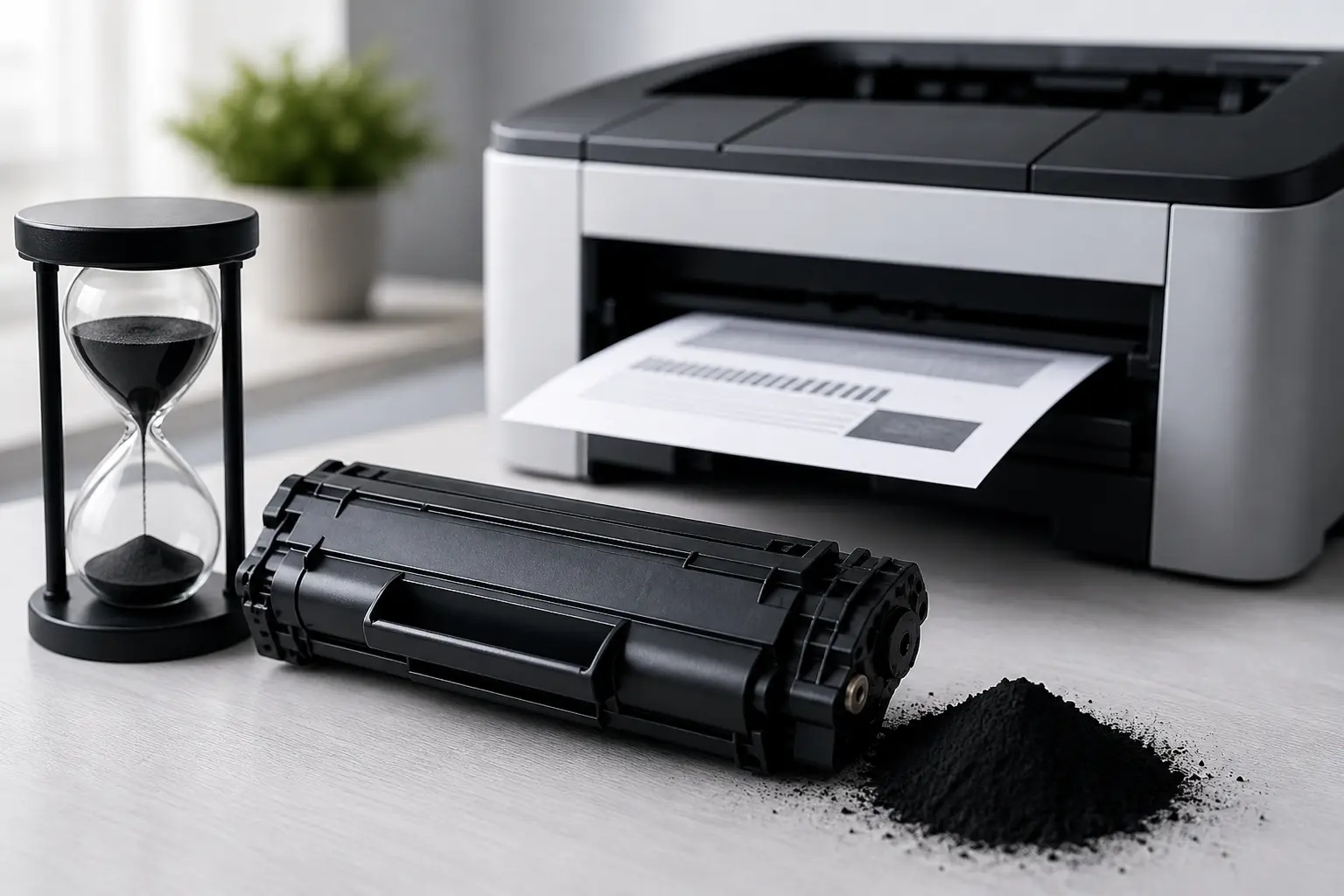
Many people worry that laser printer toner dries out like ink, especially when the printer is not used for a long time. You may notice faded or uneven prints after a long break, and it feels natural to think the toner has gone bad. But the reality is much simpler than that.
Laser printers use toner powder instead of liquid ink, so nothing inside the cartridge can evaporate or dry out. This makes toner very different from inkjet ink, which can dry and clog if left unused.
However, confusion still happens. When print quality drops, people often blame the toner. In most cases, the problem is not drying but toner settling or other minor printer issues..
Quick Answer: Does Laser Printer Toner Dry Out or Go Bad?
No, laser printer toner does not dry out because it is a dry powder, not liquid ink. It stays stable even if the printer is not used for a long time.
However, the toner can settle inside the cartridge when it stays unused for long periods. In some cases, humidity can cause small clumps to form. This may lead to light or uneven printing, but it is not actual drying or damage to the toner itself.
Simple Comparison
| Feature | Ink (Inkjet Printer) | Toner (Laser Printer) |
| Can it dry? | Yes | No |
| Can it evaporate? | Yes | No |
| Common issue | Clogging | Clumping/settling |
| Shelf life | Short after opening | 2–3 years or more |
A toner cartridge usually has a long shelf life if kept away from heat, moisture, and direct sunlight.
So, toner does not dry out, but poor storage or long inactivity can slightly affect its performance over time.
Why Laser Printer Toner Does Not Dry Out Compared to Inkjet
A laser printer does not face the same problem as an inkjet printer because it does not use liquid printer ink. Instead, it uses dry toner cartridges, so the issue of drying simply does not apply in the same way. Many people worry that toner cartridges dry out if the printer is not used, but that confusion comes from mixing it up with ink systems, where ink dries easily.
I’ve noticed this a lot with real users — they leave a printer unused for weeks and expect problems. With ink, that’s true. But with toner, the situation is different and much more stable.
What Toner Is Made Of (Simple Explanation)
A printer toner cartridge contains fine toner powder made of plastic and carbon particles. These particles are dry from the start, so no liquid can dry or evaporate.
Because of this, a laser printer does not rely on moisture or liquid flow. That’s why toner does not face issues like clogging or drying, unlike ink systems, where these problems are common.
Why Inkjet Ink Dries (And Toner Doesn’t)
In an inkjet printer, the ink cartridge holds liquid printer ink. When the printer is not used, air exposure can cause the ink to evaporate. This is when cartridges dry out, and nozzles get blocked, which can quickly affect print quality.
I find this frustrating because users often feel forced to keep printing just to avoid problems, which is not ideal.
On the other hand, toner inside a toner cartridge stays stable. Even after long gaps, it usually works fine. Sometimes, light maintenance like gently shaking the cartridge can help if the powder has settled, but it does not behave like ink at all.
This is why many people prefer a laser printer when they don’t print every day — it feels more reliable and less stressful over time.
If Toner Doesn’t Dry, What Actually Happens Over Time?
When people learn that toner does not dry, they often think nothing can go wrong. But that is not fully true. A laser printer is more stable than an ink printer, yet time still affects performance in small ways.
The main point is simple: toner is a powder, not a liquid. So inside the toner cartridge, nothing evaporates or dries out. That is why laser printers use toner and can still work even after long periods of inactivity. However, when a printer sits unused, a few natural changes can still happen.
Toner Settling Inside the Cartridge
When the printer is not used for a long time, the toner remains inside the cartridge. Since it is a powder, it can slowly settle at the bottom.
This is common when the printer is left unused for weeks or months. It does not mean the toner is bad — it just needs a little movement. In many cases, gently shaking the cartridge can redistribute the powder and restore print quality.
I’ve seen users panic at this stage, thinking something is broken, but most of the time it’s just normal settling.
Clumping Due to Humidity
The environment plays a big role. In high humidity, toner can absorb a small amount of moisture because it is a fine dry powder.
This can cause small clumps inside the cartridge.
That’s why storing your printer in a dry place is important. If not handled properly, humidity can slightly affect print output, even though toner itself does not dry like ink.
To be honest, many users blame the printer in this situation, but it is often just storage conditions, not a technical failure.
Internal Parts Wearing Out (Drum, Roller, Seals)
Even if the toner is fine, the internal parts of the cartridge slowly age. The drum, rollers, and seals all have a limited lifespan.
Over time, especially when a printer sits unused, these parts may not perform smoothly. This can reduce print quality, even if the toner powder is still good.
Manufacturers design cartridges with a long shelf life, but nothing lasts forever. So sometimes, even without heavy use, you may need to replace the toner or cartridge.
From experience, I’ve seen people waste time blaming the toner when the real issue was worn internal parts — and that often leads to unnecessary replacements.
Does Laser Printer Toner Expire or Go Bad? (Shelf Life Explained)
A laser printer uses a dry powder inside the toner cartridge, so it does not behave like inkjet cartridges, which can dry out quickly. The toner itself stays stable for a long time, but overall performance depends on storage and handling. If the protective bag is opened or the cartridge is not kept in its original packaging, the quality can slowly change over time. A good-quality toner can last for years, but poor storage may cause the powder inside to stick together, reduce print quality, or, in rare cases, even become unusable. This is why users should understand that toner does not exactly “expire” like food, but it can degrade if not handled properly.
Condition vs What Happens
| Condition | What Happens |
| Sealed in original packaging | Best condition, long shelf life |
| Protective bag opened but stored properly | Still usable, stable performance |
| Poor storage (heat, moisture, direct sunlight) | Toner may clump, resulting in reduced print quality |
| Very old or expired cartridge | May affect the toner inside, possible failure |
| Installed in the printer, but unused for a long time | Toner settles, may need shaking or cleaning |
How Long Can a Laser Printer Sit Unused?
A laser printer can sit unused for a long time because toner does not dry out like ink. This is where many people get confused, especially those coming from inkjet printer systems, where dried-out ink often causes failure. Inside a laser printer, the toner is a fine powder-based material, so it stays stable even when the printer is not used for weeks or months. However, time and storage conditions can still slowly affect performance.
After 1 Month (No Issues)
If your laser printer is unused for about 1 month, it usually works perfectly. The toner cartridge remains stable, and the powder inside does not change. Unlike ink systems, where the printhead can get clogged, laser printers do not face that problem. You can simply turn it on and print normally without worry.
After 3–6 Months (Minor Issues Possible)
After 3 to 6 months of no use, small issues may appear. The toner inside the cartridge may settle and may stick together slightly, especially in warm or humid places. This can lead to light prints or uneven output, but it is usually easy to fix by gently shaking the cartridge or running a test print.
After 1 Year (Higher Risk of Problems)
If a printer sits unused for around a year, you may start seeing more noticeable issues. The toner still doesn’t dry, but storage conditions and cartridge aging can affect performance. In some cases, a new cartridge may work better than an old one. Unlike inkjet printers, there is no sudden breakdown, but maintenance or replacement may be needed for smooth printing.
Why Your Prints Look Bad (And Why It’s Not Dry Toner)
When print quality becomes poor, many users quickly assume the toner has failed or become dry. However, that is usually not the real issue. A laser printer uses toner made of plastic particles, not a liquid-based system, so no liquid can evaporate. Most problems appear when the printer is left idle for months, not used regularly, or exposed to extreme temperatures. In reality, print issues are often related to maintenance or toner movement inside the cartridge, not actual toner damage.
Key Factors Behind Poor Print Quality
- Faded prints are often caused by uneven toner flow
- Streaks and lines usually come from dust or minor blockage inside the printer
- Uneven toner distribution happens when toner settles after a long idle period
- Drum or roller wear can affect output even if the toner is fine
- A simple, gentle shake can often fix minor toner settling issues
How to Fix Toner Issues After Not Using Your Printer
When a laser printer is not used for a long time, people often panic and think something is broken. I’ve seen this many times, and honestly, most of the time the printer is fine. The toner inside is a fine powder made of plastic, so it is already dry and does not behave like ink, which is prone to drying. Still, after long periods of inactivity, toner can settle inside the cartridge, especially if it was unopened or sitting idle for weeks. Even a Brother laser printer or other models may show light prints or uneven output, but these issues are usually easy to fix without replacing anything.
Gently Shake the Toner Cartridge
Start by gently shaking the cartridge. This helps redistribute the toner evenly if it has settled inside. It is a simple step, but it often fixes light prints or uneven areas quickly. Many users skip this and end up wasting money on a new cartridge, which is unnecessary in most cases.
Run Test Prints
After reinstalling, run a few test prints. This helps the printer stabilize after being idle. Sometimes the first page may look weak, but the quality often improves after a few tries. It also helps confirm whether the toner is working properly or not.
Clean Printer Components
Dust or small residue inside the printer can affect output. Rollers and internal parts should be cleaned gently to maintain smooth printing. This is important because even a small buildup can reduce print quality over time.
Replace Old or Damaged Cartridge
If the cartridge is very old or stored in poor conditions, replacement may be needed. Even though toner is already dry and stable, long storage or extreme temperatures can reduce performance. In such cases, a new cartridge is the best solution for consistent results.
Toner Storage Tips to Make It Last Longer
Proper storage is very important if you want your laser printer toner to perform well for a long time. Many users face print issues and assume the toner is bad, but in reality, poor storage is often the main reason. A toner cartridge should always be kept in a stable environment because heat, moisture, and dust can slowly reduce its performance. Good storage habits help maintain print quality and avoid unnecessary replacements.
Storage Guide Table
| Storage Factor | Best Practice | Why It Matters |
| Temperature | Keep in a cool, stable place | Prevents toner performance loss |
| Humidity | Avoid damp areas | Moisture can affect powder flow |
| Packaging | Keep in original box | Protects from dust and air |
| Sunlight | Avoid direct sunlight | Heat can damage cartridge quality |
| Handling | Store unopened until use | Maintains full toner stability |
Laser vs Inkjet: Which Is Better for Occasional Use?
Choosing between a laser printer and an inkjet printer depends a lot on how often you print. I’ve seen many users struggle with this decision, and honestly, most problems come from choosing the wrong type for their usage. If you print only occasionally, the difference becomes very clear in terms of maintenance, cost, and reliability.
Why Laser Printers Are Better for Low Usage
A laser printer is usually the better option for occasional use because there is no drying problem. The toner inside does not behave like ink, so it doesn’t clog when the printer is unused. This makes it more stable and stress-free.
It also needs less maintenance, which I personally appreciate because users often get tired of cleaning ink systems again and again. Another big benefit is cost — over time, laser printing is often cheaper per page, especially for documents.
When Inkjet Might Still Be a Better Choice
An inkjet printer can still be useful if you print high-quality color images or photos. It can produce more detailed color output in some cases, which is why some users prefer it for creative work.
But there is a downside. Ink can dry if the printer is not used regularly, which often leads to issues and frustration. So while inkjet works well for color needs, it requires more care and regular usage compared to laser printers.
Expert Tips to Keep Your Laser Printer Working Smoothly
A laser printer works best when you follow a few simple care habits. I’ve seen many users face issues just because they ignore basic maintenance, and honestly, it’s frustrating because most problems are avoidable. Try to use the printer occasionally so dust does not settle inside, and keep it in proper condition. Always store it in a clean, dry place, and avoid extreme environments like heat, moisture, or direct sunlight. These small steps really help the printer stay smooth and reliable for a long time.
Conclusion
So, does laser printer toner dry out? The simple answer is no. A laser printer uses toner that is already dry and does not behave like ink, so it does not dry out or clog the way an ink system does. But that does not mean it is completely risk-free. Poor storage, long inactivity, or bad conditions can still affect print performance over time.
From what I’ve seen in real use, most issues come from misunderstanding, not from the toner itself. When you store it properly, use it occasionally, and keep it away from extreme conditions, a toner cartridge can stay reliable for a long time. So instead of worrying about “drying,” focus on care and maintenance—that’s what really keeps your prints smooth and stress-free.
Frequently Asked Questions
Does laser printer toner expire?
Toner does not expire like food, but it can slowly lose performance if stored for many years in poor conditions. Under normal storage, it usually remains usable for a long time.
Does laser printer toner dry out if unused for months?
No, toner does not dry out because it is already a dry powder. However, it may settle inside the cartridge and slightly affect print quality.
How long can an unopened laser toner cartridge be stored?
An unopened toner cartridge can usually be stored for 2–3 years or more if kept in a cool, dry place. Proper packaging helps maintain its quality.
Can moisture affect laser toner powder?
Yes, high humidity can cause toner powder to clump or stick together. This may lead to uneven printing, but it does not completely damage the toner.
Are there laser toner brands known for longer shelf life?
Yes, well-known brands like HP, Canon, Brother, and Epson generally offer better stability and a longer shelf life. However, storage conditions still play the biggest role.

Willis C. Mathes
I’m Willis C. Mathes With hands-on experience and technical knowledge of printers, I dive deep into printer reviews, troubleshooting, and tips, ensuring you get the most out of your printing investment.