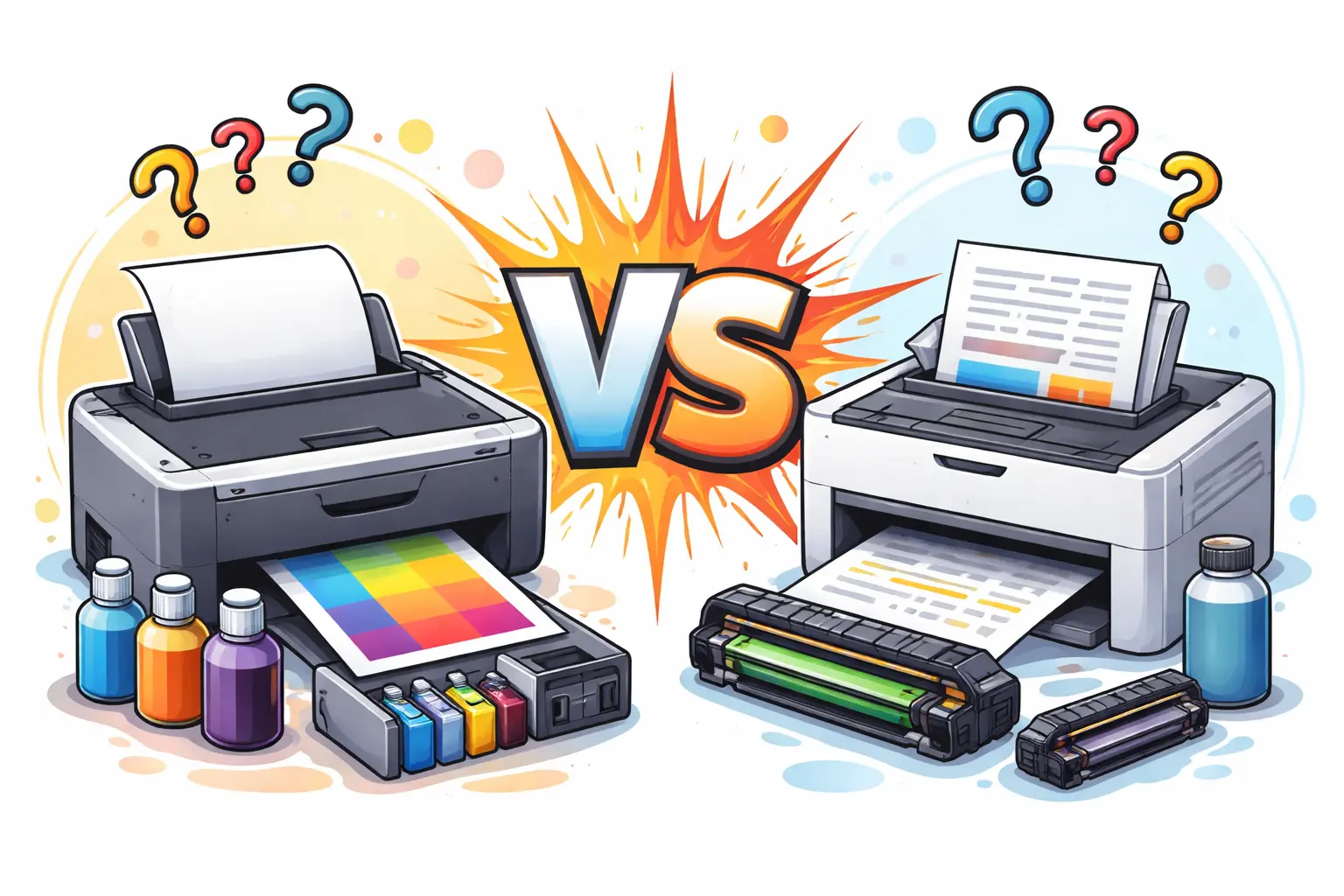
I’ve seen this happen a lot. You go to buy a new cartridge, come home, open your printer… and it doesn’t fit. At that moment, it hits you—you’re not even sure what type of printer you have. It’s frustrating, and honestly, it feels like such a small thing that shouldn’t be confusing… but it is.
If you’re wondering, “Is my printer inkjet or laser?”, you’re definitely not alone. Many people use their printer for years without knowing whether it’s an inkjet printer or a laser printer—until something goes wrong.
The good news is, you don’t need to be technical to figure it out. You just need to notice a few simple things that most people overlook.
In this guide, I’ll show you 5 easy ways to check at home. Nothing complicated. Just clear, practical steps so you can finally know what you’re using—and avoid wasting money on the wrong ink cartridge or toner again.
How to Tell If Your Printer Is Inkjet or Laser?
If you just want a fast answer, here it is without any confusion.
The easiest way to identify your type of printer is by looking at the cartridge system and how your printer behaves when it prints.
I’ll keep it very simple because honestly, people overthink this a lot (I’ve seen it happen so many times, and it always leads to wasted money on the wrong cartridge).
Ink cartridge = Inkjet printer
If your printer uses an ink cartridge, then you are using an inkjet printer. These cartridges usually contain liquid ink and often come in separate colors like black, cyan, magenta, and yellow.
Most homes using an inkjet printer don’t even realize they are dealing with liquid-based printing until the cartridge runs out quickly. And yes, that’s a common frustration.
Toner cartridge = Laser printer
If your printer uses a toner cartridge, then it is a laser printer.
A toner cartridge is different because it holds fine powder instead of liquid ink. Inside a laser printer, the powder is melted onto paper using heat from a part called a fuser. That’s why laser printing feels faster and more “sharp,” especially for documents.
Slow + photo printing = Inkjet printer
If your printer is slower and gives better photo results, it is most likely an inkjet printer.
An inkjet printer works by spraying tiny drops of ink onto paper. This is why inkjet printers use liquid ink, and they are usually better for images, school projects, or colorful print work. I personally like how they handle photos, but I’ll be honest—they can be a bit annoying when the ink dries out too fast.
Fast + text printing = Laser printer
If your printer is fast and mainly prints clean text documents, then it is a laser printer.
A laser printer is built for speed and bulk work. Offices love it because it can handle heavy print jobs without slowing down. A laser printer also lasts longer in high-volume use compared to an inkjet printer, which is why businesses prefer it even if the upfront cost is higher.
Simple Comparison Table
| Feature | Inkjet Printer | Laser Printer |
| Ink Type | Liquid ink | Toner powder |
| Cartridge Type | Ink cartridge | Toner cartridge |
| Speed | Slower | Faster |
| Best For | Photos, home use | Documents, office use |
| Mechanism | Sprays ink | Uses heat (fuser) |
Final Simple Trick (My Honest Advice)
If you still feel unsure, just open your printer and check the cartridge:
- Small liquid-filled ink cartridge = Inkjet printer
- Large powder-based toner cartridge = Laser printer
That’s it. No stress. No guessing.
I’ve seen many people struggle with this simple thing, and honestly, it shouldn’t be complicated at all. Once you know this one difference, you can easily understand your inkjet and laser printers without confusion and avoid buying the wrong supplies again.
Why It’s Important to Know Your Printer Type
A lot of people ignore this, and I get it. A printer feels like a simple machine—you just press print and move on. But I’ve seen many users waste money just because they didn’t know whether they had an inkjet or laser printer. And honestly, that part is a bit frustrating, because it’s such an easy thing to fix once you understand it.
Knowing your printer type is not just “extra knowledge.” It actually saves money, reduces confusion, and helps your printer last longer.
Let’s break it down in a simple way.
Avoid buying the wrong ink or toner
This is the most common mistake I see, and it’s honestly a headache.
If your printer is an inkjet, it uses an ink cartridge filled with liquid ink. If you accidentally buy a toner cartridge, it simply won’t work. And the same problem happens the other way around.
People often come home, excited to print something important, and then realize they bought the wrong supply. I’ve seen that frustration firsthand, and it’s not a good feeling.
So, when you try to know if my printer is ink-based or laser-based, always start with the cartridge. It’s the safest clue.
Save money
Here’s something most people don’t talk about enough.
An inkjet printer looks cheap at first, but the ink runs out quickly. It prints using tiny droplets of ink, which sounds efficient, but frequent refills can become expensive.
On the other hand, laser printers use toner that lasts much longer. A single toner cartridge can print thousands of pages compared to an ink.
Now, I’m not saying one is always better than the other. But I am saying this: if you don’t understand the differences between inkjet and laser, you will almost always spend more than needed.
And trust me, I’ve seen users get annoyed when they realize they’ve been overspending for months without noticing.
Use the correct paper and settings
This part is often ignored, but it really matters.
A printer is an inkjet printer or a laser printer, and both behave differently when you print.
- An inkjet printer spreads ink gently onto paper. That’s why it works well for photos and smooth colors.
- A laser system is faster and sharper because it uses a laser beam and heat to bond toner onto paper.
Because of this difference:
- Inkjet printers need thicker or coated paper for better results
- Laser printers work better with standard office paper
If you mix this up, your results can look dull or even smudged. And honestly, nothing feels worse than wasting a good print job because of a small mistake.
Simple comparison (real-world understanding)
| Feature | Inkjet and Laser Difference |
| Inkjet | Uses liquid ink, good for photos |
| Laser | Uses toner, good for documents |
| Speed | Laser printers use faster mechanisms |
| Cost | Inkjets may cost more over time |
Step-by-Step Guide to Identify Your Printer Type
When people ask me how to figure out their printer, I always tell them the same thing—don’t overthink it. I’ve seen users stress for no reason, even though the answer is sitting right in front of them.
Whether your printer is old or new, there are a few simple checks that will quickly tell you if you are using an inkjet printer or a laser printer. I’ll walk you through each one like I would if I were standing next to you.
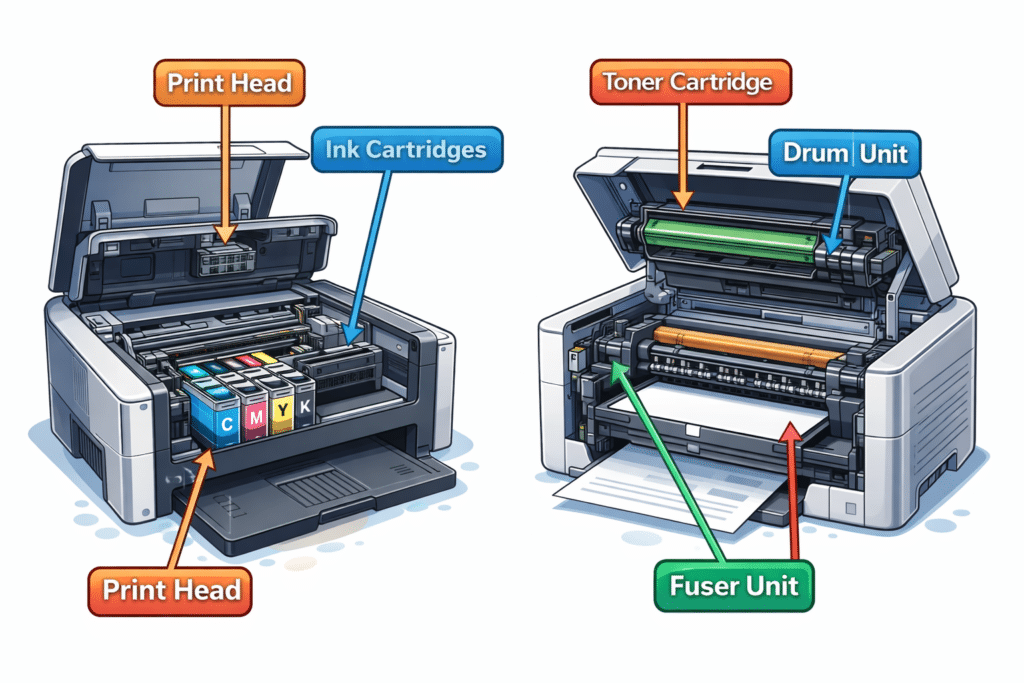
1. Check the Cartridge Type (Easiest Method)
This is the first thing I always look at. Honestly, I feel a bit frustrated when people skip this step and jump into guessing. It solves the problem in seconds.
Open your printer and look at the cartridge.
- If you see small, lightweight ink cartridge units filled with liquid ink, then you are dealing with ink-based printing.
- If you see a bigger, solid toner cartridge, usually cylindrical or box-like, then it is a laser system.
The difference is very clear once you see it. An inkjet printer uses liquid ink, while a laser printer uses toner cartridges filled with powder. That powder gets melted onto paper using heat, which is why laser systems feel so fast and sharp when you print.
I’ve worked with many office setups, and this single check has saved people from buying the wrong supplies again and again.
2. Check the Printer Model Name (Simple Trick)
This is one of my favorite tricks because it is so often ignored.
Look at the name printed on your device or search the model online.
- Models like DeskJet or EcoTank usually mean ink-based systems
- Models like LaserJet or Brother HL usually mean laser systems
Big brands like HP clearly separate their product lines, so you can easily figure out what type of printer you have without opening anything.
To be honest, I get a little surprised when people miss this step—it’s written right on the machine most of the time.
This is one of the fastest ways to understand the difference between the two without technical knowledge.
3. Check Printing Speed
Now this is something you can notice even without opening the printer.
Start a test print and observe how it behaves.
- An ink-based system is slower because it sprays liquid ink directly onto the paper drop by drop
- A laser system works faster, especially when handling large volumes of documents
A laser printer is built for speed. It can handle printing speeds that are much higher than those of ink-based machines. This is why offices prefer them when they need to handle large volumes of work daily.
I’ve always felt a bit annoyed when people expect ink-based printers to perform like laser ones—it’s just not how they are designed.
4. Look at Print Quality
This is where things get interesting, and honestly, a bit impressive on both sides.
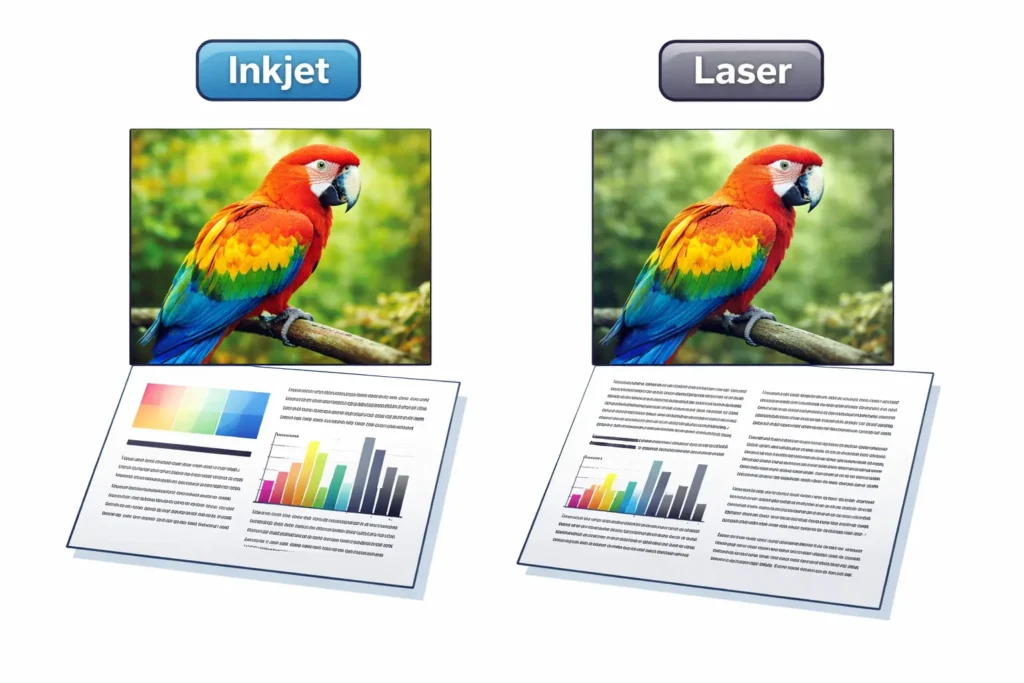
- An ink-based system gives smoother colors because it places ink onto the paper in soft layers. This makes it better for photos and colorful images.
- A laser system produces sharper text and cleaner lines, especially when working with documents like reports or forms.
A laser toner gives very crisp output, which is why laser printers tend to dominate office environments.
If you compare them side by side, you will easily notice how print quality changes depending on the system. Color laser printers also exist, but they are more focused on document clarity than photo detail.
From experience, I’ve seen people get disappointed when they expect photo-level quality from laser systems. It’s not a flaw—it’s just a different purpose.
5. Listen to the Printer
This might sound strange, but yes, sound can tell you a lot.
- Ink-based systems have a moving print head that goes back and forth. You hear soft mechanical movement as it sprays ink
- Laser systems sound smoother and more consistent because they rely on internal heating and processing instead of direct spraying
When a laser printer uses toner cartridges, the process is more controlled. The image is formed and then bonded onto paper using heat, which is why the sound feels more stable.
I personally find this step underrated. Many technicians overlook it, but once you notice it, you can easily tell whether you are using an inkjet or a laser printer system.
Ink Cartridge vs Toner Cartridge
This is the fastest way to understand your printer. Most people get confused when they open the printer, but once you know what to look for, it becomes very simple.
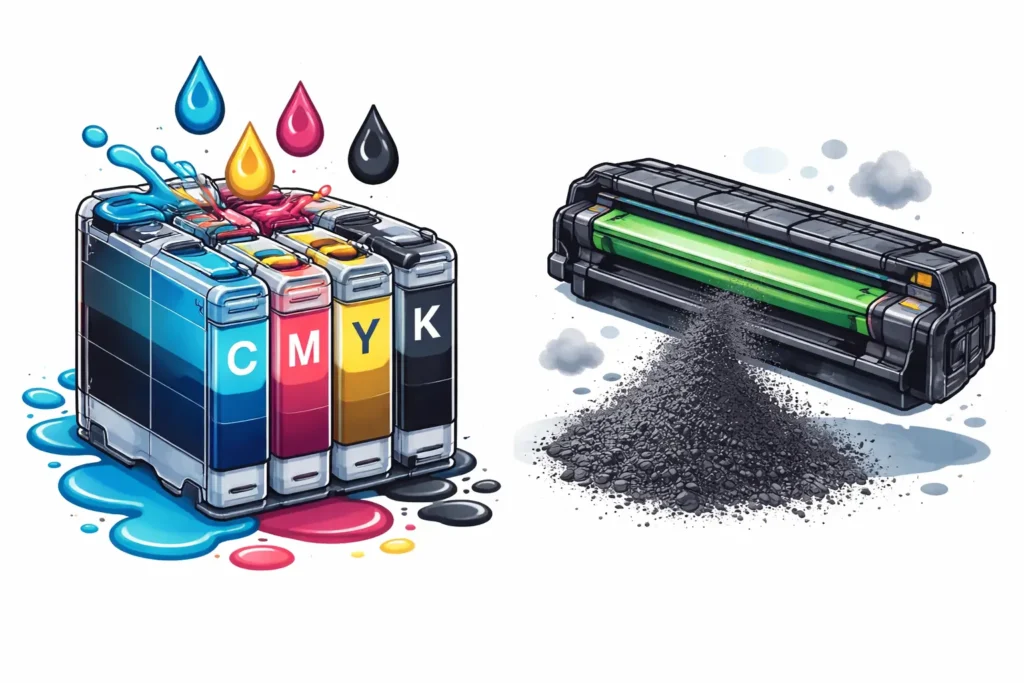
Physical difference
An ink-based system uses small, lightweight ink cartridges. These are easy to remove and are mostly used in home printers, especially for printing photos and everyday documents.
A laser system uses a larger toner cartridge. It feels heavier and more solid because it holds powder, not liquid. If the part inside your printer model looks big and firm, it’s most likely a laser.
Liquid vs powder
Ink cartridges contain liquid ink. The printer sprays tiny droplets of ink onto the paper, giving smooth and colorful results. This method is common in ink-based systems where ink is directly applied to the page to create detailed images.
Laser printers use toner powder instead. The powder is heated and fused onto paper inside the printer. This is why laser systems are better for fast and clean text output, especially when producing high-quality documents in a short amount of time.
Where to find them
Ink cartridges are placed in an easy-access section. You can usually reach them right after opening the top cover.
Toner cartridges are placed deeper inside the printer, often in a more closed compartment.
If you still feel unsure, check your printer settings on your computer. It can sometimes confirm whether your system is ink or laser. This small check can help you choose the right supplies and avoid mistakes when deciding what printer to use.
Quick comparison table
| Feature | Ink Cartridge | Toner Cartridge |
| Type | Liquid ink | Powder (toner) |
| Access | Easy inside printer | Deeper inside the printer |
| Output | Color & photos | Sharp text |
| Speed | Slower | Faster |
Inkjet vs Laser Printer – Key Differences
Before choosing or trying to understand your printer, it’s important to understand the basic difference between these two systems. I’ve seen many people buy the wrong ink or toner just because they didn’t know this simple thing. It sounds small, but it can waste both money and time.
Let’s keep it simple and clear.
Technology (How They Work)
An ink-based system works by spraying liquid ink directly onto paper. It uses tiny droplets of ink onto the page to form text and images. This is how most inkjet printers work, especially when it comes to color printing or photos.
A laser system is completely different. A laser printer uses heat and a laser process to melt toner powder onto paper. The type of cartridge used here is called a toner, and it helps create very sharp and clean text.
In simple words, inkjet is liquid-based printing, while laser is heat and powder-based printing. Once you see it like this, the confusion starts to disappear.
Speed
When it comes to speed, laser printers are usually much faster.
They are built for efficient printing and can handle large volumes of text without slowing down. That’s why offices prefer them for daily work and reports.
Ink-based printers are slower because they carefully place ink onto paper step by step. It takes more time, but it gives smoother results for images.
Cost Per Page
This is where most people get surprised later.
Ink systems may look cheap at first, but they often tend to be more expensive over time, especially if you print regularly. Ink runs out faster, and you need frequent replacements.
Laser systems are more cost-effective in the long run. Even though the printer price is higher, they reduce spending on supplies like toner and last longer between refills. This makes them better for regular users or office work.
Best Use (Home vs Office)
Ink-based printers are making them ideal for home use, school work, and light color printing. They are great if you don’t print often and just need simple documents or photos.
Laser printers are better for office environments. They handle large volumes of text, produce prints quickly, and are designed for daily heavy use. This can help you make a better choice depending on your needs and avoid wasting money on the wrong system.
Quick Comparison Table
| Feature | Inkjet Printer | Laser Printer |
| Technology | Liquid ink system | Toner + laser heat |
| Speed | Slower | Faster |
| Cost | Cheaper upfront | Cost-effective long-term |
| Best Use | Photos, home use | Office, bulk printing |
| Output | Smooth color results | Sharp text documents |
Real-Life Examples to Identify Your Printer Type
Sometimes people don’t need technical explanations—they just need real-life examples. I’ve seen this many times while helping users figure out their printer, and honestly, once they relate it to daily use, everything becomes clear very quickly.
Let’s keep it simple and practical.
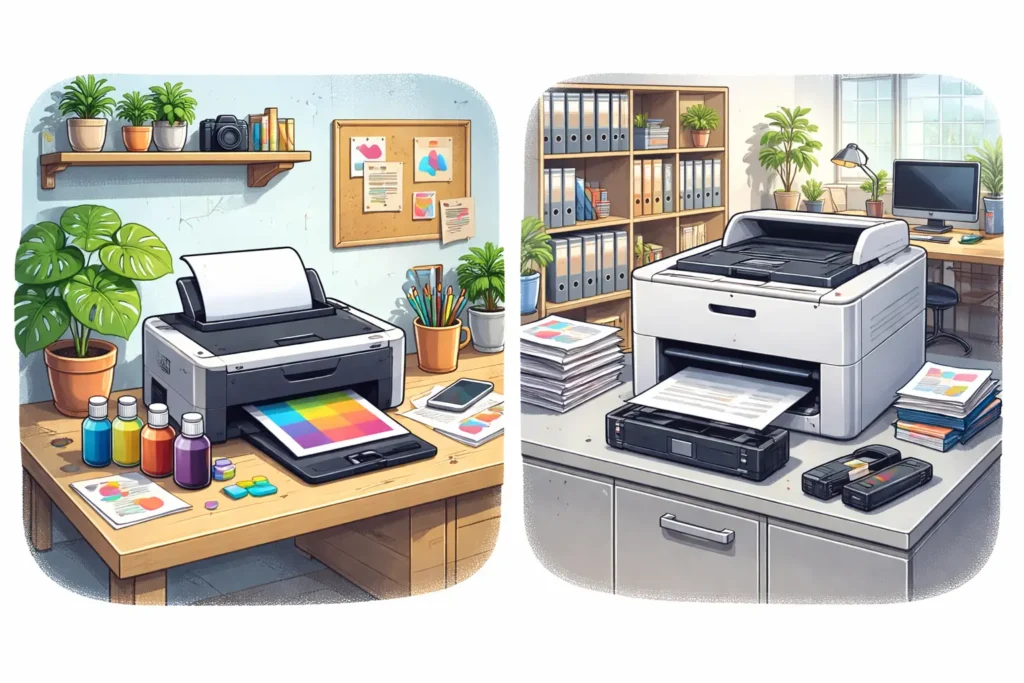
Home photo printer → Inkjet
If you mainly use your printer at home for photos, school work, or colorful pages, then it is most likely an inkjet printer.
An inkjet system works by spraying ink during the printing process, which helps produce smooth colors. It uses small cartridges, and this setup is common in home devices where different printing tasks happen occasionally.
From experience, I’ve noticed that home users often prefer inkjet because it gives softer image quality. It can sometimes smudge if the paper is not right, but for everyday use, it does the job well.
Office fast printing → Laser
If your printer is used in an office where documents are printed all day, then it is almost always a laser printer.
These printers are designed for speed. When it comes to printing reports or long files, printers generally rely on laser systems because they handle work much faster and more efficiently.
A laser system uses heat and toner, which makes it ideal for clean text and bulk tasks. In real office setups, this type of printer is preferred because it keeps up with a heavy workload without slowing down.
I’ve seen businesses struggle when they use the wrong type—it slows everything down, and honestly, it becomes frustrating for everyone involved.
Occasional use → Inkjet
If you only print once in a while—maybe a form, ticket, or a school assignment—then you are likely using an inkjet system.
This type of printer is simple and works well for light use. The printing process is slower, but it gives decent quality for basic needs. It is often chosen by households where printing is not a daily task.
I personally think this is where inkjet shines. It’s not built for heavy work, but for occasional use; it fits perfectly without much effort.
Bulk printing → Laser
If you regularly print a lot of pages, you are definitely dealing with a laser system.
These printers are built for large workloads and can handle continuous printing without stopping. In workplaces where documents are produced daily, laser systems are the standard choice.
The reason is simple—they are reliable for high-volume printing. They don’t slow down easily, and they maintain consistent output even during long sessions.
This is where laser printers show their unique strengths, especially in busy environments where time really matters.
Common Mistakes People Make
People often get confused when they try to understand their printer type, and I’ve seen this happen many times. It usually starts with small assumptions, like thinking every color printer is inkjet or judging the printer just because of its size. Some people also mix up ink and toner, and that leads to wrong purchases and unnecessary stress. Honestly, it feels frustrating because these mistakes are so easy to avoid once you understand the basics of laser and inkjet printers. The truth is simple—once you know how both systems work, you can easily figure out your printer without guessing.
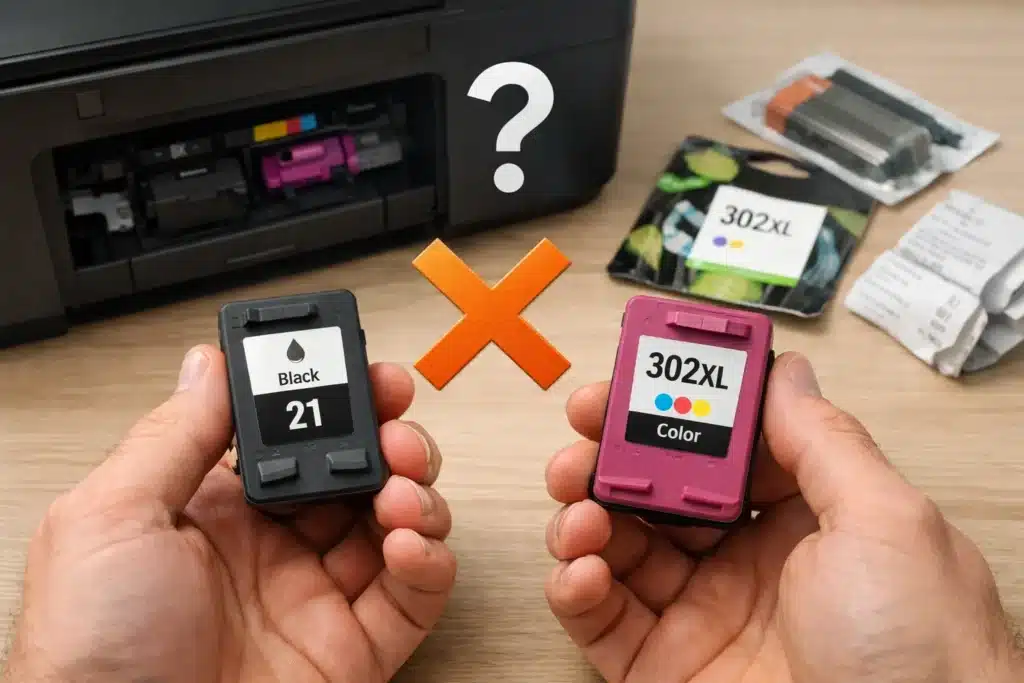
Common Mistakes
- All color printers are inkjet: Many people believe color printing only comes from inkjet systems. In reality, both laser and inkjet printers can print in color. Inkjet is better for detailed images, while laser is more focused on fast document printing.
- A big printer means it is a laser printer: Size does not tell you the printer type. Some large printers still use ink cartridges, while some compact ones work as laser systems depending on their design and purpose.
- Confusing toner with ink: Inkjet printers use liquid ink, while laser printers use powder called toner. Mixing them up often leads to buying the wrong supplies and compatibility problems.
- Thinking all printers work the same way: Printing systems are not the same. Inkjet printers spray ink onto paper, while laser printers use heat to transfer toner onto the page.
- Ignoring the purpose of the printer: Some printers are built for photos, while others are made for heavy document printing. Not knowing this can lead to wrong expectations about performance.
What If You Still Can’t Identify Your Printer?
If you still can’t figure out your printer type, don’t worry—it happens more often than people think. I’ve seen many users stuck at this point just because they missed one small detail.
First, check your printer settings on your computer or phone. Sometimes the system already shows the exact model and type, and people don’t even notice it.
If that doesn’t help, search your printer model on Google. In most cases, this gives you a clear answer in just a few seconds. I usually rely on this step when things get confusing.
If you’re still unsure, check the printer manual. It almost always mentions whether it is an inkjet or laser system. I know many people ignore the manual, but honestly, it saves a lot of time and confusion.
These simple steps are enough to help you finally understand your printer without guessing and avoid buying the wrong supplies again.
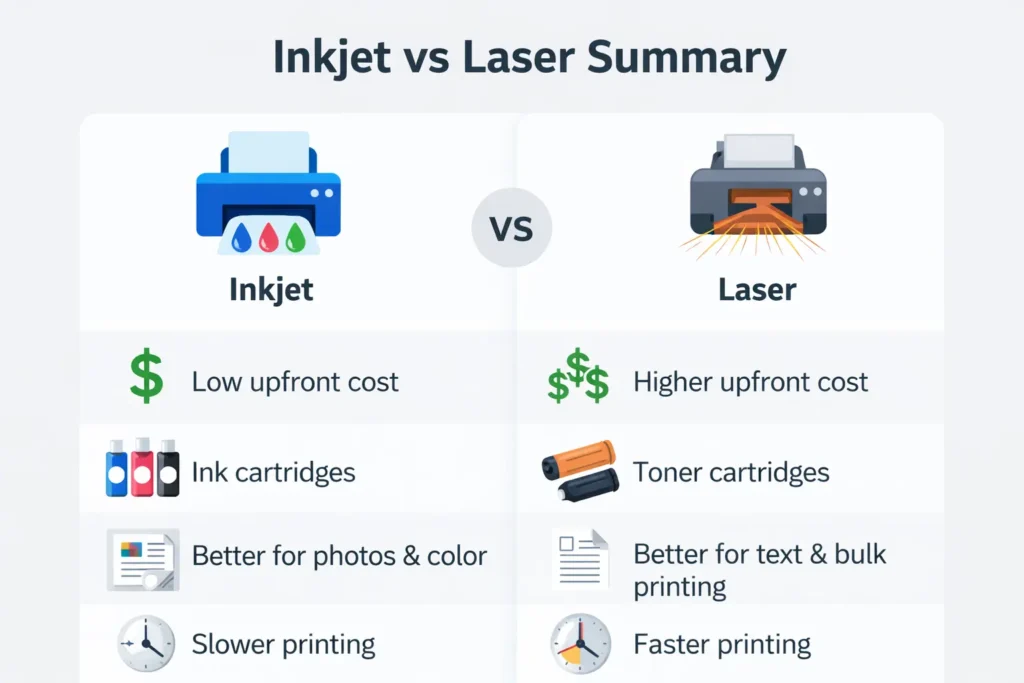
Conclusion
Now it should feel much easier to understand whether your printer is inkjet or laser. I’ve seen many people get confused at the start, and honestly, it makes sense because both look similar from the outside. But once you know the basics, everything becomes simple.
The main thing to remember is this: inkjet printers use liquid ink cartridges, while laser printers use toner. This one difference clears most of the confusion right away.
If you quickly go back through what we discussed, you’ll notice a pattern. The fastest way to identify your printer is to check the cartridge type and the printer model name. These two steps alone are usually enough, even if you don’t know anything technical.
I always tell people not to overthink it. Just open the printer, look at the cartridge, or check the model online. It takes a few seconds, but it saves you from buying the wrong ink or toner again and again.
Once you understand this simple method, you won’t need to guess anymore.
Frequently Asked Questions
How do I check the printer type without opening it?
Just search your printer model on Google or check the name on the device. It clearly shows whether it is an inkjet or a laser.
Is inkjet cheaper than laser?
Inkjet is cheaper to buy, but the ink runs out faster. Laser costs more at first, but toner lasts longer, so it saves money if you print often.
How do I identify printer type from settings?
Go to your printer settings on your computer or phone. The model name is usually shown there. You can search it online to confirm the type.
Which printer is better for home use?
Inkjet is better for home use because it is good for light printing and photos. A laser is better if you print a lot of documents.
Which printer lasts longer, inkjet or laser?
A laser printer usually lasts longer because it is built for heavy use and uses toner instead of liquid ink. Inkjet printers can work well, too, but they may need more maintenance if not used regularly.

Willis C. Mathes
I’m Willis C. Mathes With hands-on experience and technical knowledge of printers, I dive deep into printer reviews, troubleshooting, and tips, ensuring you get the most out of your printing investment.