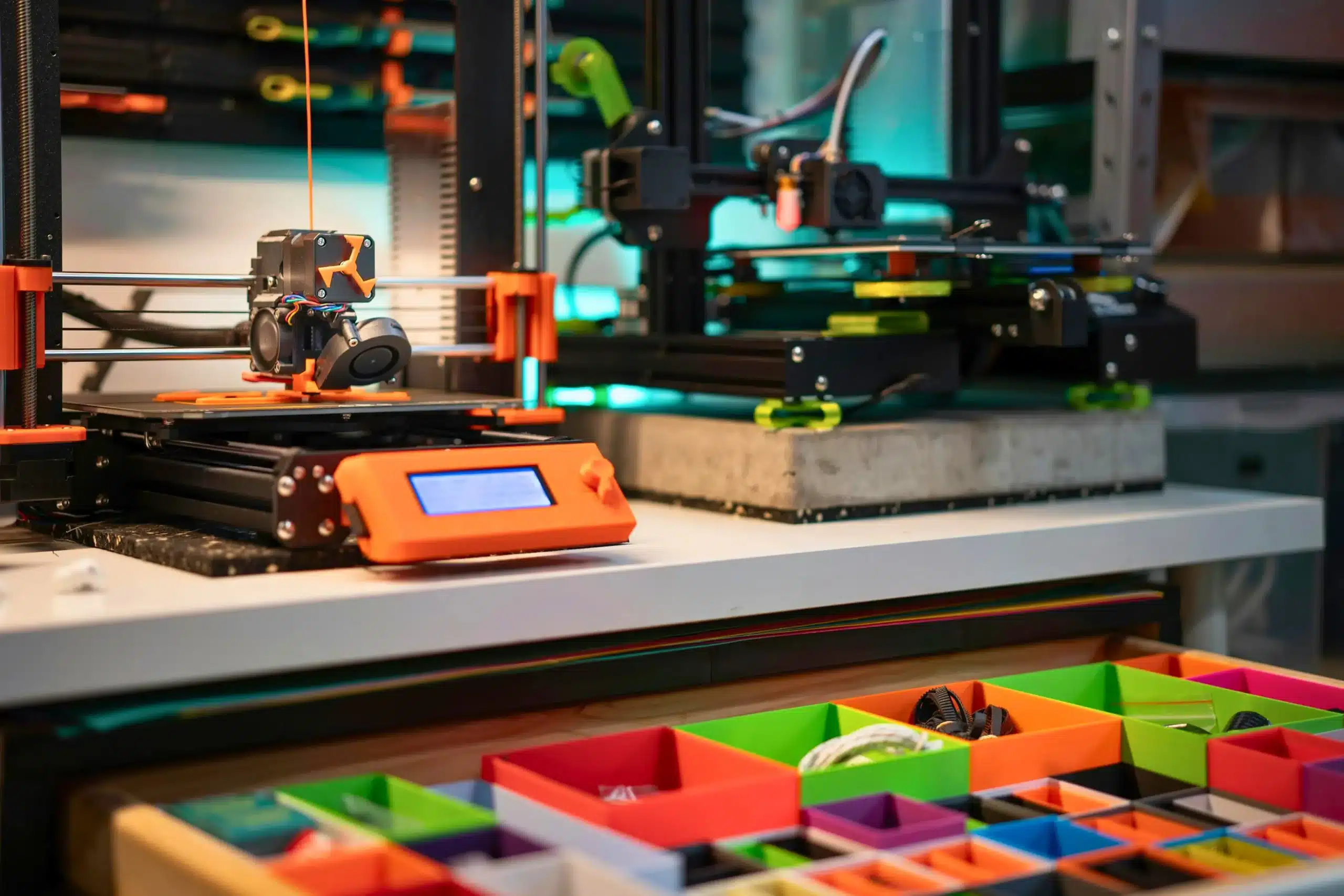
What to look for when buying a 3D printer is not as simple as checking price or brand. Many beginners rush into buying a 3D printer without understanding the learning curve involved. Watching a 3D printer create an object layer by layer is exciting for most first-time users, as you can create anything. But then reality hits when the print fails repeatedly.
The global 3D printing market is growing fast, worth around $15+ billion in 2024, and more people are getting into 3D printing every year. But here is the problem I personally notice a lot: most people focus only on cheap options or fancy features, not on what actually makes printing smooth in real life. That is where mistakes happen.
A 3D printer is not just a machine you buy and forget. It becomes part of your daily learning. You deal with filament, failed print jobs, settings, and sometimes even small frustrations that make you pause and think, “Why is this happening?” I’ve been there, and I know how annoying it feels when a simple print wastes time and material like PLA.
So in this guide, I am not just talking about specs. This guide focuses on practical lessons that become clear after long-term use. You will understand what actually matters before buying your first 3D printer, what problems to avoid, and how to choose a printer that does not turn your excitement into stress.
Because in the end, a good printer should help you create—not confuse you.
Why Choosing the Right 3D Printer Matters More Than Ever
Choosing the right 3D printer is more important today because the market is growing fast, and more beginners are joining 3D printing. Entry-level machines look simple, but not all of them provide a smooth experience.
A good FDM printer is not just about price or speed. It’s about stability, easy setup, and how well it handles materials like PLA and PETG. Some models like Ender require more manual tuning, while brands like Bambu focus on automation and smoother printing.
Many beginners start printing without understanding how calibration and setup affect print quality. They think printing is simple, but real modeling and setup require patience. Even small things like leveling or incorrect settings can ruin a full print.
Also, not every printer supports different materials well. Some need upgrades, like an enclosure to control temperature. These small details decide whether your experience is smooth or stressful.
Why Many Beginners Quit 3D Printing Early?
Many beginners quit 3D printing early because their first experience is often frustrating. Studies show that a large number of users stop within months, mainly due to failed prints and setup issues.
A beginner expects the first 3D print to work instantly, but that rarely happens. Problems like poor leveling, incorrect PLA settings, or filament issues often lead to repeated failures.
Many beginners assume the printer is defective when the real issue is incorrect settings or calibration. That moment of confusion is where many give up.
And I’ll be honest, it feels disappointing when users quit before even learning the basics.
How the Wrong Printer Creates Frustration and Extra Costs?
Choosing the wrong 3D printer can quietly increase your cost over time. It doesn’t feel expensive at first, but it adds up.
Common issues include:
- Wasted filament from failed prints
- Constant recalibration
- Weak support for materials like PETG
- Need for upgrades, like an enclosure
- Extra replacement parts
A cheap FDM printer may look attractive, but it often creates more problems than solutions. Even small mistakes can cause failed print jobs again and again.
In contrast, more stable systems reduce effort and make printing much smoother.
From experience, I’ve seen users spend more on fixing issues than on the printer itself. That is the real hidden cost most people don’t expect.
What to Look for When Buying a 3D Printer Beginner Users Can Actually Handle?
When choosing a 3D printer, beginners often get confused by features. But in real 3D printing, simplicity matters more than anything. A good machine should help you print, not stress you out.
A beginner-friendly FDM printer should work smoothly with materials like PLA and PETG without constant adjustments. Some brands like Bambu make this easier with automatic settings, which honestly feels like a relief compared to older systems.
I’ve seen many users struggle just because they picked a complicated machine. In many cases, the problem comes from choosing a printer that is too difficult for beginners.
Easy Setup and Beginner-Friendly Interface
Setup should be quick and simple. If it takes hours just to start your first 3D print, something is wrong.
Good printers offer auto calibration, simple screens, and clear steps. This helps beginners focus on their 3D model, not technical confusion.
Even printing basic PETG parts becomes easier when the system is clean and properly guided.
Reliability vs Constant Tinkering
This is the biggest difference.
Some printers need constant fixing—level adjustments, re-checks, and tuning. That quickly becomes stressful for beginners.
A reliable FDM printer should give consistent results without daily effort. Fewer failed prints also mean less wasted filament.
Repeating failed prints because of calibration or adhesion problems wastes both time and filament. again because of small issues.
Why “It Just Works” Matters More Than Fancy Features
Fancy features are useless if the printer keeps failing.
Beginners need stability, not complexity.
A simple printer that works every time is better than one with advanced options but unstable results. Even for a prototype, consistency matters more than speed.
Some Bambu models are popular because they reduce manual work and improve reliability, which helps beginners stay motivated.
The Importance of Good Tutorials and Customer Support
This part is often ignored, but it is very important.
Even the best machine becomes difficult without support.
Beginners need clear guides for setup, filament use, and fixing basic 3D printing problems. Without that, many users feel stuck and stop using their printer.
Good support turns confusion into learning, especially when working with materials like PETG or SLA systems.
In real use, strong guidance can decide whether a beginner continues or gives up early.
Understand the Different Types of 3D Printers Before Buying
Before you spend money, you must understand different printing technologies. This is where many beginners make mistakes. They buy the wrong machine, then struggle with print quality, settings, and even basic plastic flow from the nozzle.
In real 3D printing, choosing the right type affects everything—cost, learning curve, and results. Even the cost of a 3D printer changes a lot depending on the technology.
I’ve seen people get excited and rush in, then later feel stuck because they didn’t understand the basics. Let’s fix that here.
FDM Printers Explained
An FDM printer works by melting plastic and placing it layer by layer using an extruder. It is the most common type in home 3D printers.
You usually design or download a 3D model, load it into a slicer, and the printer builds it step by step.
A nozzle pushes melted plastic onto the bed, creating the object layer by layer.
This is the most beginner-friendly option in 3D printing, especially for learning.
Best For Beginners and Everyday Printing
FDM is best for beginners who want to print simple objects, tools, or prototypes.
It handles PLA and PETG easily and is widely used in schools and homes. Brands like Prusa are known for stable performance in this category.
Also, FDM machines offer a larger build volume, which is great for practical items.
FDM printers are often easier to troubleshoot, which makes them more beginner-friendly. If something goes wrong, it is usually easy to fix.
Pros and Cons of FDM Printers
| Pros | Cons |
|---|---|
| Low 3D printer cost | Visible layer lines |
| Easy to use | Needs occasional calibration |
| Works with many materials | Slower than some other printing technologies |
| Good for beginners | Print quality depends on the setup |
Resin (SLA/LCD) Printers Explained
A resin printer uses light-based resin printing instead of melted plastic. It cures the liquid resin layer by layer using UV light.
This type of 3D printer is more detailed but also more sensitive.
The setup feels more advanced, and honestly, I always tell beginners to be careful here.
Best For Miniatures and Detailed Prints
Resin printers are perfect for small, highly detailed objects like figures, jewelry, or dental models.
They deliver extremely high print quality, much sharper than FDM.
Even a tiny 3D model looks smooth and clean after printing.
But here is the catch—handling resin requires care. It is not as beginner-friendly as FDM.
Pros and Cons of Resin Printers
| Pros | Cons |
|---|---|
| Very high detail | Requires cleaning after every print |
| Smooth surface finish | Resin can be messy |
| Great for miniatures | More health precautions needed |
| Ideal for precision work | Smaller build volume |
Open vs Enclosed 3D Printers: Which One Should You Buy?
This choice affects stability and safety. It also impacts how well your printer handles temperature-sensitive materials.
An enclosure helps control heat, which is important for certain filaments.
Choosing the wrong frame type can create temperature and stability issues during printing.
Benefits of Open Frame Printers
- Open frame printers are cheaper and easier to access.
- They are great for beginners and casual users. You can easily watch your print, fix issues, and adjust settings.
- They also work fine for PLA-based printing in most cases.
- However, room temperature changes can still affect print consistency. That is one small frustration.
Benefits of Closed-Frame Printers
- Closed frame printers offer better stability and temperature control.
- They improve print quality, especially for materials like PETG or ABS.
- They also reduce external interference, which helps in consistent results.
- Some advanced 3D printers, including models like Prusa, use strong enclosed designs for reliability.
- If you want stable performance and fewer failed prints, this is a safer choice.
This section is important because choosing between open and enclosed printers can directly affect your learning experience in 3D printing. Getting it right early saves time, money, and a lot of frustration.
Print Quality and Resolution: What Actually Matters
When choosing a printer to buy, most beginners think higher resolution means better results. But in real 3D printing, print quality depends more on stability than numbers.
A good 3D printer for your needs should work smoothly on the print bed, not just look good in specs. Even small setup issues can affect results, especially when printing layer by layer.
Print failures are common when settings, temperature, or material compatibility are incorrect, and most of the time it is not their fault—it is wrong settings or poor compatibility with materials.
Understanding Layer Height and Real-World Print Quality
Layer height means how thick each printed layer is. Thin layers give smooth results, while thicker ones print faster.
In FDM printing, each object is built layer by layer, so even small mistakes affect the final result.
If you use PLA or PETG on a spool, the settings must match properly, or you may see warp at the edges.
An enclosed printer helps keep the temperature stable, which improves results. Even an SLA printer using stereolithography can produce very fine details, but it needs more care.
Why Higher Resolution Does Not Always Mean Better Prints
Higher resolution sounds great, but it does not always give better results.
| High Resolution | Real-World Result |
|---|---|
| Slow printing | Balanced speed is better |
| Sensitive to errors | Stable printers perform better |
| More failed prints | Fewer failures with correct setup |
Print quality depends on more than specs. It depends on materials, temperature, and settings. Even a good Ender printer can fail if the settings are wrong.
Not all print materials behave the same, so choosing the right setup is more important than chasing high numbers.
In the end, the best 3D printer for your needs is the one that stays consistent—not the one with the highest specs on paper.
Print Speed: Don’t Trust Marketing Claims Blindly
When people start their 3D printing journey, they often get excited by high-speed numbers shown in ads. But in real use, speed depends on many things, like first-layer bonding, proper adhesion, and correct settings. I’ve seen beginners feel frustrated when fast claims don’t match real results, especially with materials like ABS or in a small workspace. A reliable printer always matters more than just speed.
Faster Printing vs Better Print Quality & Reliability
| Faster Printing (What Ads Show) | Real Print Quality & Reliable Printing |
|---|---|
| Very high-speed claims | Stable and controlled printing speed |
| May lose fine details | Keeps details sharp and clean |
| Higher chance of failed prints | Fewer errors and consistent output |
| Weak adhesion on first layer | Weak adhesion on the first layer |
| Good for rough models only | Best for final, usable parts |
| Often ignores real workflow issues | Smooth and balanced workflow in real use |
| Can waste time with reprints | Saves time and material in the long run |
Stable printers usually produce more consistent results than machines focused only on high-speed printing. than a fast one that keeps failing.
Build Volume and Printer Size: How Much Space Do You Really Need?
When choosing a 3D printer, build volume matters more than people think. It decides the size of the objects you can print and how comfortable your home office setup will be. I’ve seen many beginners get excited about big machines, but later struggle because they don’t even have enough space or a clear workflow for proper bed leveling and setup.
A good setup also affects your user experience, because even a simple print becomes stressful if your space is not organized or your printer is hard to manage.
Small vs Large Build Areas
Small build areas are great for beginners. They are easier to use, need less space, and are perfect for items like miniatures, small tools, or simple designs. They also make calibration and daily use easier, especially when you are still learning.
Large build areas are useful if you want bigger prints in one go, but they need more space and better control over material compatibility, especially with flexible filaments like TPU.
Common Mistakes Buyers Make With Large Printers
| Mistake | Problem |
|---|---|
| Buying a large printer without need | Wasted money and space |
| Ignoring workspace size | Cluttered and hard setup |
| Skipping proper calibration | Failed prints and poor results |
| Not checking material compatibility | Some materials won’t print well |
Many beginners buy oversized printers without considering workspace limitations or actual printing needs. Later, they realize they don’t actually need that much space.
Workspace Planning for a 3D Printer
A clean and stable workspace makes a big difference in 3D printing. Your printer should sit on a solid surface so bed leveling stays accurate and prints don’t shift.
Keep enough room around the printer for filament, tools, and airflow. Even a simple organization helps you start printing faster and with fewer mistakes.
In my experience, a well-planned setup improves results more than upgrading hardware. It just makes everything smoother and less stressful.
Material Compatibility and Filament Support
Material compatibility is a big part of 3D printing that many beginners ignore at the start. A printer is not only about moving parts, but it is also about how well it handles different materials during real use. I’ve seen people get frustrated when their machine fails with certain filaments, and in many cases, these issues can be avoided with proper setup and material selection, with better guidance. Good support for multiple materials like PLA, PETG, or TPU makes the whole experience smoother and more reliable.
| Material | Use Case | Beginner Level | Notes |
|---|---|---|---|
| PLA | Basic models, learning prints | Very easy | Most stable and ideal for beginners |
| PETG | Strong functional parts | Medium | Needs stable settings and control |
| ABS | Durable items | Difficult | Requires heat control to avoid warping |
| TPU | Flexible parts | Hard | Needs slow printing and care |
A resin printer uses liquid resin instead of filament, which is different from normal printing and needs extra care during handling and cleaning.
Key factors to consider are how well the printer handles functional parts, whether it supports different materials smoothly, and if it includes a heated bed or enclosure for better temperature control. These small key features directly affect print success and long-term stability.
Why Auto Bed Leveling Matters for Beginners
In the world of 3D printing, bed leveling is one of the most important steps, but also one of the most frustrating for beginners. If the print bed is not level, the first layer will not stick properly, and the whole print can fail. I’ve seen many beginners lose confidence just because of this small issue, and honestly, it feels unnecessary when better solutions exist.
Manual Bed Leveling Explained
Manual bed leveling means adjusting the bed by hand using screws until the nozzle is at the right distance. It works, but it takes time and patience. Even small mistakes can affect adhesion and cause failed prints. Machines like the Ender 3 often use this method, which is fine, but not very beginner-friendly for someone new to 3D printing.
How Auto-Leveling Reduces Failed Prints
Auto bed leveling checks the bed automatically and adjusts the height for you. This makes printing much more stable and reduces failed prints. It is especially helpful for beginners using a fully assembled printer, because it removes one of the hardest setup steps. In real use, it improves consistency and makes the whole process smoother.
Is Auto Bed Leveling Worth Paying Extra For?
| Manual Leveling | Auto Bed Leveling |
|---|---|
| Needs regular adjustment | Works automatically |
| More failed prints | More stable results |
| Takes time | Saves time |
| Hard for beginners | Easier experience |
If you are new and want to make an informed decision, auto bed leveling is worth it. It reduces stress and makes starting your 3D printing journey much easier.
Hidden Costs Most Beginners Ignore Before Buying a 3D Printer
When people buy a 3D printer, they usually focus only on the main price. But in real 3D printing, there are hidden costs that come later. I’ve honestly seen beginners feel surprised when small expenses start adding up. And I’ll be real here—this part is often not explained properly, which frustrates me a bit because it leads to wrong expectations.
A cheap start does not always mean cheap long-term use. That’s something every beginner should know before stepping into this journey.
Filament and Resin Costs
The most common cost is filament or resin. You will keep buying these again and again, depending on how much you print.
PLA filament is common, but PETG or specialty materials cost more. Resin printing also uses liquid materials that can be more expensive per use.
So even if your printer is cheap, your ongoing 3D printing cost depends heavily on how much you create.
Replacement Nozzles and Maintenance Parts
Over time, parts like nozzles, belts, and small components wear out. This is normal, but many beginners don’t expect it.
A clogged or damaged nozzle can stop printing completely, and replacing it becomes necessary. I’ve seen users get frustrated here, thinking their machine is broken when it is just normal wear.
Good maintenance keeps things smooth, but yes, it adds small costs over time.
Electricity Usage and Long Print Times
3D printers can run for hours, sometimes even overnight. That means electricity usage slowly adds up.
Long prints also increase wear on parts. It’s not a huge cost per day, but over months, it becomes noticeable, especially for frequent users.
Failed Prints and Material Waste
This is one of the most annoying hidden costs in 3D printing.
A failed print wastes both time and material. Sometimes a small setup issue can ruin hours of work.
Failed prints increase material waste and extend project completion time — It’s not just money, it’s also effort and patience wasted. Beginners often underestimate this part.
Essential Accessories You May Need
| Item | Why It’s Needed |
|---|---|
| Extra filament | For continuous printing |
| Cleaning tools | Keeps nozzle clear |
| Glue or adhesive | Improves bed sticking |
| Spare nozzle | Quick replacement when clogged |
| Storage box | Keeps materials dry |
These small items are not always included with the printer, but they become important quickly once you start printing regularly.
In real experience, these extras make your setup smoother and reduce stress during printing.
Common 3D Printer Buying Mistakes Beginners Make
When people enter the 3D printing world, excitement often pushes them to buy quickly without thinking much. I’ve honestly seen beginners choose the wrong machine just because it looks cheap or advanced, and later they struggle a lot. It feels frustrating because most of these problems can be avoided with a little knowledge before buying. A smart choice at the start saves both money and stress in the long run.
- Buying the cheapest printer available without checking quality or stability often leads to failed prints and higher repair costs later.
- Choosing DIY kits with no experience, which can become confusing and stop beginners from even starting proper printing.
- Ignoring community support, so when problems come, there is no help or guidance available.
- Picking a printer that is too complex, making setup and learning very hard instead of easy and enjoyable.
How Loud Is a 3D Printer? What Buyers Should Know
Noise is something many beginners ignore when buying a 3D printer, but later it becomes annoying in daily use. A printer can run for hours during a print, and the sound continues the whole time. I’ve seen people place it in a room and then regret it because they can’t relax or focus properly. Noise becomes noticeable during long print sessions, especially in bedrooms or office setups.
Fan Noise and Stepper Motor Sounds
Most noise comes from cooling fans and stepper motors. Fans run to control heat, while motors move the printer during 3D printing. This creates a steady humming sound with small clicks during movement. It’s not dangerous, but it can feel distracting if you work near it.
Quiet Printers vs Loud Budget Machines
| Quiet Printers | Loud Budget Machines |
|---|---|
| Smooth and low noise | Noticeable buzzing sound |
| Better build quality | Basic motor design |
| Good for home or office use | Can disturb the room during long prints |
| Stable performance | More vibration and noise |
In simple words, quieter printers improve comfort, while cheaper ones often focus on price and ignore sound. So always think about where you will keep your machine before starting your 3D printing setup.
3D Printer Safety Features You Should Never Ignore
Safety is often ignored when people start 3D printing, but it really matters. A printer uses heat, electricity, and sometimes chemicals, so small mistakes can cause problems. I’ve seen beginners place machines in unsafe spots and later feel worried. A safe setup always makes printing more peaceful and reliable.
Hot Nozzle and Heated Bed Risks
The nozzle and heated bed get very hot during a print. If touched, they can easily burn the skin. This is common in most 3D printers, so you must stay careful during 3D printing. Good covers and proper placement help reduce accidents.
Resin Fumes and Ventilation Requirements
During resin printing, fumes come from liquid resin and can have a strong smell. Without airflow, it becomes uncomfortable. Always keep good ventilation or an open space when working with resin systems.
Fire Safety Features to Look For
| Safety Feature | Why It Matters |
|---|---|
| Thermal protection | Prevents overheating |
| Auto shut-off | Stops risks during unattended use |
| Strong wiring | Reduces short circuit danger |
| Stable power system | Keeps printing safe and steady |
These features protect both the user and the machine, especially during long 3D printing sessions.
Child-Safe Features for Home Use
If children are around, safety becomes more important. Moving parts and heat can be risky. Some printers offer covers or safety locks to avoid accidents. A careful setup makes 3D printing safer and stress-free at home.
Check Community Support Before Buying a 3D Printer
Before buying a 3D printer, many beginners focus only on price and speed, but they forget something very important: community support. In real 3D printing, problems will come—this is normal. I’ve seen users struggle for days just because they had no help or guidance. Honestly, that part feels very frustrating because a strong community can solve most issues quickly and save a lot of stress.
Why Large Communities Matter
A big community means more people using the same printer, sharing tips, fixes, and real experiences. This is very helpful when you get stuck during a print.
You can find answers faster, learn better settings, and improve your results without guessing. From my experience, this support often matters more than advanced features.
Spare Parts Availability
| Part | Why It Matters |
|---|---|
| Nozzle | Replaces clog or wear issues |
| Belts | Keeps movement smooth |
| Bed surface | Improves adhesion quality |
| Extruder parts | Ensures stable filament flow |
If spare parts are easy to find, your 3D printing journey stays smooth. But if parts are rare, even a small issue can stop your work completely. I’ve seen users stuck for weeks just because one small part was not available.
Firmware Updates and Online Tutorials
Good printers get regular firmware updates that improve performance and fix bugs. This keeps the machine stable and safer over time.
Online tutorials also help beginners understand setup, calibration, and troubleshooting step by step. This is especially useful when learning how to manage a full 3D printing workflow.
I feel good when brands support users properly because it shows they care about long-term experience—not just selling the machine.
In simple words, strong community support makes your 3D printer easier to learn, easier to fix, and much more enjoyable to use.
What to Look for When Buying a Used 3D Printer?
Buying a used 3D printer can be a smart way to save money, but only if you check it carefully. In real 3D printing, machines go through heat, movement, and long print hours, so wear and hidden problems are common. I’ve seen beginners get excited about a cheap deal, then later face frustration when the printer starts failing again and again.
- Check for heavy wear like loose parts, strange noises, or uneven print results, which show poor maintenance.
- Inspect the nozzle, belts, and build plate to make sure they are clean, tight, and not damaged.
- Ask the seller simple questions like the age of the machine, maintenance history, and reason for selling to avoid hidden issues.
How Much Should You Spend on a 3D Printer?
Choosing the right budget for a 3D printer is tricky for beginners. I’ve seen many people either spend too little and get frustrated, or spend too much and never use all the features. In real 3D printing, your budget should match your needs, not just excitement. Honestly, this is one of the most common areas where beginners make emotional decisions instead of smart ones.
Budget Printers Under $300
Budget printers are good for learning and simple 3D printing tasks. They can handle basic PLA prints and small models without much trouble.
But here is the truth (and I say this with some concern): cheaper machines often need more manual setup and patience. You may face calibration issues or occasional failed prints.
Still, they are useful if you just want to explore the world of 3D printing without spending much.
Mid-Range Printers for Serious Hobbyists
Mid-range printers offer better stability, smoother print quality, and fewer issues during use. These machines are better for users who want consistent results or plan to print regularly.
They usually support better materials, faster speeds, and improved features. In my experience, this range gives the best balance between price and performance.
Honestly, this is where I feel more confident recommending printers because users get fewer surprises and more success.
Is a Cheap 3D Printer Worth It?
| Cheap Printer | What You Really Get |
|---|---|
| Low price | More setup issues |
| Basic features | Limited stability |
| Good for learning | Not ideal for long-term use |
| Higher failure chance | More patience needed |
A cheap 3D printer can be worth it if your goal is learning. But if you expect smooth, stress-free printing, you may be disappointed.
I’ve seen beginners get excited at first, then feel stuck when prints fail repeatedly. That’s why I always suggest thinking long-term before buying.
In simple words, spend based on your goal. If you plan carefully, your 3D printing journey becomes much easier and more enjoyable. Conclusion
Conclusion
Choosing a 3d printer is not just a simple purchase—it is the start of your 3d printing journey. If you rush, you may face problems like failed print jobs, wrong settings, or a machine that does not match your needs. I’ve seen many beginners feel excited at first and then get frustrated later because they ignored small but important details. Most beginner printing problems can be avoided by choosing the right machine from the start.
The best approach is to stay calm and think step by step. Focus on real needs like reliability, material support, safety features, and long-term use instead of only looking at price or speed. A good decision should help you enjoy printing, not stress you out every day.
In the end, a well-chosen 3d printer makes everything smoother—your learning, your experiments, and your creative ideas. A reliable printer makes the learning process smoother and allows users to focus more on creativity and design.
Frequently Asked Questions (FAQS)
How much should I spend on my first 3D printer?
Most beginners should spend between $200 and $500 for a reliable and beginner-friendly 3D printer.
Do 3D printers use a lot of electricity?
No, most 3D printers use relatively low electricity compared to common home appliances.
Is resin printing safe indoors?
Yes, but proper ventilation is important because resin fumes can cause irritation in closed spaces.
How often do 3D printers fail?
Failed prints are common for beginners, usually due to calibration or setting issues, but reliable printers reduce problems significantly.

Willis C. Mathes
I’m Willis C. Mathes. With hands-on experience and technical knowledge of printers, I dive deep into printer reviews, troubleshooting, and tips, ensuring you get the most out of your printing investment.