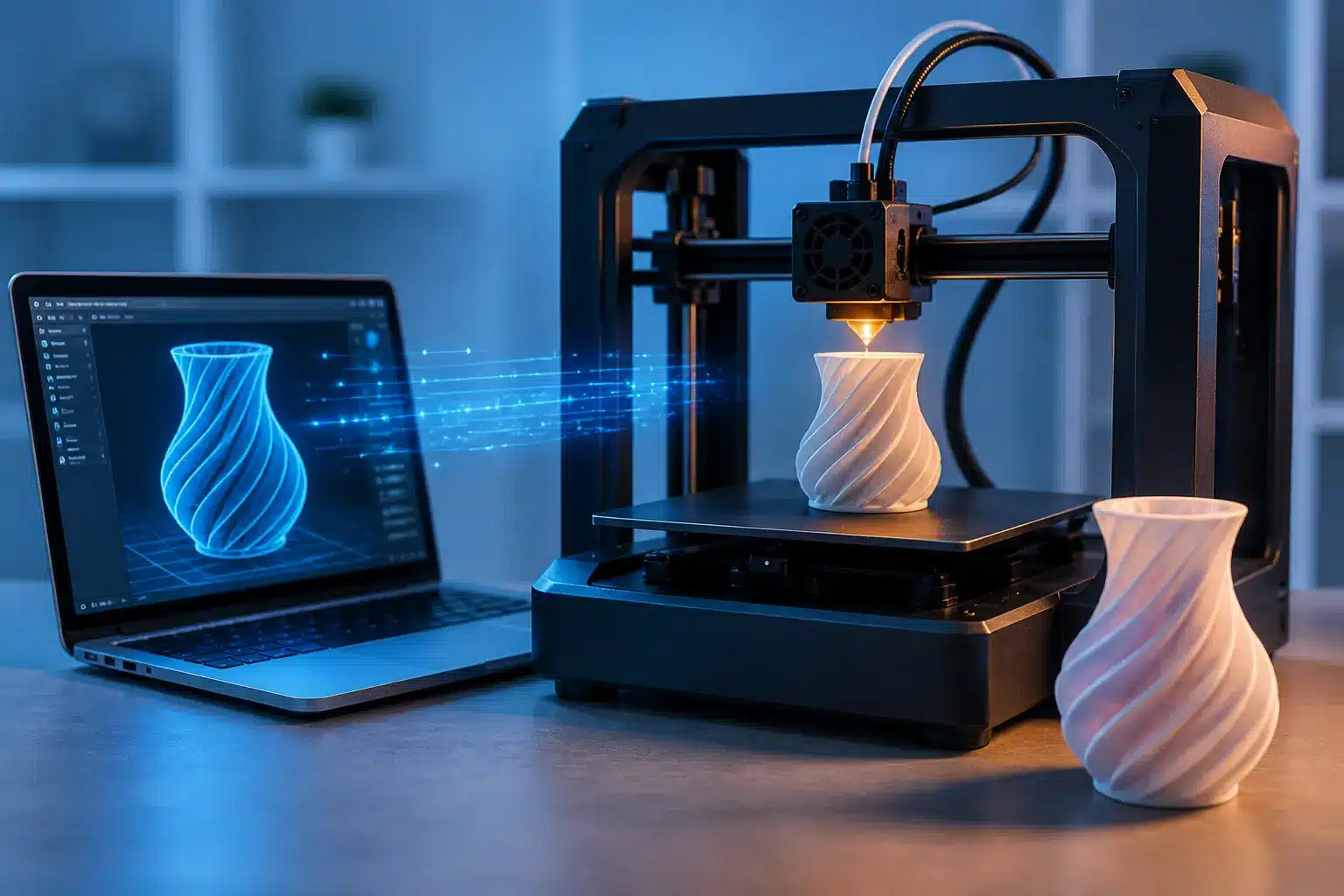
A 3D printer is a machine that can turn a digital idea into a real object you can touch. In simple words, it helps you 3d print things like toys, tools, parts, and many useful items that people actually use in daily life. Unlike a normal printer that only prints on paper, a 3d printer builds physical objects step by step using a special printing process.
This process is called additive manufacturing, which means the object is created by adding material little by little instead of cutting or shaping something from a block. At first, it may sound a bit technical, but once you see it working, it feels surprisingly simple. A digital 3d model is taken, and the printer starts building it layer by layer using materials like filament.
Honestly, when people first hear about a 3d printer, they think it’s something very advanced or only used in big factories. But the truth is, this technology is now used in homes, schools, and small businesses too. It’s becoming a practical part of modern 3d printing technologies, not just a future idea.
In this guide, you will understand what a 3d printer is, how 3d print works in real life, and why this technology is becoming so important in 2026.
3D Printer Meaning in Easy Words
A 3D printer is a machine that creates real objects from a digital design. Instead of printing on paper, it builds items you can actually touch and use. Most desktop 3D printers are small and easy to use, which is why many beginners now try 3D printing at home.
It uses a printing material like plastic and follows instructions from a computer. Different machines work in different ways, so each type of 3D printer may use its own method. Some melt material, while others use liquid resin or even powder-based systems.
What Is 3D Printing?
3D printing is the process of making objects step by step using a machine. It is part of modern manufacturing processes, but much simpler and more flexible than traditional methods.
There are several methods in 3D printing technologies, such as material jetting, binder jetting, and powder bed fusion, where heat or a laser helps shape the object. Even though these names sound technical, the idea is simple: build an object layer by layer from a digital file.
One thing I’ve noticed is that people think it works instantly. It doesn’t. The printing process takes time, but the result is often worth the wait.
Real-Life Example (Printing Objects Instead of Paper)
Let’s make it practical.
If a small item at home breaks, like a hook or a phone stand, you can design or download a file and 3D print a new one instead of buying it. That’s one of the most useful uses of a 3D printer today.
Small businesses also use it to create quick prototypes before full production. In bigger industries, systems like powder bed printing help create strong parts.
What I like most is that it gives you control. You create only what you need. But yes, sometimes prints fail, and that can be frustrating. Still, once you learn it, things get much easier.
How Does a 3D Printer Work? (Step-by-Step Process)
A 3D printer turns a simple idea into a real object by following a clear process. It does not cut or shape like traditional manufacturing methods. Instead, it builds things step by step using a digital file. Most beginners feel confused at first—I did too—but once you see the steps, it becomes easy to follow.
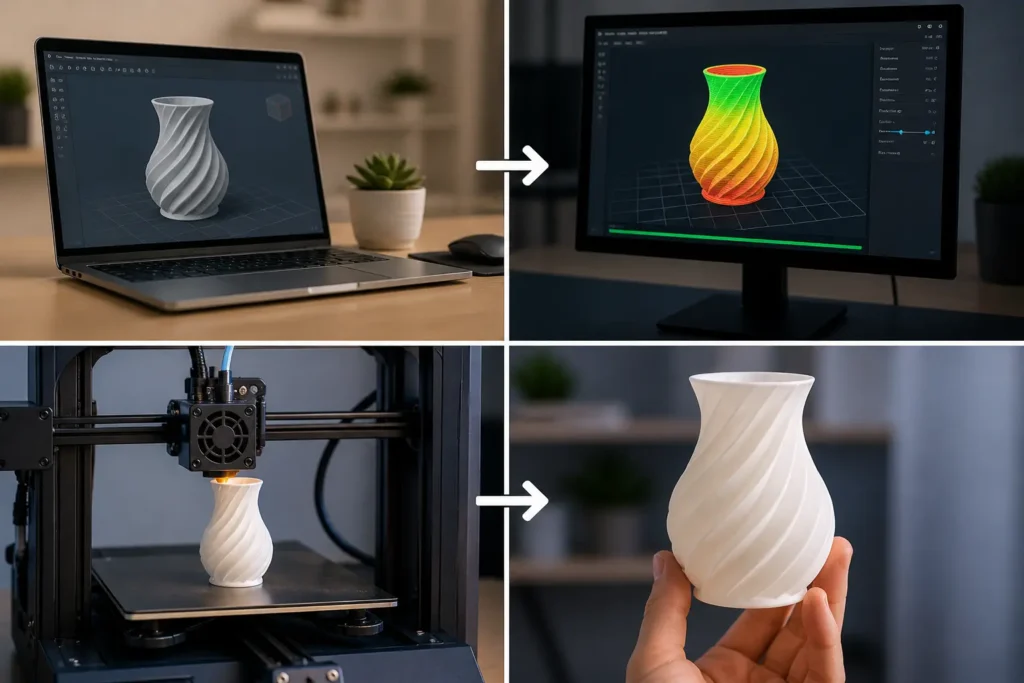
Step 1: Create or Download a 3D Design
Every print starts with a design. This design comes as a digital file that tells the printer what to make.
You can:
- Create your own design using software
- Or download ready-made designs online
Many beginners start by downloading files, and honestly, that’s a smart move. It saves time and helps you understand how things work before creating your own designs.
Step 2: Convert Design Into Layers (Slicing)
Now comes an important step called slicing.
The software takes your design and breaks it into thin layers. This means the printer will build the object one layer at a time instead of all at once.
This step prepares the printer instructions. Without it, the printer would not understand how to build the object. It may sound technical, but most software does this automatically—thankfully, because doing it manually would be a headache.
Step 3: Printing Layer by Layer
This is where the real action happens.
The printer starts building the object using materials like plastic. In most home machines, this process is called fused filament fabrication, where plastic filament is melted and placed carefully.
The printer creates the object layer by layer, slowly forming the final shape. The vertical movement responsible for building each new layer is controlled by the Z-axis. Some advanced machines can even work with multiple materials, but beginners usually start with one.
I’ll be honest here—this step can feel slow. Watching a printer work can test your patience a little. But seeing the object take shape makes it exciting again.
Step 4: Final Object Is Ready
Once all the layers are complete, your object is ready.
Sometimes, you may need to clean or smooth the surface, but in many cases, the item is ready to use right away.After printing, support structures may need careful removal to avoid damaging the model. You can follow this detailed guide on how to remove supports from 3D prints. This is one of the reasons why 3D printers use this method—it gives you control and flexibility.
From a simple idea to a real object—that’s the full journey.
3D Printer vs Normal Printer (Key Differences Explained)
People often mix these two up. I get it—it’s the same word, “printer.” But they work in very different ways. A normal printer puts ink on paper, while a 3D printer builds a real 3D object you can hold. It uses a type of additive manufacturing, which means it adds material step by step instead of just printing flat images.
Here’s a quick, clear view:
| Feature | Normal Printer | 3D Printer |
| Main use | Documents & photos | Real items and 3D-printed parts |
| Input | Text/images | 3D design (digital file) |
| Process | Ink on paper | Builds shapes with a print head |
| Industry | Home/office | From hobby use to metal 3D printing in factories |
Honestly, one of my pet peeves is when sellers oversimplify this and confuse beginners. Clear basics matter—people make better choices when they understand the difference.
Materials Used (Ink vs Filament)
A normal printer uses liquid ink or toner. That’s it.
A 3D printer uses solid materials that melt or cure. The most common is plastic (filament). Some machines use resin, and in advanced setups, even metal 3D printing powders are used. This falls under additive manufacturing technologies.
What you load into the machine also changes the setup:
- You load ink in a normal printer
- You load material and set it up using 3D printing software for a 3D printer
I’ve seen people skip setup steps and then blame the machine. That’s frustrating. Good setup leads to good results—simple as that.
Output (Paper vs Physical Objects)
A normal printer gives you paper output—reports, photos, homework.
A 3D printer creates a physical item. It can be a phone stand, a small tool, or a custom part. These are real 3D-printed parts that you can use right away.
And this is where things get exciting. The use of 3D printing is growing fast. The 3D printing market continues to expand because people want custom items, not just standard products.
But let me be honest—3D printing isn’t magic. It takes time. If you expect instant results like paper printing, you may feel disappointed. Still, when the final object comes out right, it feels worth it.
When to Use Each
Choose based on your needs. Keep it simple:
| Situation | Best Choice |
| School work, documents | Normal printer |
| Photos and reports | Normal printer |
| Custom tools or parts | 3D printer |
| Product testing or prototype work | 3D printer |
If your goal is everyday printing, stick with a normal printer. But if you want to create, test ideas, or build something unique, then use 3D printers.
From my experience, the biggest value of 3D printing’s growth is freedom. You are not limited to what shops sell. You can create your own solution—and that’s something I genuinely appreciate.
Types of 3D Printers (Beginner-Friendly Overview)
If you’re new, this part can feel a bit messy. There are many different types of 3D printers, and honestly, the names don’t always help. I’ve seen beginners quit here because everything sounds too technical. So let’s keep it simple.
In this guide to 3D printing, you only need to understand a few main types. All of them follow the same principle—3D printing, or additive manufacturing, which means building objects layer by layer rather than cutting them. This method is widely used in the growing 3D printing industry.
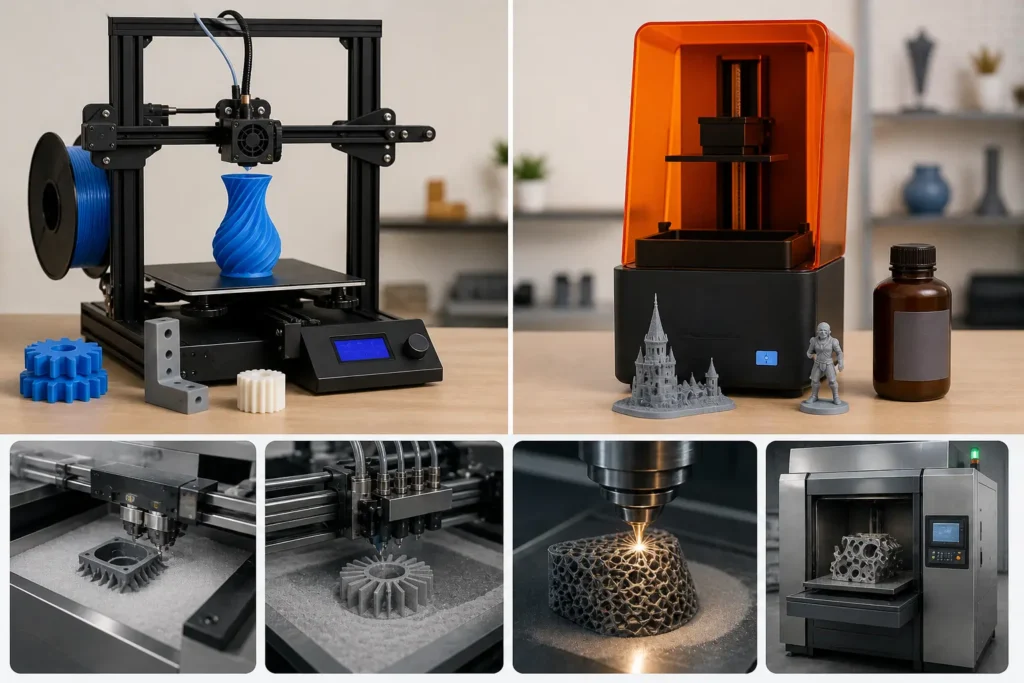
FDM (Fused Deposition Modeling) – Best for Beginners
FDM is the most common and beginner-friendly option. Most home machines use this method.
It works by melting plastic and building objects layer by layer. This is why it appears in almost every 3D printing guide.
Why beginners like it:
- Easy to learn
- Works with different materials like PLA and ABS
- Lower cost of 3D printing compared to other methods
I usually recommend this first. It’s simple, and you can quickly 3D print useful things at home. No need to overthink it.
SLA (Resin Printing) – For High Detail
SLA printers use liquid resin instead of plastic. They harden it using light to create very detailed objects.
This type of 3D printing technology is great when you need smooth finishes, such as:
- Jewelry designs
- Small models
- Detailed parts
But here’s the honest part—resin printing needs more care. Cleaning and handling can feel messy. I’ve seen people get excited and then frustrated quickly because no one warned them properly. That’s something I always try to be clear about.
Other Advanced Types (Short Overview Only)
There are other types of 3D printing used in industries:
- Binder jetting printers – use powder and a binding liquid
- Fusion 3D printing – uses heat to join materials
- Industrial machines that work with metals
These are powerful, but they are not for beginners. They are mostly used in factories where it is possible to 3D print complex parts for machines and tools.
Also, if you’ve used an inkjet printer, some of these technologies may feel similar in concept—but the output is completely different.
Which Type Should You Choose as a Beginner?
If you’re just starting, keep it simple.
| Situation | Best Choice |
| Learning basics | FDM |
| Detailed small models | SLA |
| Industrial work | Advanced printers |
My honest advice? Start with FDM. Don’t jump into complex machines too early. I’ve seen many beginners waste money because they tried to go advanced too fast—and that’s something I really don’t like seeing.
The real benefits of 3D printing come when you learn step by step. Once you understand the basics, you can explore more types of 3D printers with confidence.
What Materials Do 3D Printers Use?
A 3D printer does not work without material. Just like a normal printer needs ink, a 3D printer needs special printing materials to create a 3D object. These materials decide how strong, smooth, or flexible the final result will be.
In desktop 3D printing, beginners often get confused here. I’ve seen people focus only on the machine and forget that material choice changes everything. Honestly, that’s one of the most common mistakes in common 3D printing setups. Let’s break it down in a simple way.
PLA – Easy and Beginner-Friendly
PLA is the most popular material for the introduction to 3D printing. It is easy to use and works well for beginners.
It is made from natural sources like corn starch, so it is safe and simple to handle. Most people start their journey in 3D printing, used at home with PLA, because it does not need high heat.
Why people like PLA:
- Easy to print
- Low cost
- Less smell during printing
- While PLA produces less odor, some users still wonder whether 3D printer fumes are safe to breathe. You can learn more in our guide on are 3D printer fumes toxic.
- Works with most desktop 3D printing machines
In most cases, a printer head melts PLA and slowly builds the object. The process is smooth, and 3D printing builds objects without much trouble.
I personally like PLA for beginners, but I’ll be honest—it can feel too soft for heavy use.
ABS – Strong but Slightly Difficult
ABS is stronger than PLA and is often used when durability matters. Many 3D printers are used in industries that rely on ABS for tougher parts.
It is commonly used in car parts and tools. This material gives better strength, but it is not as easy to print.
Challenges of ABS:
- Needs a higher temperature
- Can produce a strong smell
- May warp if not handled properly
This is where many beginners feel frustrated. I’ve seen people struggle and blame the machine, but the real issue is usually setup or temperature control. It’s one of those moments where patience really matters.
Still, ABS is widely used in 3D printing builds for functional parts.
Resin – Smooth and Detailed Prints
Resin is used when you need very fine details. It is a liquid material that hardens under light.
This is common in advanced setups like material jetting printers or SLA systems.
Resin is perfect for:
- Jewelry
- Miniatures
- Dental models
The finish is smooth, and the detail level is very high. Some advanced users even combine it with a 3D scanner to scan real objects and recreate them.
But I won’t hide the truth—resin can be messy. Cleaning and handling require care, and that’s where beginners sometimes struggle.
Other Materials (Brief Mention)
There are also other materials used in advanced systems:
- Flexible filaments (for soft objects)
- Metal powders (for industrial use)
- Nylon (for strong parts)
- Composite materials (mixed strength and flexibility)
These are used in advanced 3D printing technologies, not usually for beginners.
In modern systems, 3D printers are used with a variety of materials depending on the job. Some industries even mix materials to improve strength and design quality.
Real-Life Uses of 3D Printing (Practical Examples)
3D printing is no longer just a technical idea. Today, it is used in homes, schools, and industries. In simple words, 3D printing is the process of turning a digital idea into a real object. And honestly, 3D printing makes life easier when used correctly.
What I like about it is this: 3D printing offers freedom to create things you actually need. Still, I should be honest—3D printing is still not perfect. It needs time, learning, and patience. But when it works, the result feels really satisfying.
Everyday Home Uses (Holders, Tools, Small Fixes)
At home, 3D printing is very practical. People use it to fix small problems instead of buying new items.
Common examples include:
- Phone stands
- Hooks and clips
- Small broken parts
- Simple tools
This is where 3D printing techniques help in daily life. You can design once and print anytime. Many people even use rapid prototyping for home items before final use.
I’ve noticed something interesting—people feel excited when they fix something at home using a printer. But yes, sometimes failed prints can feel frustrating too. Those failed prints can also create plastic waste if they are not disposed of or recycled properly.
Also, 3D printing is great for customization, which makes everyday items more personal.
Students and Learning Projects
For students, 3D printing is a learning tool. It helps them understand concepts in a real way instead of just reading.
It is used for:
- Science models
- Math shapes
- School projects
- Engineering basics
Modern 3D printing technology has advanced, making learning easier and more interactive. The first 3D printers were slow and expensive, but now even small machines are useful in education.
This shows how printing technologies have been around, but now they are much more accessible for students.
Small Business and Side Hustles
Small businesses use 3D printing to create custom products and test ideas quickly.
They often make:
- Custom gifts
- Phone accessories
- Product samples
Here, new 3D printing materials help improve quality and design. Many sellers use rapid prototyping before full production.
This is where 3D printing is the process of turning ideas into real business opportunities.
I’ve seen people succeed with this, but I also get a bit frustrated when beginners expect fast profit without learning properly.
Industrial Uses (Simple + Data-Backed Insights)
Industries use 3D printing for large-scale and advanced work. It helps in designing and testing parts before final production.
It is used in:
- Automotive parts
- Aerospace components
- Medical tools
Healthcare is also one of the fastest-growing applications of 3D printing. Dentists now use 3D printer dentures to create custom-fit dentures using digital scans and specialized dental printers. This approach can improve accuracy, reduce production time, and provide a more comfortable fit for patients. If you’d like to learn more, read our detailed guide on 3D Printer Dentures.
Factories rely on 3D printing techniques and advanced systems to build strong products. In many cases, companies reduce waste and save time by producing only what is needed.
Even though 3D printing is still growing, its role in manufacturing is increasing every year. The shift from the first 3D machines to modern systems shows how fast the technology has improved.
And from my perspective, it’s impressive to see how far this field has come.
Pros and Cons of 3D Printing (Honest Breakdown)
3D printing is a useful technology, but it is not perfect. It helps people create objects directly in 3D from a digital idea, yet it also has limits. I always prefer honesty here because many beginners get the wrong expectations and later feel disappointed.
Let’s simply look at both sides.
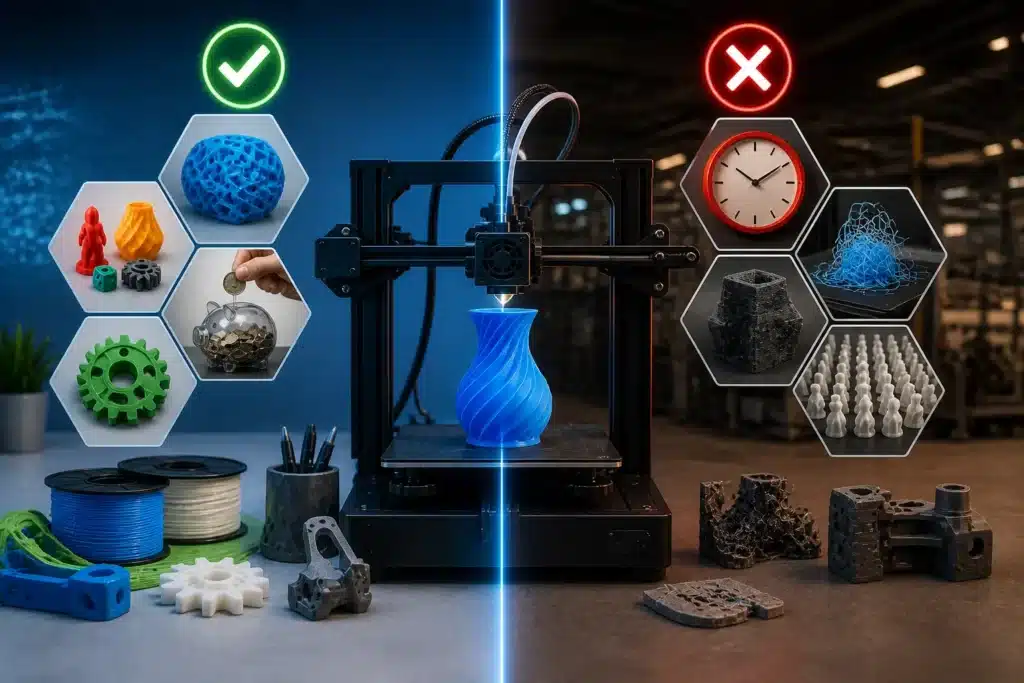
Advantages (Customization, Flexibility, Cost Saving)
One of the biggest strengths is customization. You can design exactly what you want using CAD and 3D tools and turn it into a real object. This is where materials for 3D printing matter because they decide the strength and finish of the product.
Flexibility is another strong point. A single type of printer can make many different items, from home tools to prototypes. Companies like 3D Systems have built full industries around this idea.
Main benefits:
| Benefit | Simple Meaning |
| Customization | Make your own design |
| Flexibility | One printer, many uses |
| Cost Saving | Less waste in production |
In many industries, 3D printing technology has developed enough to reduce costs for small production. Even advanced machines like a metal printer are used for strong parts. In some systems, a powder bed is lowered layer by layer to build complex shapes.
I like this part because it gives people control. You are not stuck with fixed designs—you can change things easily.
Limitations (Slow Speed, Learning Curve, Not for Mass Production)
Now the truth—there are challenges too.
First is speed. 3D printing is slow because it builds everything step by step. This can feel frustrating if you expect quick results.
Second is learning. You need to understand design files and settings. Even though 3D printing technology has developed a lot, beginners still struggle with setup and materials for 3D printing.
Third is mass production. It is not suitable for making thousands of items quickly. Traditional factories still handle that better.
Also, not every type of printer is beginner-friendly. Some advanced machines, like a metal printer, are complex and expensive.
How Much Does a 3D Printer Cost? (Beginner Budget Guide)
A 3D printer can cost different amounts depending on its type and use. Simple entry-level printers are affordable and suitable for beginners, while professional machines are much more expensive. Many people only check the machine price, but they forget about extra costs like materials, electricity, and maintenance. These hidden expenses can change the total cost a lot once you start using it regularly.
| Type / Cost Factor | Details | Price / Level | Best For |
| Entry-level printer | Basic machine for home use | Low cost | Beginners, students |
| Professional printer | An advanced machine for industrial work | High cost | Businesses, engineers |
| Printing material | Power needed during the printing process | Ongoing cost | All users |
| Electricity use | How often you print affects the cost | Low to medium | Regular users |
| Maintenance | Cleaning, repairs, and part replacement | Occasional cost | Long-term users |
| Usage level | How often you print affects the cost | Light / Medium / Heavy | All users |
Is a 3D Printer Worth It? (Who Should Buy It?)
A 3D printer can be very useful, but it is not for everyone. It lets you turn ideas into real objects, which feels exciting when you see your first print come out. But I’ll be honest—it also needs patience because prints can fail sometimes. If you expect quick and perfect results every time, you may feel disappointed. So the real value depends on how you plan to use it.
| User Type | Worth It? | Simple Reason |
| Students | Yes | Helps in practical learning and projects |
| Hobby users | Yes | Good for creative and fun home ideas |
| Small businesses | Yes | Useful for prototypes and custom products |
| Beginners with no patience | No | Needs time and learning |
| Mass production users | No | Too slow for bulk work |
Students usually enjoy it because they can see real models instead of just reading theory. It makes learning more interesting and easier to understand. Hobby users also like it because they can create useful or fun items at home.
Small businesses use it to test ideas or make custom products without spending too much at the start. It helps reduce risk in the early stages.
But if someone wants instant results or large-scale production, then it may not be the right choice. I’ve seen many people get frustrated when they expect it to work like a normal printer.
In simple words, a 3D printer is worth it if you enjoy learning, creating, and experimenting.
How to Start 3D Printing (Step-by-Step Beginner Guide)
Starting 3D printing is actually easier than it looks, but only if you follow the right steps. Many beginners rush in and then feel confused when things don’t work. I’ve seen this happen a lot, and honestly, it’s usually because people skip the basics. So let’s keep it simple and real.
The idea is to go step by step, not overthink everything at once. Once you understand the process, it becomes smooth and even fun.
Step 1: Choose a Beginner-Friendly Printer
Start with a simple type of printer that is easy to use and understand. Don’t jump into advanced machines in the beginning because they can feel overwhelming. Industrial systems like those from 3D Systems, or setups like a metal printer or systems where a powder bed is lowered, are meant for experts, not beginners.
I always suggest starting small. Learn first, then upgrade later. That’s the smart way to avoid frustration.
Step 2: Download or Create a Design
Next, you need a design file. This is the digital model that tells the printer what to make. You can download ready-made files or create your own using CAD and 3D tools.
This step feels exciting because this is where your idea starts becoming real. But I’ll be honest—some beginners expect perfect results right away, and that’s not how it works. You improve with practice.
Step 3: Use Slicing Software
Now you convert your design into layers using slicing software. This is an important step because it tells the printer how to build the object layer by layer. You also adjust basic settings like speed, temperature, and material type.
Even though 3D printing technology has developed a lot, this step still needs attention. Small mistakes here can affect the final result. You also select proper materials for 3D printing depending on your project.
Step 4: Start Your First Print
Now comes the most exciting part—printing. You load the material, start the machine, and the printer begins building the object directly in 3D, layer by layer.
This is where patience matters. Sometimes the first print may fail, and that can feel a bit frustrating. But trust me, even experts face this. It’s part of learning.
Once it works, seeing your final object come out is honestly a proud moment. It feels like your idea has turned into something real.
Common 3D Printing Problems (And Simple Fixes)
3D printing can feel exciting at first, but problems do happen during use. Beginners often get frustrated when prints fail or do not come out as expected. I’ve seen this many times, and honestly, most issues are not serious—they come from small setup mistakes or wrong settings. Once you understand the basics, these problems become much easier to fix. The good part is that every issue has a simple solution if you check carefully.
Key Factors:
- Most problems happen due to setup or calibration issues
- One common cause of failed prints is a clogged nozzle. A cold pull on a 3D printer can often help remove debris and improve print quality.
- Small changes in temperature or settings can fix many errors
- Part tolerance can affect how well printed parts fit together. If the tolerance is too tight or too loose, the final print may not fit correctly. You can learn more in our guide on 3D printing tolerances.
- Material quality also affects final print results
- Proper leveling and maintenance improve the success rate
- Beginners improve quickly with practice and patience
Future of 3D Printing (Reality vs Hype in 2026)
The future of 3D printing looks exciting, but it is important to stay realistic. I’ve seen a lot of hype online saying it will replace all manufacturing, but that is not true. In 2026, 3D printing is growing fast, but it is still used more for specific tasks like prototypes and custom parts, not full mass production. The real value is in solving problems faster and creating flexible designs.
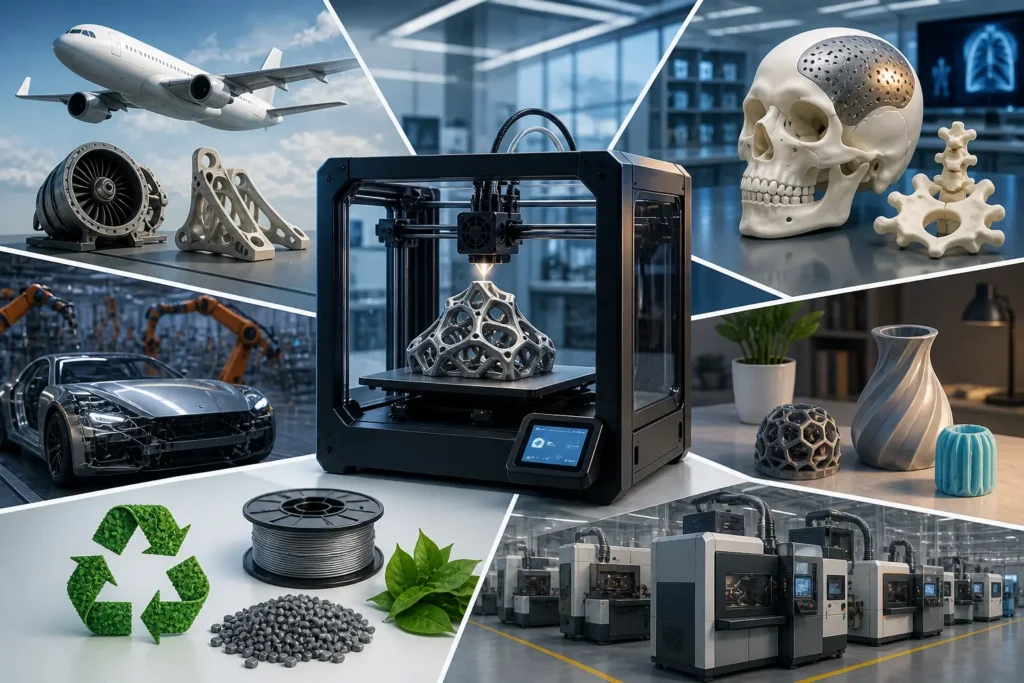
What 3D Printing Can Do Today?
Right now, 3D printing is widely used for prototypes, custom products, and small production runs. Companies use it to test ideas quickly before full manufacturing. Many industries, like healthcare and automotive, also use it for custom parts. The 3D printing industry is growing because it helps save time in early design stages and reduces waste.
I personally like this part because it turns ideas into real objects very quickly, and that still feels amazing every time.
What It Still Cannot Do
Even with progress, 3D printing still has limits. It is not fast enough for mass production, and large-scale manufacturing is still better with traditional methods. Some prints also lack strong finishing compared to industrial production, which can be frustrating for beginners expecting perfect results.
It also struggles when you need thousands of identical items quickly. In those cases, factories are still more reliable and efficient.
Future Trends (Supported by Real Data)
The future is not about replacing everything, but about smarter use.Research shows steady growth in industries using 3D printing for healthcare, aerospace, and automotive parts. Businesses looking to manufacture vehicle components can explore our guide to the best 3D printers for automotive parts. Companies are shifting from prototypes to real end-use production in some areas.
Better materials, improved software, and faster machines are making results more reliable. Sustainability is also a big trend, as 3D printing helps reduce waste by using only the needed material.
In simple words, 3D printing will keep growing, but in a practical way, not as a complete replacement for traditional manufacturing.
Conclusion
3D printing is a very useful technology, but it is important to understand it simply. It helps people turn digital ideas into real objects, which feels exciting and practical. You can use it for learning, making prototypes, fixing small parts, or creating custom designs. I personally find it amazing how a simple file can slowly become a real object in front of your eyes.
But I also want to be honest here—3D printing is not perfect. It is not very fast for mass production, and sometimes prints fail or need adjustments. That can feel a bit frustrating, especially for beginners, but it is part of the learning process. Once you understand it, things become much easier.
In short, 3D printing is best for creativity, small projects, and innovation. Traditional manufacturing is still better for large-scale production. So instead of replacing everything, 3D printing works as a helpful tool that makes designing and creating more flexible and accessible for everyone.
Frequently Asked Questions(FAQs)
Which companies manufacture reliable 3D printers for beginners?
Creality, Anycubic, and Prusa are popular beginner-friendly brands. They are easy to use and have strong support communities. Many beginners start with these companies.
Where can I buy a 3D printer online in the United States?
You can buy from Amazon, Walmart, and official brand websites. These platforms offer many models with reviews and pricing options. It is easy to compare before buying.
Can a 3D printer print anything?
Not really. A 3D printer can make many shapes and objects, but it’s limited by the material, size, and design. It usually works with plastic, resin, or sometimes metal, and it can’t print complex things like fully working electronics, food with full nutrition, or large structural items without special industrial machines.
Why is 3D print failing?
3D prints can fail for a few common reasons: wrong printer settings, poor bed leveling, low-quality filament, clogged nozzle, or temperature issues. Sometimes, even a small design error in the 3D model can cause the print to collapse or not stick properly.
Do you have to pay to print things on a 3D printer?
Yes, in most cases. Even if you own a printer, you still pay for materials like filament or resin, plus electricity and maintenance. If you use a printing service or lab, they charge per gram of material or per model.
What is the biggest disadvantage of 3D printing?
The biggest drawback is that it’s still slow and not ideal for mass production. Printing one object can take hours, and the materials are often not as strong or durable as traditionally manufactured parts.

Willis C. Mathes
I’m Willis C. Mathes With hands-on experience and technical knowledge of printers, I dive deep into printer reviews, troubleshooting, and tips, ensuring you get the most out of your printing investment.