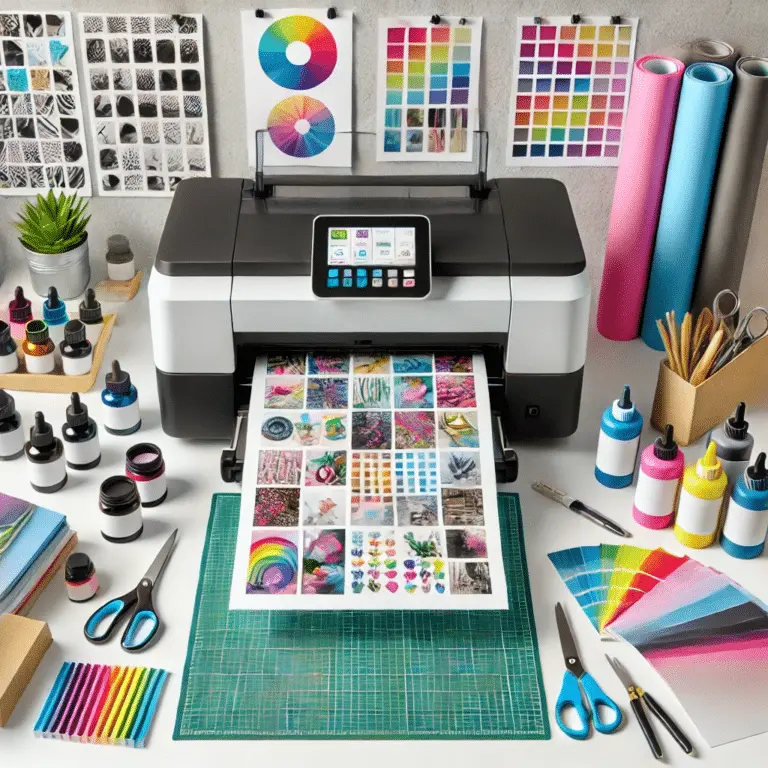
Picking the right printer for DTF transfers can be tricky, especially if you’re new to it. With so many choices out there, it’s easy to grab a printer that doesn’t work well for DTF or ends up costing more to maintain than you planned.
If you’re wondering what kind of printer you need for DTF transfers, you’re not alone. Many beginners and even small business owners struggle to find the right setup. Don’t worry — once you know the basics, picking the right printer is actually pretty simple.
In this guide, I’ll walk you through the best printers for DTF transfers, what features actually matter, and how to avoid common beginner mistakes so you can start printing with confidence.
What is DTF Printing?
DTF printing is taking off fast! The global market jumped from $2.72 billion in 2024 to $2.89 billion in 2025 and is expected to hit almost $4 billion by 2030. That means more small businesses and hobbyists are trying it out and there’s a good reason why.
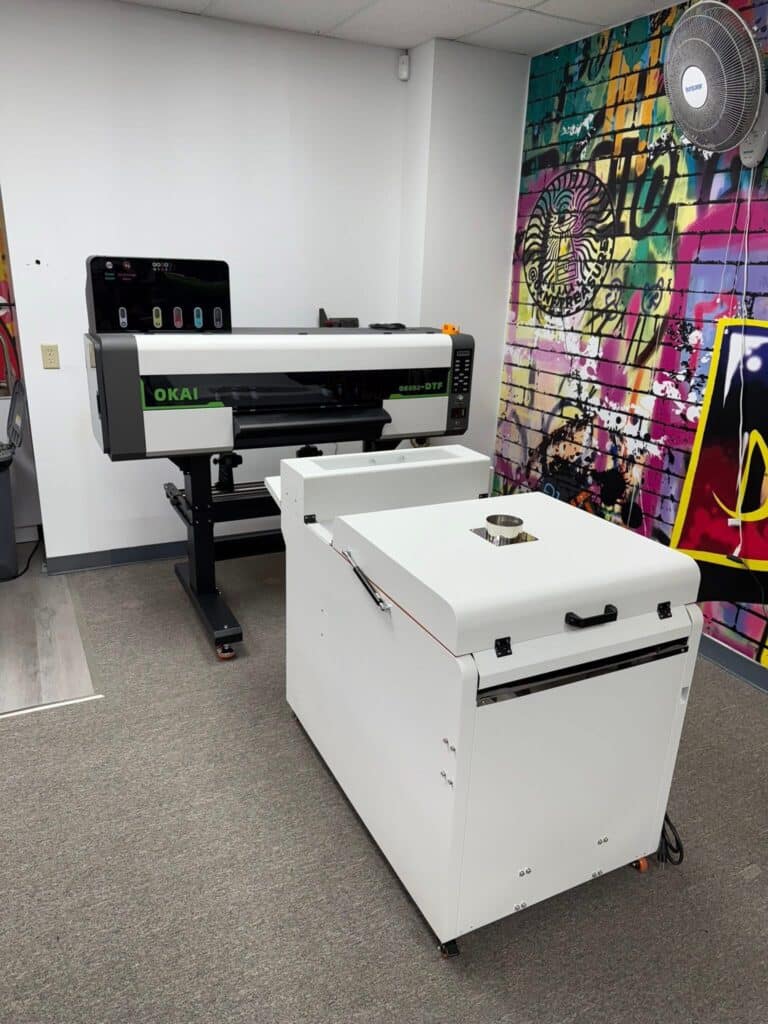
DTF printing is a new printing technique that prints high-quality transfers for textiles. It is becoming popular because it requires a simple DTF printing setup and works on a wide range of fabrics.
What makes DTF special is that it prints designs with pigment-based inks directly onto a special film. Then, it applies an adhesive DTF powder. After curing, the design is ready for heat transfer onto cotton and polyester fabrics. Compared to methods like screen printing, DTF is popular because it’s flexible and cheaper for small batches. DTF printing is unique. It has bright colors and durability. It can print on light and dark materials. It is a common choice for creating custom apparel and accessories.
Key Factors to Choose the Best DTF Printer
Picking the right DTF printer matters because it impacts the quality, speed, and smoothness of your printing. Your printer should match your needs and budget while delivering bright, consistent prints every time. Below are key factors to check when selecting a DTF printer.
Entry-level DTF printers run $500–$3,000, while mid-range models cost $5,000–$10,000. Industrial printers start at $10,000 and can exceed $30,000. Consumables like ink, powder, and film usually add another $200–$500 per month.
1. Print Quality: Why Resolution Matters
Print quality affects how your DTF transfers actually look. A high-resolution inkjet printer will make your designs sharp and vibrant. Look for at least a 1,440 dpi setting.
2. Speed and Efficiency for Mass Printing
For large orders, printer speed matters. A faster printer saves time without sacrificing print quality. Consider how many transfers a printer can produce per hour to meet your volume of work.
3. Compatibility with DTF Ink and film
Not every printer can handle DTF ink and transfer film. Many people go for Epson printers since they’re easy to convert and easy to find. Ensure the printer you choose uses pigment-based inks. It must work well with heat DTF transfer films for better printing.
4. Maintenance needs and price
DTF printers need regular maintenance to keep them running smoothly and prevent clogs. Some models even have automatic cleaning to save you time and reduce downtime. There is also the need for replacement parts and consumables.
5. Warranty and Customer Support Options
A good brand with a warranty and good support can save you hassle with tech issues. Look for companies that provide extended warranties, detailed guides, and responsive tech teams.
Here are the top points to guide you in selecting the best DTF printer that fits your budget.
Best Printer for DTF Transfers
Most beginners find A3 DTF printers in the $1,500–$2,000 range ideal. These machines, often featuring an Epson i1600 printhead and white ink circulation, balance affordability, reliability, and print quality. If you are in a hurry and just want a quick recommendation, here is a simple breakdown to help you choose based on different needs:
For Beginners
If you are just starting DTF printing at home, the Epson L1800 is a solid choice to begin with. It is budget-friendly, easy to convert for DTF, and a lot of beginners already use it. The print quality is good enough for practice, and you don’t need to spend a lot to get started.
For Small Businesses
If you’re running a small business or getting regular orders, the Epson L805 works much better. It prints faster, gives nicer colors, and runs more smoothly than basic beginner printers. So if you’re printing daily and dealing with customer orders, it is a much safer option.
For Professional / High-Volume Use
If you are running a proper setup or dealing with bulk orders, the Brother GTX Pro is worth it. It is a high-end machine made for serious business use. You get top-level print quality, faster production, and less hassle with maintenance perfect if you’re running a serious business.
Quick Comparison Table
| Printer | Best For | Price Range | Level |
|---|---|---|---|
| Epson L1800 | Beginners | Low | Easy |
| Epson L805 | Small Business | Medium | Moderate |
| Brother GTX Pro | Professionals | High | Advanced |
Pro Tip (Very Important)
If you’re a beginner, don’t jump straight to expensive machines. Start with a budget-friendly printer like the Epson L1800, learn the DTF printing setup, and then upgrade as your business grows.
Also, keep in mind that the total DTF printing cost includes not just the printer, but also inks, transfer film, powder, and maintenance.
Top Printer Recommendations for DTF Transfers
A good DTF printer can produce bright colors and perfect transfers. It will also give reliable results. Here are some of the best printers for different needs and budgets that can be used for DTF.
1. Best DTF Printer for Beginners
The Epson L1800 is an excellent choice for beginners venturing into DTF printing. This makes it a great DTF transfer printer for beginners who want to start with a low budget. These machines are easy to set up. They print decent-quality prints. They work with DTF ink and DTF transfer film. They are perfect for small-scale operations or hobbyists.
2. High-end models for professional use:
Use professional-grade printers for business volumes. The Epson SureColor F2100 or L805 is the perfect choice. They offer excellent color reproduction, fast speed, and automated maintenance. This ensures peak performance in demanding situations.
3. Compact, space-saving DTF printers
If you do have a small workspace, compact printers like the Ricoh Ri 100 can do so well at work. It has a smaller footprint. It is a machine known for its high reliability. It would fit in home setups and also small studios.
4. Exceptional Color Output
Epson SureColor P700 printers excel in fabric printing. They are famous for their rich, accurate colors.
5. Versatile Options for Small Businesses
For small businesses, they impress high-quality designs on almost any fabric. They will be bright, detailed, and high quality.
Hybrid printers, like the Brother GTX Pro, can switch between DTG and DTF printing. So, you can offer extra services without investing in different machines.
These reviews suit various skill levels and budgets. They will help you choose a printer that fits your needs.
Budget vs High-End DTF Printers: Which One Should You Choose?
If you’re just getting started, you don’t need to spend a fortune. You could set up a beginner DTF printer for about $1,100–$2,300, including a budget-friendly Epson L1800. On the other hand, if you want something built for heavy daily use, a mid-range machine could cost $2,900–$6,000. And remember, ink, powder, and transfer films add another $200–$500 per month, depending on how much you print.
Before choosing a printer, it’s important to understand the overall DTF printing cost, including ink, transfer film, powder, and maintenance. Choose between a budget DTF printer and a high-end one. It depends on your printing goals, workload, and budget. Both budget and high-end DTF printers have pros and cons. So, a needs assessment is necessary to choose the right one.
1. What to Expect from a Budget-Friendly DTF Printer?
Budget printers are great for beginners and small projects. They’re affordable and get the job done, but they usually don’t have fancy features like fast speeds or auto maintenance. These are good starting points for testing the DTF process without significant investment.
2. Advantages of a high-end printer
High-end printers are faster, packed with features, and perfect for professionals or bigger printing jobs.
3. Long-term versus short-term saving.
A budget printer is going to save an initial amount, but would spend all in the long run maintaining it. High-end models provide a better value for long-term usage.
4. Deciding Based on Your Printing Needs and Volume
If you print rarely or if you are working on small projects, a budget printer is enough. But, if your business has to print complex designs often, it’s better to spend on an expensive printer. It will be more reliable and print out better.
Your priorities are key. They will help you decide within your budget and meet your goals.
Can You Convert a Regular Printer for DTF? (Complete Guide)
Not all printers are compatible with DTF printing. In many cases, you can convert a regular printer for DTF, especially Epson models, but it requires proper setup and regular maintenance. You must know your printer’s limits to prepare it for this. For modified or dedicated printers, confirm compatibility and software needs. Watch for possible issues.
1. How to Check Printer Compatibility for DTF Inks
To use DTF inks, your printer must support pigment-based inks. They are thicker and more durable than standard dye inks. Ensure the printhead technology can accommodate these inks without clogging or damage
2. Basic Modifications to Convert Regular Printers
Most standard printers need changes to use white ink channels. They also need print settings adjusted for DTF transfer processes. Research your model. Find out if you can do this easily or if a professional must do it.
3. Software Requirements for DTF Printing
DTF printing relies on RIP software. It manages advanced features like white ink layering and color accuracy. Check if your printer supports the software. It ensures precise, vibrant results.
4. Troubleshooting Common Issues During Setup
Inconsistency of ink flow or print may happen if you are using converted printers. We can avoid this problem with frequent cleaning, calibration, and good-quality consumables. It will help you prepare the printer to print via DTF without major issues.
Common DTF Printer Problems and Maintenance Tips
Daily nozzle checks and weekly head cleanings can prevent up to 90% of common DTF printer problems, saving time and money. Proper maintenance is an important part of any DTF printing setup to ensure smooth printing and long-term performance. Regular maintenance is crucial for DTF printers to ensure consistent output and high-quality prints. Issues such as ink blockages, printhead alignment problems, and film handling errors can occur, but knowing how to tackle these challenges is essential. It can prolong your printer’s life and reduce downtime.
1. Preventing Printhead Clogs: Tips and Tricks
Printhead clogs are one of the most frequent maintenance problems in DTF printing. Regular cleaning cycles and the use of high-quality ink can prevent this. A cleaning cycle after heavy printing or a color switch can ensure the printhead works well.
2. Ensuring Optimal Film Alignment
Incorrect film loading can cause smudged or unevenly transferred prints. Check that all films are loaded correctly and aligned for each print operation. Be sure to check regularly for debris or wear that may damage the print through the film feeder.
3. Cleaning and replacing printer parts
Cleaning the rollers, printhead, and ink tanks regularly ensures smooth running. Change worn-out parts, such as the ink pads and rollers, to ensure proper ink flow and good-quality prints. Maintenance avoids costly repairs down the line.
4. How to Identify and Fix Ink Flow Problems
Ink flow problems cause unbalanced and blocked prints. You must check the lines for air bubbles or dried ink, and clean them out. Regular flow checks using the recommended DTF inks can prevent this. With these common issues, you can keep your DTF printer at its best. It will create consistent, high-quality transfers.
Conclusion
Choosing the right printer and taking care of it is key. This will keep your prints looking great and your printer working well for years. Consider print quality, printer compatibility, and needed changes. Then, choose a model that fits your needs and budget.
Regular maintenance is essential for smooth operation and consistent results. This includes cleaning the printheads and ensuring proper ink flow. Whether you’re starting up or upgrading, know the key issues. This will help you get the most from your DTF printer. With proper care, your DTF printer will produce great, colorful transfers for a long time. I hope now you have a complete guide about What Kind of Printer Do I Need for DTF Transfers.
Frequently Asked Questions
What do I need to start doing DTF transfers?
To start, you need a complete DTF printing setup, including a DTF printer, inks, transfer film, powder, and a heat press machine.
What software do I need for DTF printing?
- Design Software (Photoshop, Illustrator)
- RIP Software (e.g., AcroRip, Wasatch SoftRip)
- DTF Printer Software
Can I print DTF transfers at home?
Yes, with the right setup: a DTF printer, heat press, and DTF inks/film/powder.
Can you do DTF on an Epson printer?
Yes, Epson printers (like L1800, L805) can be converted for DTF printing by changing inks and settings. These are suitable for DTF.
Informative content