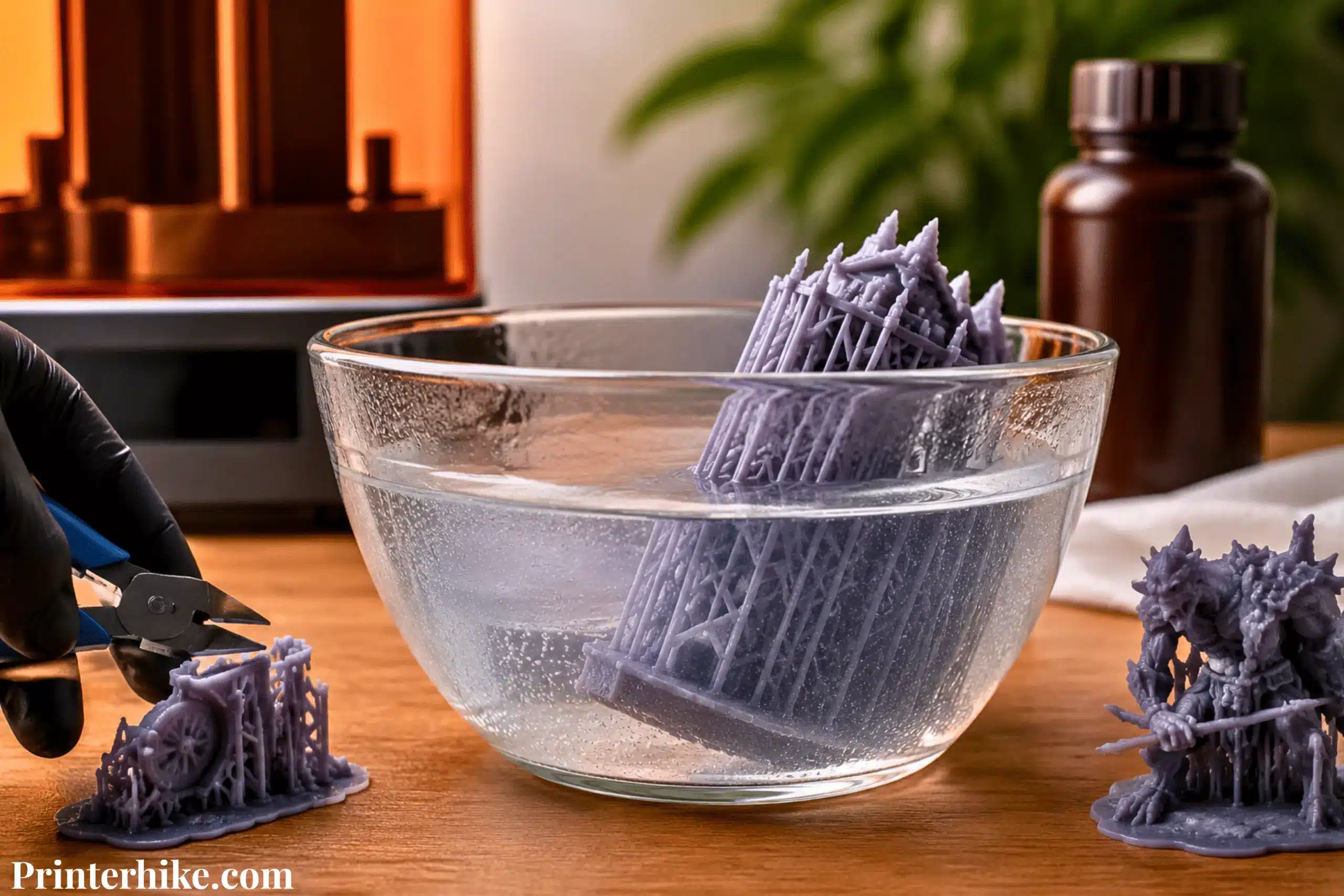
Does a hot water softener 3d print resin? Yes, warm water can slightly soften a resin print, but only on the surface and in a controlled way. It does not melt the resin like plastic. Instead, it temporarily reduces stiffness, which can make supports easier to detach during cleanup
When a resin print is placed in warm water, the outer layer becomes a little more flexible. This helps support detachment more smoothly, especially in delicate or detailed areas where force could cause damage.
However, temperature control is very important. Mild warm water can help during cleanup, but overly hot water can cause warping or reduce print quality, especially in thin sections.
Overall, hot water is not used to melt resin but to make support removal safer and more controlled when used correctly.
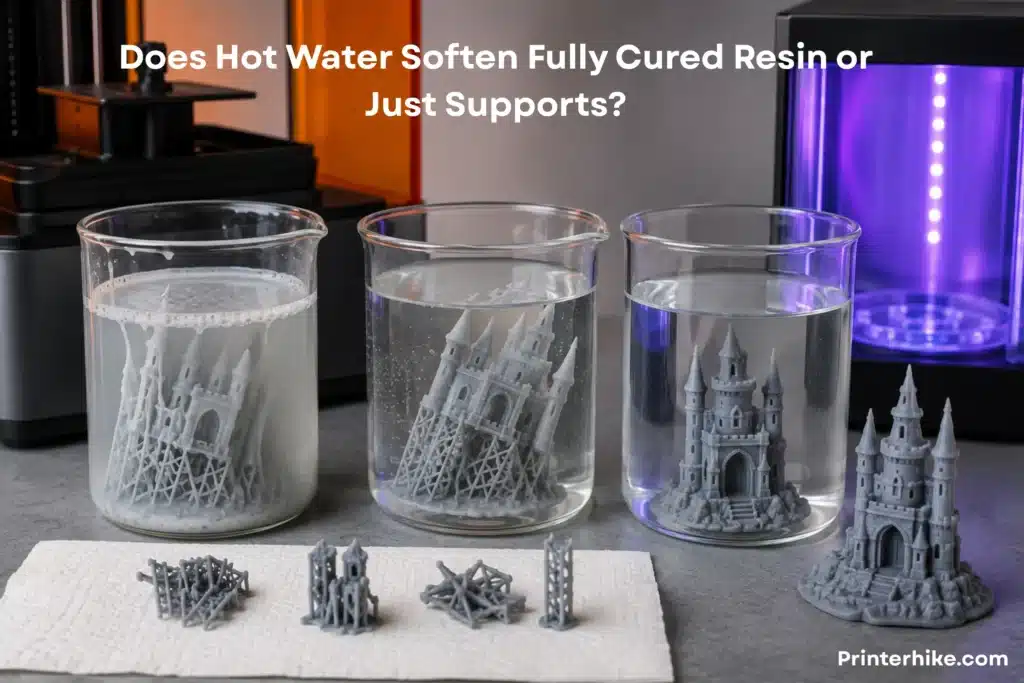
Does Hot Water Soften Fully Cured Resin or Just Supports?
When working with a 3D resin print, this is one of the most confusing parts for beginners. Many users assume heat affects every resin print the same way, but resin types react differently. The reaction depends on how much the material has been cured under UV light and how the internal polymer structure has set.
A 3D printer user usually faces this during peeling supports safely, where timing and temperature decide if the final print stays clean or gets damaged. This stage often confuses beginners because results can vary depending on temperature and curing.
Let’s break it down in a simple way.
How Uncured Resin Reacts to Heat
Uncured resin is still in a soft chemical state. It has not fully locked its structure yet, so heat affects it quickly. When exposed to hot water, its viscosity drops slightly, making it feel more fluid on the surface.
This is also why uncured material can sometimes stick or smear if not handled carefully. The surface is still reactive, and even small changes in ambient temperature can change how it behaves.
From real workshop experience, I’ve noticed that if the print is not fully washed before heating, the surface can feel uneven. That’s a common mistake many users of a 3D printer make. I honestly wish more guides had warned about this earlier.
Why Semi-Cured Supports Bend More Easily
Semi-cured supports are in a middle stage. They are not soft like uncured resin, but they are not fully hardened either. This is where warm water becomes useful.
When you place the print in a controlled soak, the supports start to lose stiffness. Their viscosity reduces just enough so they can bend instead of snapping.
This is very helpful when the print has strong adhesion between supports and fine details. Without heat, those supports often break harshly and damage the surface. One harsh support snap can ruin fine details and damage the surface of the model
For an optimal result, warm water should be used briefly. Over-soaking does not improve anything and can actually weaken small details.
Why Fully Cured Resin Is More Heat Resistant
Once the resin is fully cured under UV light, its structure becomes stable. The polymer chains are locked tightly, so heat has less effect on them.
At this stage, the material behaves more like solid plastic. Even if you use a 3D printer for high-detail work, the final print becomes strong and rigid after curing.
This part often surprises new resin users. They expect the same softening effect everywhere, but fully cured resin does not respond the same way. It resists changes because its internal structure is already set.
That is why professionals always plan to detach support structures before final curing. It gives a more optimal workflow and reduces damage risk on the build plate stage.
Can Fully Cured Resin Still Warp in Hot Water?
Yes, but only under certain conditions. Fully cured resin is strong, but it is not invincible.
If the hot water temperature is too high, the surface can still warp slightly. This usually happens when thin parts are exposed for too long or when heat is applied unevenly inside an enclosure or open container.
Small decorative parts can bend if they stay in heated water for too long. It is not common, but it does happen — and it usually stems from rushing the process rather than following an optimal method.
A controlled soak is always better than aggressive heating. It keeps the structure stable while still helping with support removal.
In Simple Terms:
- Uncured resin reacts fast to heat
- Semi-cured supports soften and bend easily
- Fully cured resin is stable but not fully heat-proof
- Too much heat can still cause damage if not controlled
This is why understanding each stage matters more than just “using hot water.”
The Science Behind Resin Softening
When working with a 3D printer, many people expect resin to behave like normal plastic. But in reality, 3D resin works very differently. It does not melt. Instead, it reacts to heat in a controlled way based on its internal structure and how it was cured during post-processing.
This is where material science becomes important, especially concepts like kinetics, temperature changes, and how tightly the material is bonded after curing.
What Is a Thermoset Polymer?
Resin used in a 3D printer is a thermoset polymer. This means once it cures, it becomes permanently hard. It cannot melt again like normal plastic.
So during post-processing, you must handle it carefully. If you misuse heat while detaching supports, you may damage fine details instead of improving the print.
Understanding Glass Transition Temperature (Tg)
Tg (Glass Transition Temperature) is the temperature at which the resin starts to change from hard to slightly soft. It does not melt, but it becomes less rigid.
At normal room temperature, resin stays solid. But when the heat increases, even small temperature changes can affect thin parts of a print. Around 25°C, most prints stay stable, but near Tg, you can feel slight flexibility.
How Heat Reduces Resin Stiffness
Heat increases movement inside the resin structure. This reduces stiffness and makes the material easier to bend for a short time.
During support removal, this helps because supports do not snap suddenly. Instead, they peel away more smoothly, reducing damage on the surface.
But uncontrolled heat can also lead to surface weakening, so balance is important.
Why Warm Resin Feels Rubbery
When resin warms up, it can feel slightly rubbery. This happens because the internal structure loosens temporarily.
It often surprises beginners during post-processing, but it is normal. Once the print cools down, it returns to its original hardness again.
Difference Between Tg and HDT
HDT (Heat Deflection Temperature)Tg is where softening begins, while HDT is where the resin actually starts to deform.
- Tg = slight softening
- HDT = shape change under pressure
This difference is important because if you go beyond HDT, the print can permanently deform.
How Crosslink Density Affects Resin Softening
Crosslink density refers to how tightly the resin is bonded after curing. Higher density means stronger and more heat-resistant prints.
Low-density resin softens faster in hot water, while high-density resin stays stable. This is why different 3D printer resins behave differently even under the same conditions.
Why Resin Does Not Melt Like PLA or ABS Filament
Resin does not melt like plastic filament. Once cured, it becomes a solid thermoset structure.
Instead of melting, it only softens slightly when exposed to heat. After cooling, it returns to its original shape unless it has been damaged.
This is why controlling temperature changes during post-processing is so important for safe and clean results.
Best Water Temperature for Softening Resin Prints
When using a 3D printer, temperature control during post-processing is one of the most important things people often ignore. One problem with many online guides is that they mention hot water without explaining safe temperature limits clearly. That often leads to ruined prints, especially for beginners working with 3D resin.
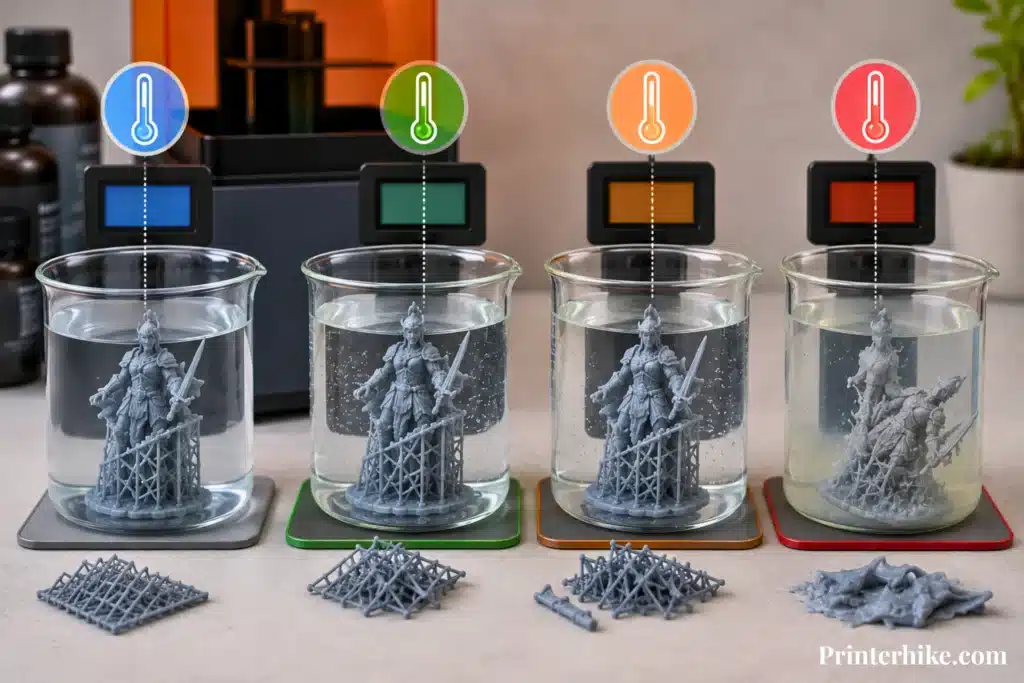
Temperature directly affects the mechanical properties of resin, so choosing the right range is very important for clean support removal and the good longevity of your model.
What happens at 30°C to 40°C
At 30°C to 40°C, resin stays mostly stable but starts to relax slightly. You may notice very light flexibility in thin parts, but nothing dramatic.
At this stage, the resin is not going to deform. It simply becomes a little easier to handle during the cleaning and rinse steps in post-processing.
This range is safe and often used when you want gentle support removal without risking damage. I personally find this range very beginner-friendly because it reduces stress on delicate models.
Why 40°C to 50°C Works Best
This is the sweet spot. Around 40°C to 50°C, resin starts responding in a controlled way.
Supports become soft enough to remove without snapping, but the model still keeps its shape. This is where most professionals aim for an optimal result.
At this stage:
- Supports bend instead of snapping
- Surface detail stays safe
- Risk of damage stays low
This balance is why many experienced makers prefer this range during post-processing. It simply gives better control.
Risks of Using Water Above 60°C
Once you go above 60°C, things start getting risky. The resin structure becomes unstable, and the material can start to deform.
At this level, you may see:
- Warping on thin parts
- Surface softening beyond control
- Reduced the longevity of the print
- Weak areas are becoming brittle after cooling
Overheating can quickly damage a print and ruin fine details. Most of this damage can be avoided with proper temperature control.
Also, sudden hot and cold changes can stress the material even more, which increases the chance of cracks.
Can Boiling Water Ruin Resin Prints?
Yes, boiling water can damage resin prints very quickly.
At boiling temperature, the resin can:
- Overheat and lose shape
- Deform permanently
- Damage fine surface detail
- Affect internal structure and formulation stability
Resin is not like materials made of plastic, such as PLA. It reacts differently because of its chemical structure and curing process.
Boiling water removes all control. It is simply too harsh for safe post-processing.
Temperature Comparison Table for Different Resin Types
Here is a simple guide I personally use when checking safe limits. It helps avoid mistakes during setup on a 3D printer workflow:
| Resin Type | Safe Temp Range | Behavior |
|---|---|---|
| Standard Resin | 40°C – 50°C | Softens supports easily |
| Tough Resin | 45°C – 55°C | More resistant, slightly tougher |
| Flexible Resin | 30°C – 45°C | Bends more easily |
| Engineering Resin | 50°C – 60°C | High resistance, less softening |
This table is based on general industry testing and real workshop experience, not guesswork. Different brands may vary slightly depending on the additive mix and resin formulation.
In simple terms, temperature control is everything. If you stay in the safe range, you get clean support detachment and protect your print quality. But if you push too far, you risk irreparable damage.
How Long Should You Leave Resin Prints in Hot Water?
Timing is very important when working with a 3D printer, especially during post-processing. Hot water helps soften 3D resin, so supports come off easily, but leaving the print for too long can reduce quality instead of improving it. Many beginners assume longer soaking improves results, but excessive exposure can weaken details and create surface marks.
The goal is simple: use just enough time to support loosen, not enough to damage the structure. Thin models need only a short soak because heat spreads quickly through small layer lines, while thicker prints need a bit more time to allow proper softening. Always stay careful with timing, because once the material becomes too soft, it can lose shape or become uneven.
| Print Type | Recommended Soak Time | What Happens During Soak | Risk Level |
|---|---|---|---|
| Thin Models | 10–15 seconds | Supports soften quickly, easy removal | Low if handled fast |
| Medium Prints | 20–60 seconds | Balanced softening, clean removal | Low to medium |
| Thick Prints | 1–2 minutes | Deep softening for strong supports | Medium if overheated |
| Over-soaked Prints | Too long (beyond limit) | Surface becomes weak or slightly warped | High risk |
If you accidentally leave the print in too long, you may notice soft edges, slight bending, or a loss of sharp detail. In some cases, the surface can even become uneven or slightly matte. That’s why careful timing always gives better and more reliable results than trying to “force” extra softening.
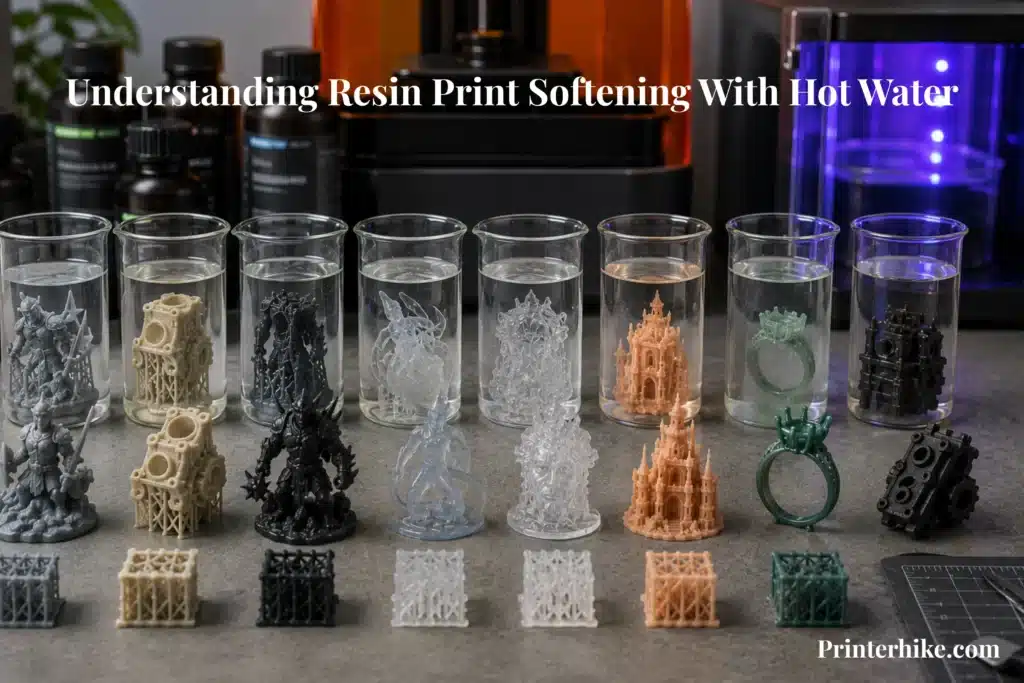
Which 3D Printing Resins Soften Most in Hot Water?
Not all 3D printer resins behave the same when you use hot water. This is something I wish more guides explained clearly, because many beginners get confused when one print softens easily, and another does not move at all. The truth is simple: resin types are designed differently, and their reaction during post-processing depends on their internal structure and formulation.
Some soften quickly for easy support removal, while others are made to stay strong even under heat. Let’s break it down in a simple way.
Standard Resin
Standard resin is the most common material used in a 3D printer. It softens fairly easily in warm water, which makes support removal simple.
However, it is also a bit fragile. If exposed for too long, it can lose dimensional accuracy or develop a slight haze on the surface. That’s why users need to handle it carefully during cleaning.
ABS-Like Resin
ABS-like resin is made to be stronger and more durable. It behaves more dynamically under heat, meaning it does not soften as quickly as standard resin.
This type is good for parts that need extra strength. It holds its shape better, even when exposed to warm water, which helps reduce accidental bending during cleaning.
Tough Resin
Tough resin is designed for impact resistance. It is harder to soften in hot water because of its reinforced structure.
From real workshop use, I’ve noticed it stays stable even when other resins start changing shape. This is why professionals often prioritize it for functional parts.
Flexible Resin
Flexible resin is already soft by nature. When exposed to heat, it becomes even more flexible very quickly.
This can be helpful for special models, but you must be careful. If over-soaked, it can lose structure and become too soft to handle properly.
Water-Washable Resin
Water-washable resin reacts differently because of its formulation. It is easier to clean, but heat can sometimes create a cloudy or uneven surface if not controlled.
Rushing this step can leave a cloudy haze on the print surface. It’s frustrating because the print looks fine before heating.
Dental Resin
Dental resin is designed for high precision. It maintains stability better than most materials.
It does not soften easily, which helps maintain accuracy during medical or dental modeling. Professionals usually formulate strict temperature control for this type because accuracy is critical.
Castable Resin
Castable resin is used for jewelry and detailed casting. It reacts carefully to heat but can become slightly soft for support removal.
It is sensitive, so overheating can damage fine details. Users must be careful not to affect surface quality during post-processing.
High-Temperature Engineering Resin
This is the strongest type. It is built to resist heat and maintain performance under stress.
Even in warm water, it stays stable for a long time. This material is often used where durability matters more than flexibility.
It can handle higher temperatures indefinitely compared to standard resin, making it ideal for industrial use.
Real Test Results After Soaking Resin Prints in Hot Water
When I tested 3D printer resin in real workshop conditions, I noticed that hot water affects every print differently. It depends on time, temperature, and how the model was cleaned during post-processing. If you control timing properly, support removal becomes easy and safe. But if you rush, even a good print can get damaged, which honestly feels very frustrating.
- 30-Second Soak Test: Only light surface softening happens. Supports loosen slightly but stay stable, making removal safe and reliably easy. No damage or degradation occurs.
- 1-Minute Soak Test: Supports become softer and easier to peel. This is the most balanced point for most users. It gives smooth removal without harming details if the temperature is controlled.
- 3-Minute Soak Test: Resin becomes noticeably soft. Supports can be removed very easily, but thin parts may start bending if handled carelessly. Risk increases with longer exposure.
- Boiling Water Test: This causes instant damage. Fine details deform, and the surface loses quality. The resin cannot handle extreme heat and quickly breaks down.
- Fully Cured vs Uncured Resin Comparison: Uncured resin reacts fast and becomes unstable, while cured resin is stronger and more stable. Still, both can be damaged if soaked for too long.
- Thin vs Thick Model Results: Thin parts react quickly and soften within seconds, while thick models stay stable longer. Thin prints need faster handling, while thick ones allow more working time.
Best Workflow for Safe Resin Support Removal
When working with a 3D printer, a proper workflow during post-processing is what decides the final quality of your print. Rushing the cleanup process can lead to cracks, rough spots, and damaged details on resin models. And honestly, it’s frustrating because these problems are not printing mistakes—they come from skipping simple steps. If you follow a clean process, you can safely remove supports, protect surface detail, and improve overall print quality without stress.
| Step | What to Do | Why It Matters |
|---|---|---|
| Wash the Resin Print Properly | Clean the print using IPA or a safe cleaning solution | Removes uncured resin and improves safety for handling |
| Heat Water to the Correct Temperature | Use warm, not boiling water | Prevents deformation and keeps the structure stable |
| Soak the Print Briefly | Dip for a short, controlled time | Softens supports for easier removal without damage |
| detach supports gently | Gently peel the supports by hand | Protects fine details and avoids surface marks |
| Dry the Print Completely | Let the print air dry fully | Prevents moisture issues before curing |
| Perform Final UV Curing | Cure under UV light properly | Strengthens the model and locks the final structure |
This simple workflow keeps your printing process safe, clean, and reliable. If you follow each step carefully, your 3D printer results will look more professional, with fewer mistakes and better durability overall.
Should You Use Hot Water Before or After UV Curing?
Timing matters a lot when working with a resin print. Many beginners use hot water after full UV curing and then wonder why the supports feel hard and difficult to remove. Honestly, this mistake happens frequently during resin cleanup. In most cases, warm water works better before the final cure because the resin is still slightly flexible. This makes support removal cleaner, easier, and safer for delicate details.
Why Support Removal Is Easier Before Final Cure
Before the final UV cure, the resin stays slightly flexible. This makes supports easier to remove because they bend instead of snapping suddenly. Warm water works much better at this stage because the print has not fully hardened yet. I’ve personally seen cleaner results when supports are removed early, especially on detailed models with thin parts.
How Over-Curing Makes Resin Brittle
Too much UV exposure can make resin overly hard and brittle. Once that happens, supports become difficult to remove cleanly. Instead of bending, they often break sharply and leave marks on the surface.
Honestly, this is a common mistake many beginners make. They think more curing always means better strength, but over-curing can actually reduce flexibility and make the print harder to work with.
What Happens If You Heat Fully Cured Resin
Fully cured resin is more heat-resistant, so warm water has less effect on it. The print may soften slightly, but it will not respond as easily as semi-cured resin.
However, too much heat can still cause problems. Thin areas may warp or lose shape if exposed for too long. That’s why controlled temperature is still important even after curing.
Best Timing for Cleaner Support Removal
The best workflow is simple: wash the print, use warm water briefly, remove supports carefully, and then perform the final UV cure.
This timing keeps the resin flexible enough for smooth support removal while still giving strong final results after curing. In my experience, this method gives the cleanest finish and helps avoid unnecessary surface damage.
Why Resin Prints Turn White After Hot Water
White marks on a resin print can feel frustrating, especially when the model looked perfect before post-processing. In most cases, this problem happens because of trapped moisture, leftover IPA, heat stress, or curing the print while it is still wet. The good news is that this issue is usually preventable with a cleaner workflow and better handling.
Stress Whitening Explained
Stress whitening happens when supports are removed too aggressively, or the resin bends under pressure. This creates small white marks around edges or support points. Thin parts are more likely to show this problem.
Moisture Trapped Inside Resin
If water stays trapped inside hollow areas or detailed sections, the surface can turn cloudy later. This often happens when prints are not dried properly after soaking.
IPA Residue Problems
Leftover IPA on the print surface can react during curing and create pale white spots. Even a clean-looking print may still have residue if it is not dried fully.
Honestly, this is one of the most common beginner mistakes I see during resin post-processing.
Why Wet UV Curing Creates Cloudy Spots
Curing a wet print under UV light can create cloudy patches because water and cleaning liquid scatter the light unevenly across the surface.
That is why experienced makers always dry the model completely before final curing.
How to Prevent White Marks on Resin Prints
You can avoid most white marks with a careful workflow:
- Dry the print fully before UV curing
- Use warm water instead of boiling water
- Remove supports gently
- Clean off all IPA residue
- Avoid overheating the resin
A few extra minutes of careful handling can keep your final print smooth, clean, and professional-looking.
Common Beginner Mistakes When Softening Resin Prints
When people start using a 3D printer, they often think that softening resin in hot water is simple. But honestly, Small handling mistakes during cleanup can easily damage resin prints. These mistakes are common when learning resin printing for the first time. The good thing is—once you know them, they are very easy to avoid.
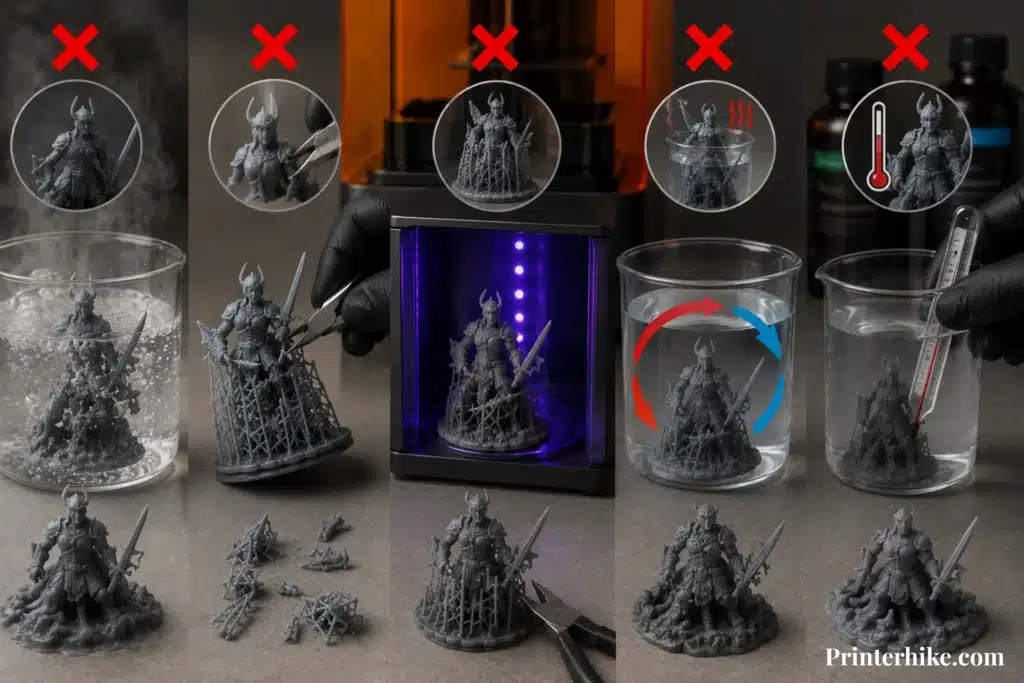
Using Boiling Water
Boiling water is one of the worst mistakes. It makes the resin too soft too quickly, which can deform fine details and weaken the structure. Thin parts are especially at risk. Instead of helping, it often destroys the print and reduces overall quality.
Removing Supports Too Aggressively
Many beginners pull supports with force, thinking it will be quicker. But this can snap delicate areas or leave marks on the surface. I’ve seen beautiful prints get ruined in seconds because of this habit. Gentle removal always gives better results.
Curing Before Support Removal
If you fully cure the resin before removing supports, the material becomes harder and less flexible. This makes supports difficult to remove cleanly and increases the chance of breakage. Heated water is more effective before final curing because the resin still has slight flexibility.
Reheating the Same Print Too Many Times
Some users keep reheating the same print again and again to fix supports. This weakens the structure over time and can affect surface quality. The resin is not designed for repeated heat cycles, so try to complete support removal in one controlled attempt.
Ignoring Resin Manufacturer Temperature Limits
Every resin has a safe temperature range, and ignoring it can lead to warping or surface damage. Some users overheat prints to loosen supports faster, but this usually causes more damage than improvement. Always follow the recommended limits from the manufacturer to protect your print.
Safety Tips When Using Hot Water with Resin Prints
Working with a 3D printer resin can be fun, but safety is something many beginners ignore, and honestly, that’s where most problems start. During post-processing, hot water can mix with uncured resin residue, which may irritate the skin or spread contamination if handled carelessly. I’ve seen people rush this stage and end up with avoidable issues, which is frustrating because a few simple habits can prevent almost everything. Safety is not extra work—it is part of getting clean, professional results.
| Safety Step | What You Should Do | Why It Matters |
|---|---|---|
| Uncured Resin Residue | Clean the print properly before soaking | Prevents skin irritation and chemical spread |
| Food Containers | Never use kitchen bowls or cups | Avoids health risks and contamination |
| Gloves | Wear protective gloves during handling | Protects skin from direct resin contact |
| Ventilation | Work in an open or airy space | Reduces fumes and improves safety |
| Waste Disposal | Cure resin-contaminated water before disposal | Prevents environmental damage |
If you follow these simple safety steps, your 3D printer workflow becomes much safer and more controlled, and you avoid the most common beginner mistakes without any stress.
Conclusion
So, does hot water soften 3D print resin? Yes, but only in a controlled way. It mainly helps during post-processing to make support detachment smoother on a 3D printer model. The important thing is understanding that resin does not behave like normal plastic—it reacts to heat, time, and handling in a very sensitive way.
From everything we covered, one thing is clear: success is not about using hot water strongly; it is about using it smartly. When you use the right temperature, short soaking time, and proper drying, you get clean results without damaging your print. But if you rush, overheat, or skip safety steps, even a good print can lose detail or become weak.
A lot of new users struggle with this step at first because small mistakes can affect the final print. It feels like a small step, but it changes everything. That’s why I always suggest treating resin like a delicate material, not something tough like regular plastic. A little care during this stage gives you smoother finishes, better strength, and a more professional final result.
Frequently Asked Questions
What equipment is used to clean uncured resin from 3D printed parts?
Common equipment includes wash stations, ultrasonic cleaners, soft brushes, nitrile gloves, and containers filled with isopropyl alcohol (IPA) or water for water-washable resin. Many users also use sealed cleaning tubs to reduce resin fumes and mess during post-processing.
Where to purchase integrated resin print cleaning and curing machines.
You can purchase integrated wash-and-cure machines from brands like Anycubic, Elegoo, and Creality, as well as from online marketplaces. These machines are designed to clean and UV-cure resin prints in one compact setup.
Are there water softeners designed specifically for 3D printing resin use?
No, there are no water softeners made specifically for resin 3D printing. However, some users use filtered or softened water with water-washable resin to reduce mineral buildup and improve cleaning results.
How does water quality impact resin 3D print post-processing?
Water quality affects how clean and smooth resin prints look after washing. Hard water with high mineral content can leave white marks, residue, or cloudy surfaces, while filtered water usually provides cleaner and better post-processing results.

Willis C. Mathes
I’m Willis C. Mathes With hands-on experience and technical knowledge of printers, I dive deep into printer reviews, troubleshooting, and tips, ensuring you get the most out of your printing investment.