Can laser printers print photos? Yes, they can—but the quality depends on the type of image and how you use the printer. Laser printers are best for simple images, graphics, and office use. However, they cannot match the colour depth, detail, and smoothness of inkjet photo printers. If you need quick, sharp prints, a laser printer works well. But for high-quality photos, inkjet printers are still the better choice. The demand for printers is still growing worldwide, with the global laser printer market valued at over $10 billion in 2024, showing how widely laser printers are used in offices and businesses.
Laser printers work best for simple images, charts, school projects, flyers, and graphics with solid colours. If you use the right paper type, such as laser-safe photo paper, and correct settings, the print quality can look clean and sharp. They’re also great for office use, where speed matters more than perfect colour detail.
When Laser Photo Results Look Disappointing: Photos with faces, smooth colour changes, or deep shadows often look flat. Glossy images may lose detail because toner sits on top of the paper instead of soaking in like ink. Even at the same DPI, laser prints usually can’t match the colour depth or softness of inkjet photos.
How Laser Printers Print Photos (Simple, Non-Technical Explanation)
A laser printer prints photos in a very different way from an inkjet printer. Understanding this difference helps you know why photo results look the way they do. Laser printing is designed for speed, text, and graphics—not detailed photo work. Still, many people try printing photos since they already have a colour laser printer at home or work.
How Toner Works vs Ink (Why It Changes Photo Quality)
A laser printer does not use liquid ink. Instead, it uses toner, which is a fine powder. The printer places toner on the paper, then uses heat to lock it in place. This heat comes from a special roller inside the printer.
An inkjet printer works differently. It sprays tiny drops of ink onto the paper. The ink sinks into the paper fibres, which helps create smooth colours and soft details. This is why inkjet photo prints often look more natural.
In laser printing, the toner stays on top of the paper instead of soaking in. Because of this, photo printing looks sharper but less soft. Because of this, fine details can look a bit hard or flat, especially on glossy paper. The toner also comes from a toner cartridge, which controls how much colour is placed on each part of the photo.
Why Laser Printers Struggle With Gradients and Skin Tones
When you print photos with a laser printer, smooth colour changes can be a problem. Gradients, like a blue sky fading into light blue, need very gentle colour mixing. Instead of tiny ink drops, laser printers apply colour in layers.
Skin tones are another challenge. Faces need soft colour blending to look real. A colour laser printer may make faces look slightly orange, grey, or flat. That’s because toner doesn’t blend as smoothly as liquid ink. This is also why laser printers struggle with smooth gradients like sunsets or natural skin tones.
Glossy images can make this problem worse. Toner on glossy paper reflects light. This can lower print quality and make photos appear shiny but less detailed.
Colour Layering and Resolution Limits Explained Simply
Laser printers build colours by layering toner on the paper. Most modern laser printers offer resolutions up to 1,200 to 2,400 DPI, which is why they produce sharp text and clear graphics. A colour laser printer uses four toner colours to build images. These layers work well for charts and text, but struggle with complex photos.
Most laser printers also have limits when it comes to photo detail. In comparison, inkjet printers can go up to 5,000 DPI, which helps them produce smoother photo gradients. Even with a high DPI setting, laser printing can’t match the smooth colour depth of an inkjet printer. The printer uses fixed toner dots, not flowing ink.
That doesn’t mean laser photo results are always bad. For basic tasks like school projects, flyers, or simple images, a laser printer produces clean, sharp photos. But for high-quality photo printing, ink-based printers still perform better.
Choosing the right paper type helps improve results. Avoid very glossy sheets and use laser-safe photo paper. But at the end of the day, the technology has its limits.
What Laser-Printed Photos Actually Look Like (Realistic Expectations)
Before using a laser printer for photos, you should know what the final result will be. Many users want photo printer quality, but laser printers handle photos quite differently. Know the limits, so you can pick the right paper. This helps you avoid disappointment when printing photos on a laser.
Why Laser Photos Look Flat or “Plastic”
Laser photos often look flat because the toner sits on top of the paper instead of soaking in. When laser printers use heat to fix toner, the surface becomes smooth and slightly shiny. This can make photos look a bit hard or even slightly plastic-like.
Using glossy paper or glossy photo paper can increase this effect. The shine reflects light, which hides small details. Even when you use photo paper for laser printers, the image may still lack softness. This is normal behaviour for laser technology and not a printer fault.
Laser printers are great at producing sharp edges and bold colours. They struggle with soft colour transitions. That’s why many people feel laser printers are better for graphics than personal photos.
Screen vs Print: Why Colours Never Match Exactly
Photos look bright and vivid on screens because screens use light. Printing works differently. When printing on photo paper, colours depend on toner, paper coating, and heat.
With laser and inkjet printers, colour differences are common. Laser printing uses dry toner. Inkjet printing, on the other hand, uses liquid ink, which blends better. A laser-based printer can make images that look darker. They may also seem less colourful than those on your phone or computer.
Using coated paper or laser photo paper helps control colour spread, but it cannot fully match screen colours. This difference is part of how printing works, not a mistake.
Detail Loss: Shadows, Highlights, and Fine Textures
Laser-based printers struggle with very fine details. Dark shadows may look blocked, and bright areas may lose softness. Hair, skin texture, and smooth skies often lose detail when printed.
Paper choice also matters. Thin printer paper absorbs toner more evenly. Using heavier paper with the right GSM rating improves results. However, inkjet paper should never be used in a laser printer because it can melt under heat.
For the best results, always use the correct paper made for laser photo printing. This protects the printer and improves clarity, but some detail loss may still happen.
A laser printer makes clear, sharp images for both documents and graphics. For true photo printing, ink-based printers are still the best. This is especially true for personal or memory photos.
Best Types of Photos to Print on a Laser Printer
A laser-based printer is not made for every photo, but it works well for certain image types. Understand how laser printers work. Choose the right images. This way, you’ll achieve good printing results while saving paper and toner. Below are the photo types that match laser photo printing best.
Text-Heavy Images and Infographics
Text-heavy images are one of the best choices for laser photo printing. These include charts, diagrams, and infographics that mix text with simple images. Laser printers add toner to paper. This makes the text sharp and clean.
A laser-based printer keeps letters sharp. This happens even on plain paper. In contrast, an inkjet printer uses liquid ink. Choose the right paper type and set it correctly. This keeps the image clear and easy to read. This makes laser printers ideal for guides, reports, and learning materials.
Logos, Graphics, and Posters
Logos and digital graphics print very well on laser-based printers. Solid colours, clean lines, and bold shapes match laser printing technology perfectly. Colour laser printing is great for brand logos and posters that need a consistent look.
Using paper made for lasers gives better results. It also stops damage from glossy inkjet paper. The laser toner is fused to the paper, which helps logos last longer without smudging. For businesses that need to print colour images in volume, this is a strong advantage.
Landscapes With Strong Contrast
Some landscape photos work well, especially those with strong contrast. Images with clear light and dark areas look better than soft or foggy scenes. The best laser settings help to show outlines clearly, even if fine details are limited.
Laser-based printers work best. They handle contrast well. Smooth colour changes are harder to manage. This won’t replace high-quality inkjet printing. However, it can meet basic needs for posters and displays.
School Projects, Handouts, and Office Photos
Laser-based printers are very useful for school and work. Photos for school projects, handouts, and office printing don’t need perfect colour. Exact colour accuracy isn’t required. It’s okay if the colours aren’t exact. They need speed, clarity, and reliability.
Many offices use laser and inkjet printers for tasks like printing and scanning. Laser printing works well for classroom photos. It’s also good for presentation images and training materials. Use paper meant for laser printing. Avoid inkjet-only paper for the best results.
Laser Printer Photo Quality (Quick Summary)
| Photo Type | Laser Printer Performance |
|---|---|
| Text-heavy images | Excellent |
| Logos & graphics | Very good |
| High-contrast landscapes | Good |
| School & office photos | Very good |
| Quality photos (portraits) | Not recommended |
Final Tip for Better Laser Photo Results
A laser printer can produce reliable results for everyday images. But for printing high-quality photos meant for albums or frames, ink-based printers remain the better choice.
Photos That Look Bad on Laser Printers (Avoid These)
A laser printer for photo printing works well for some images, but not all. Knowing which photos to avoid saves toner cartridges, time, and frustration. The limits come from how laser printers work and how toner bonds to the paper. Below are photo types that usually give poor printing results.
Portraits and Skin Tones
Portraits are the hardest photos on a laser. Skin tones need soft colour changes, but toner particles stay on the paper’s surface. They do not blend like liquid ink. This makes faces look flat or slightly grey.
Even when laser printers print portraits on photo paper, the results often feel cold. A laser photo may show harsh edges around faces and uneven colour on cheeks. The inkjet counterpart handles skin tones better because the ink absorbs into the paper.
For family portraits, an ink-based printer is the safer choice.
Wedding, Event, and Memory Photos
Wedding and event photos hold emotional value, so image quality matters. Photos on a laser often lose fine details like soft lighting, shadows, and background blur. When laser printers use heat, the toner is fused to the paper, which reduces subtle detail.
Using glossy paper or glossy photo paper can make these photos look shiny but less natural. This is why most photo printers use inkjet printing, not laser technology. For memory photos, laser and inkjet printers are not equal.
Dark Photos and Smooth Gradients
Dark photos with shadows do not print well on laser printers. Blacks may look too solid, and details disappear. Smooth gradients, like skies or soft backgrounds, often show clear steps. This happens instead of a smooth colour flow.
This happens because laser printing technology applies colour in layers. Even if you select the correct paper type and adjust the paper type setting, the gradients stay rough. Using inkjet paper in a laser printer is unsafe and should be avoided, as it can melt.
Professional or Gallery-Quality Images
Professional images need precise colour, depth, and texture. A laser printer can produce sharp graphics, but not gallery-level photos. Printing high-quality photos requires ink that blends smoothly and paper with special coatings.
Laser printers are quick. They work well for office printing. They’re perfect for printing many colour images. But for professional work, laser printers better suit documents, not art. Ink-based systems meet advanced photo printing needs more reliably.
Quick Comparison Table
| Photo Type | Laser Printer Result |
|---|---|
| Portraits | Poor |
| Wedding & event photos | Poor |
| Dark & gradient photos | Weak |
| Professional images | Not suitable |
| Office graphics | Good |
Final advice:
A laser printer can produce clean results for everyday images, but it has limits. Always use the correct paper, avoid using glossy paper made for inkjet devices, and remember that laser photo printing is not designed for emotional or professional images.
Step-by-Step: How to Print Photos on a Laser Printer (Correct Way)
Printing photos on a laser printer can give decent results if you follow the right steps. Many problems happen because users skip settings or use the wrong paper. Modern laser printers are quick and dependable. They need the right setup for printing photos. Follow this guide to get the best photo results possible.
Choosing the Right Image Resolution
Image resolution controls how clear your photo looks when printed. For better photo print quality, always use high-resolution images and proper DPI settings. If the resolution is too low, the photo looks blurry. If it is too high, it wastes memory and does not improve quality.
Recommended DPI for laser photo printing
| Use Case | Recommended DPI |
|---|---|
| Small photos | 200–300 DPI |
| Flyers and handouts | 200 DPI |
| Volume photo printing | 300 DPI |
Laser photo printers do not gain much detail above 300 DPI. This setting balances clarity and speed.
Best Print Settings in the Printer Driver
Correct driver settings make a big difference. Always check the printer driver before printing.
- Paper type: Choose laser printer paper or photo paper specifically made for laser printers. Never use paper designed for inkjet printers because it can melt inside the printer.
- Print quality mode: Set the printer to high or best mode. This slows printing slightly but improves detail and colour control.
- Colour adjustment: Turn off automatic colour correction if your printer allows it. This helps keep colours more natural and avoids over-saturation.
| Setting | Recommended Choice |
|---|---|
| Paper type | Laser photo paper |
| Quality mode | High |
| Color mode | Manual or default |
CMYK vs RGB: What Works Best for Laser Printers
Laser printers work best with CMYK colours. RGB is made for screens, not printers. When you print an RGB image, the printer converts it, which can change colours.
For better results, convert photos to CMYK before printing. This gives more control and fewer surprises. Inkjet and laser printers both use CMYK. However, laser printers convert colours less smoothly than inkjet ones.
Scaling, Borders, and Image Fit Tips
Always preview your photo before printing. Scaling errors can cut off edges or stretch the image.
- Set scaling to 100 per cent
- Turn off “fit to page” if accuracy matters.
- Add small borders to avoid edge trimming.
- Centre the image on the page
Choose the paper for the job based on how the photo will be used. For casual prints, laser printer paper works. For better results, use photo paper specifically designed for laser printers.
Best Paper for Printing Photos on Laser Printers
Paper choice plays a major role in photo results. Laser printers use heat and pressure, so the paper needs to work with this technology. The right paper improves printing capabilities and protects the printer.
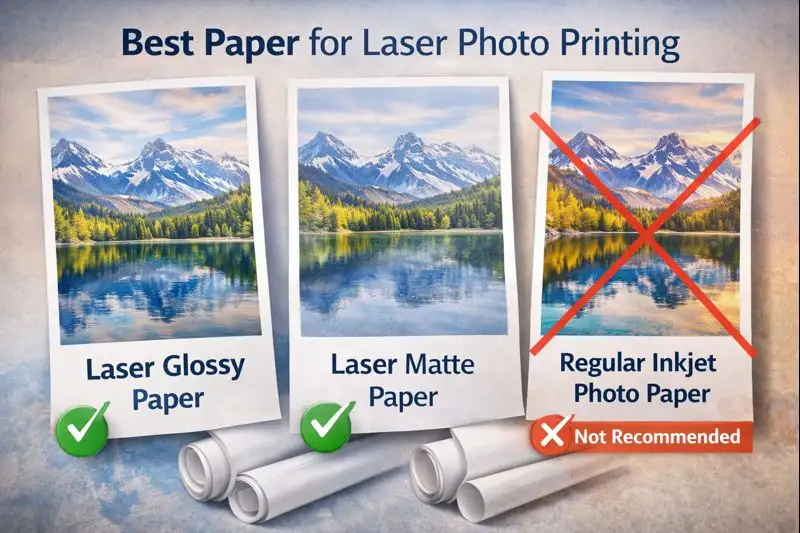
Laser Photo Paper vs Glossy Inkjet Paper
Laser photo paper is made to withstand the high heat used to fuse toner onto the sheet. It has a special coating for colour control. This helps the paper feed smoothly through the path.
Glossy inkjet paper is designed for inkjet printers. The liquid ink soaks into the surface. Using it in a laser printer can block heat and damage parts.
| Feature | Laser Photo Paper | Glossy Inkjet Paper |
|---|---|---|
| Heat tolerance | High | Low |
| Toner bonding | Strong | Poor |
| Printer safety | Safe | Risky |
| Print clarity | Consistent | Unreliable |
Laser printers can print photos safely, but only if you use the right type of paper.
Why Inkjet Photo Paper Can Damage Laser Printers
Inkjet paper cannot handle laser heat. The coating may melt, stick to rollers, or block airflow. This affects printers that can handle paper smoothly and may cause jams.
Laser printers rely on clean paper movement to produce the best output. If the sheet cannot pass through the printer path correctly, repairs may be needed. This is why professional printing services never mix paper types.
Matte vs Glossy: Which Looks Better on Laser Prints
Matte paper gives a more even colour and reduces glare. Glossy paper adds shine but can reduce detail. For most users, matte paper produces the best balance between clarity and comfort.
Glossy sheets can look bright, but colour calibration matters more than shine. Laser printers have a smaller colour range than inkjet printers. This is why colour accuracy in laser printers is lower compared to ink-based systems. So, using extreme gloss won’t enhance the results.
Cost to Print Photos on a Laser Printer (Real Numbers)
Cost matters, especially when printing photos often. Laser printers shine in volume printing, but photo costs differ from document costs.
Average Toner Usage Per Photo
Photo printing uses more toner than printing documents. Full-page photos require all colours, which increases usage. However, laser printers can handle large volumes without frequent cartridge changes.
Cost Per Photo on a Laser Printer
The average cost depends on the toner price and coverage.
| Item | Estimated Cost |
|---|---|
| Toner per photo | Medium |
| Paper stock | Low to medium |
| Total per photo | Moderate |
They can print large numbers of photos at a stable cost, which makes them useful in offices.
Laser vs Inkjet Cost Per Photo (Comparison Table)
| Printer Type | Cost Per Photo | Best Use |
|---|---|---|
| Laser printer | Lower at volume | Office and bulk use |
| Inkjet printer | Higher per photo | Home and detail work |
Laser printers offer the best value when printing in bulk. On average, laser printers cost around 2–5 cents per black-and-white page, while inkjet colour pages can go much higher depending on ink usage. Inkjet devices suit low-volume, detail-focused work.
How Long Do Laser-Printed Photos Last?
Durability is a key strength of laser printing. Photos last longer than many ink-based prints under normal conditions.
Fade Resistance Over Time
Laser prints resist fading because toner sits on the paper surface and does not soak in. This gives better colour stability over time.
Water, Heat, and Smudge Resistance
Laser prints resist water and smudging well. This happens because toner is heat-fused onto the paper, making it more durable than liquid ink prints. Once the toner is bonded, it does not smear easily. This makes laser photos suitable for handling and display.
Indoor vs Outdoor Photo Lifespan
Indoors, laser photos can last many years. Outdoors, sunlight reduces lifespan, but laser prints still perform better than many ink prints.
Are Laser Photos Archival-Safe?
Laser prints are not archival-grade for professional photo printing. Museums and galleries rely on professional printing services for long-term storage. Still, laser photos work well for everyday use as long as the paper is suitable.
Expert takeaway: Laser printers have strong durability, stable costs, and reliable performance. They are capable of printing photos for office use, education, and short-term display, but not for gallery-level needs.
Laser vs Inkjet for Photo Printing (Quick, Honest Comparison)
Choosing between laser and inkjet depends on what you print most often. Both can print photos, but the results and costs are different.
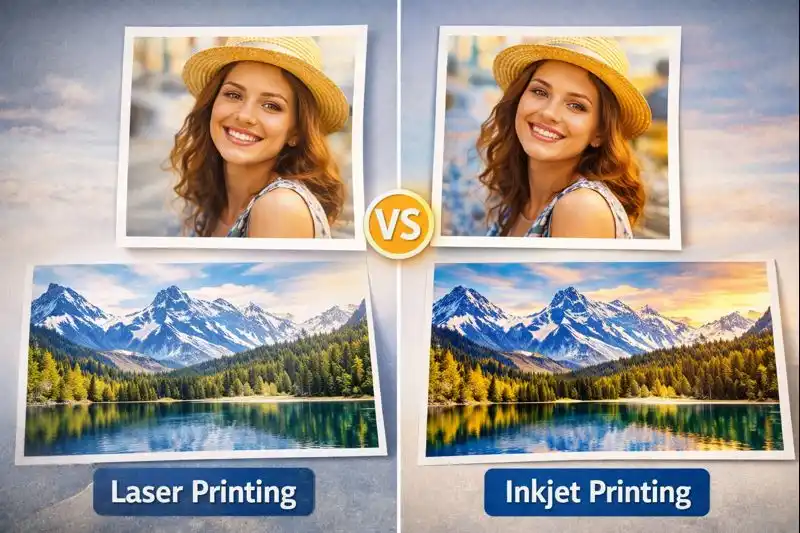
Photo Quality Comparison
Inkjet printers usually produce the best photo quality. They have a wider colour gamut, which helps show smooth tones and fine details. A consumer inkjet blends colours gently. This is perfect for portraits and family photos.
Laser printers focus on speed and sharp output. When comparing laser vs inkjet photo quality, inkjet printers clearly produce better results for detailed images. A multifunction laser can print, scan, and copy, but it cannot match the inkjet photo depth. They can print photos clearly, but not with the same softness. If photo quality matters most, use an inkjet.
Speed and Volume
Laser printers are faster. Most laser printers print around 20–40 pages per minute, while inkjet printers usually print only 5–20 pages per minute. They can print many pages in a short time. This makes them ideal when printers can handle large jobs.
Inkjet printers are slower, especially with photos. Laser devices shine when you need the ability to print many images quickly. For offices and classrooms, laser printers produce the best results in volume.
Cost Over Time
Laser printers cost more upfront but save money long term. Toner lasts longer than ink, so the cost per page stays low. Inkjet printers cost less to buy but require frequent ink replacement. Inkjet cartridges usually last only 200–500 pages, while laser toner cartridges can print up to 2,500–10,000 pages.
For users who print often, laser printers are cheaper over time. For occasional photo prints, inkjet printers may be enough.
Best Use Cases for Each
| Use Case | Laser Printer | Inkjet Printer |
|---|---|---|
| Text & documents | Excellent | Good |
| Photo printing | Basic | High quality |
| Speed | Very fast | Slower |
| Home use | Moderate | Good |
| Office use | Excellent | Limited |
| Photo albums | Not ideal | Best |
If you want one printer for professional photo quality, an inkjet is better. Laser works well as long as the paper matches the printer.
Common Photo Printing Problems on Laser Printers (And Fixes)
Laser photo issues are common but often easy to fix.
Why Photos Look Dull or Washed Out
This happens when the printer uses the wrong settings. Set print quality to high and avoid draft mode. Colour limits in laser printers reduce depth compared to inkjet.
Grainy or Pixelated Images
Low image resolution causes grain. Use high-resolution photos and avoid enlarging small images. They print sharp lines well, but struggle with tiny details and textures.
Colour Shifts and Banding Issues
Banding comes from uneven toner spread. Clean the printer and check colour settings. Laser printers have fixed colour layers, so some shifts are normal.
Paper Curling or Toner Cracking
Paper that cannot handle heat curls or cracks. Always use laser-safe paper. Avoid inkjet-only paper.
Printing Photos From Phones on a Laser Printer
Mobile printing is common, but results depend on setup.
Can You Print Phone Photos on a Laser Printer?
Yes. Most modern laser printers support phone printing. The printer is able to print images sent from phones using Wi-Fi.
AirPrint and Google Cloud Print Limitations
Mobile apps compress images to save data. This reduces detail. Some colour settings may also be ignored.
How to Improve Mobile Photo Print Quality
- Use original photo files
- Disable image compression
- Select high-quality mode
- Print from a computer when possible
Laser printers can still be useful for some home needs.
Are Laser Printers Good for Home Photo Printing?
Home Use vs Office Use
At home, users want flexibility. Offices need speed. Laser printers suit office use more than photo tasks.
Scrapbooking and School Projects
Laser printers work well for school projects, charts, and scrapbook labels. They produce clean results quickly.
When Laser Printers Make Sense at Home
Laser printers make sense if you mostly print documents and only occasional photos. If your main goal is photos, use an inkjet instead.
When a Laser Printer Is the Right Choice for Photos
In some situations, a laser printer can still be a smart choice for photos. It works best when speed, volume, and durability matter more than perfect colour detail.
High-Volume Photo Handouts
Laser printers are perfect when you need to print many photo handouts at once. Schools, offices, and events often need dozens or hundreds of copies. A laser printer manages this load well. Its paper path is designed for quick, repeated printing. Photos, such as charts, class pictures, and training images, remain clear and sharp. This stays true even when you print in large batches.
Business Flyers and Promotional Images
Laser printers work well for business flyers, menus, and simple promotional images. These prints often include photos mixed with text and logos. Laser printing keeps edges sharp and colours consistent. The toner spreads evenly on the paper. This makes flyers look clean. They appear professional for daily business use.
Speed-First, Not Quality-First Printing
If speed matters more than photo beauty, laser printers are the right tool. They print quickly, dry instantly, and don’t smudge. For quick jobs where the goal is “good enough,” not gallery quality, a laser printer saves time and effort.
When You Should Choose an Inkjet Instead
Inkjet printers are better when photo quality is the top priority.
Family Photos and Albums
Family photos need soft colours and smooth skin tones. Inkjet printers handle these details better. They gently place ink on the paper’s surface. This helps create warm, natural-looking images for albums and frames.
Professional Photography
For serious photo work, inkjet is the right choice. A printer or a professional photo lab can make rich colours. They can show fine details too. Laser printers can’t match this quality. This matters for portraits, weddings, and artwork where quality must be perfect.
Creative and Colour-Critical Work
Designers, artists, and photographers need accurate colours. Inkjet printers show small colour changes better than laser printers. If colour accuracy matters, laser printing is not the best option.
Final Verdict: Can Laser Printers Print Photos?
Yes—but with limits.
Clear Yes or No (Based on Use Case)
Yes, laser printers can print photos for basic needs. However, studies and printing industry comparisons show that inkjet printers still produce better colour accuracy and smoother gradients for photo printing. No, they are not ideal for high-quality or professional photo printing.
Who Should Use Laser Printers for Photos
Laser printers are best for:
- Schools and offices
- High-volume photo handouts
- Flyers, posters, and mixed text-image prints
- Users who value speed and low cost.
Who Should Avoid Them
You should avoid laser printers for photos if you:
- Print family or memory photos.
- Need accurate colors
- Want professional-quality images.
- Care more about beauty than speed.
Bottom line: Laser printers can print photos. They work best for quick, practical jobs. They aren’t ideal for emotional or professional photo printing.
Tips to Improve Laser Photo Quality
If you’re using a laser printer for photos, don’t expect perfect results—but you can make them look much better with a few simple tweaks.
Use High-Resolution Images
Start with a clear, high-quality photo. If the image is low quality, it will look blurry when printed, no matter what printer you use. For best results, go with images around 300 DPI so they come out sharp and clean.
Avoid Very Dark Photos and Soft Gradients
Laser printers don’t handle dark areas or smooth colour changes very well. Photos like sunsets or images with heavy shadows can lose detail or look patchy. Try to choose photos with good contrast and clear edges—they usually print better.
Go for Matte Laser Paper
Paper really matters here. Instead of glossy paper, use matte paper made for laser printers. It gives a more balanced look and avoids that shiny, plastic-like finish that can make photos look unnatural.
Switch to High-Quality Print Mode
Before you hit print, check your settings. Set the printer to “High” or “Best” quality. It might take a little longer, but the difference in detail and colour is worth it.
Print from a Computer (If Possible)
Printing straight from your phone is quick, but it often reduces image quality. Phones and apps sometimes compress photos. If you want better results, print from a computer where you have full control over the settings.
Adjust Colours Manually
If your printer allows it, try adjusting the colour settings yourself instead of relying on automatic mode. This can help you avoid dull or overly bright prints and get a more natural look.
Conclusion
Laser printers can print photos, but they’re not meant to replace real photo printers. They are ideal for simple photo needs. Here, speed, durability, and cost are more important than perfect colour detail. A colour laser printer gives clear and sharp results. It’s great for school projects. It works well for office handouts, flyers, posters, and text with images.
However, laser printing has clear limits. Toner sits on the paper’s surface, making photos look flat. Smooth colour transitions, skin tones, and deep shadows often lose detail. Laser-printed photos can’t match inkjet prints. Even with the best paper and settings, they lack softness, colour depth, and realism.
The right choice depends on your goal. If you print a lot of photos, a laser printer is a good choice. It gives fast output. It’s also great for documents with images. If you need family photos, portraits, or great images, go for an inkjet printer. A photo lab is also a good choice.
Frequently Asked Questions (FAQs)
Do all laser printers support photo printing, or only colour laser printers?
Only colour laser printers can print photos. Black-and-white laser printers can print images. However, they don’t have colour. This greatly limits photo quality.
Can monochrome (black-and-white) laser printers print photos?
Yes, but only in grayscale. These prints are flat and lack detail, so they aren’t good for realistic or high-quality photos.
Does printer brand affect laser photo quality (HP vs Brother vs Canon)?
Yes. Brands vary in colour processing and toner quality. However, technology often matters more than the brand itself. This means results are usually quite similar.
Can laser printers print borderless photos?
Most laser printers do not support true borderless printing. Small white margins are normal due to paper handling and heat limits.
Does printer age affect photo quality on laser printers?
Yes. Older printers can show faded colours or banding. This happens because their parts are worn out. Newer models do a better job with colour and toner placement.

Willis C. Mathes
I’m Willis C. Mathes With hands-on experience and technical knowledge of printers, I dive deep into printer reviews, troubleshooting, and tips, ensuring you get the most out of your printing investment.