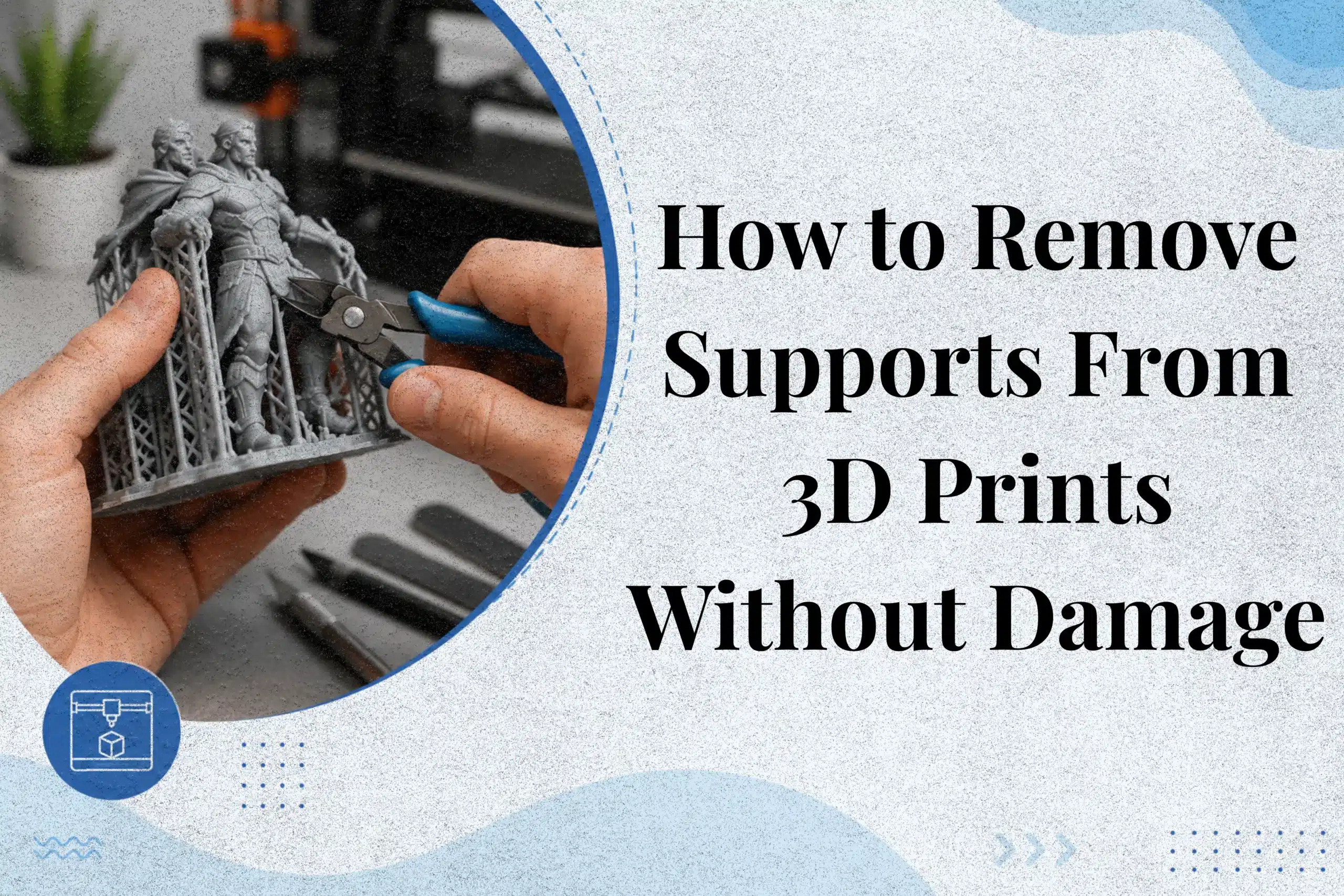
How to remove supports from 3D prints can be challenging when supports fuse to the model, leave visible marks, or break delicate features during removal. Poor support removal affects surface quality and may waste both time and material. Using the right tools, support settings, and removal techniques can help produce cleaner results with less post-processing. This article explains step-by-step support removal methods, resin and FDM differences, slicer settings, and practical tips to remove supports safely without damaging your print.
What Are 3D Printing Supports and Why Are They Needed?
3D printing supports are temporary structures that hold up parts of a model during printing. They prevent overhangs, bridges, and complex shapes from collapsing before the print is complete. Without proper support, layers may droop or fail, resulting in poor print quality.
Support structures are commonly used for miniatures, mechanical parts, and detailed models. After printing, these structures are removed during support removal to create a clean surface. Studies show that support material is one of the largest sources of waste in 3D printing, which is why users often adjust settings in the slicer to reduce unnecessary material while maintaining quality.
The 45-Degree Rule in 3D Printing
The 45-degree rule helps determine when supports are needed. Most FDM printers can print overhangs up to 45 degrees without issues. Angles beyond this point often require additional support to prevent sagging.
Material also matters. PLA may handle overhangs up to 55–60 degrees, while ABS generally needs support sooner.
When Can a Print Be Made Without Supports?
A print can often be made without supports when overhangs remain within safe angles and bridges are short. Many printers handle bridges under 10 mm successfully.
Proper model orientation can also reduce the need to remove supports later, saving time, filament, and post-processing work.
Types of 3D Print Supports Explained
Not all supports work the same way in 3D printing. The type of support chosen affects print quality, material usage, and cleanup time after printing. Selecting the right support structure can save filament and make it easier to remove supports without damaging delicate details. A well-configured printer and proper settings often lead to smoother results and less post-processing work.
Normal Supports
Normal supports are the most common option found in slicer software. They build straight upward from the build plate and provide strong support for overhangs and bridges. These structures work well for mechanical parts and simple designs. However, they use more material and sometimes leave visible marks after support removal, especially on detailed models.
Tree Supports
Tree supports branches outward like small trees and touch the model at fewer points. This design uses less material and is often easier to remove than traditional supports. Studies have shown that tree supports can reduce the amount of support material by up to 50% for complex models. They are especially useful for miniatures, statues, and organic shapes where surface quality matters. In practical testing, tree supports often leave fewer visible marks because they touch the model at fewer points. This can reduce cleanup time, especially on miniatures and decorative prints.
Soluble Supports (PVA and HIPS)
Soluble supports dissolve in liquid rather than breaking away by hand. PVA dissolves in water, while HIPS dissolves in limonene. These supports are commonly used in FDM systems with dual extruders to create complex parts with internal channels and clean surfaces.
Tools Needed for 3D Print Support Removal
The right tools make removing supports safer and help protect detailed models from damage. Using too much force can snap small features, which is frustrating after a long print. A basic toolkit can make cleanup much easier. Flush cutters are commonly used for detailed models because they allow supports to be clipped close to the surface without putting pressure on thin features.
Flush cutters are one of the most useful tools because they cut small supports close to the surface. A sharp cutter also reduces pressure, lowering the chance of accidental damage. Needle-nose pliers work well for gripping and pulling larger pieces away from the model. For stubborn areas, a second plier can provide better control.
After the larger sections are removed, lightly sand rough spots to improve the finish. Fine-grit sandpaper helps smooth support marks without changing the shape of the part. This step is especially useful for display models and functional parts.
The best way to remove supports depends on the material being used. PLA supports often break away cleanly, while models printed with soluble support material may dissolve in water or limonene. Choosing the proper tools not only saves time but also helps achieve cleaner results on a 3D printer.
| Tool | Best Use |
|---|---|
| Flush Cutter | Cutting small supports |
| Plier | Removing larger pieces |
| Sandpaper | Smoothing surfaces |
| Hobby Knife | Detail cleanup |
How to Remove Supports from 3D Prints Step by Step
Removing supports carefully can mean the difference between a clean model and a damaged one. Rushing this process is a common mistake because small details can break in seconds. Delicate features such as miniature weapons, antennas, and thin walls are less likely to break when supports are removed gradually instead of all at once. The goal is to remove material while protecting the print surface and fine features.
Remove Large Supports First
Start with the larger structures because they are usually easier to grip and detach. Gently twist or pull them away instead of applying sudden force. Some models have internal supports that are harder to reach, so working slowly helps prevent cracks.
The need for supports depends on model geometry and overhang angles. Complex designs may have more contact points, which means extra care is required during removal. For resin prints, supports are often removed after washing but before final curing to reduce brittleness.
Clean Small Support Points
After the large sections are gone, inspect the model for tiny attachment areas. These small contact points can leave marks if removed roughly. A careful cleanup process helps preserve fine details and edges.
Some slicing programs allow users to adjust support settings before printing. Lowering the number of contact points or using a support interface can lead to easier removal and cleaner results later.
Smooth the Surface After Removal
The final step is surface finishing. Light cleanup improves the model’s appearance and prepares it for painting or use. Different materials require different finishing methods, but gentle handling always gives the best results.
Choosing the right support strategy before printing reduces the need for post-processing and helps produce cleaner models from the start.
How to Remove Supports from Different Materials?
Different materials require different support removal methods. A technique that works well for one filament may damage another. Understanding these differences helps protect the model and improve surface quality. A single broken detail can mean reprinting an entire model, which is why careful support removal is usually worth the extra few minutes.
PLA
PLA is one of the easiest materials to work with because its supports usually snap off cleanly. Always let the print cool completely before starting, as warm plastic can bend under pressure. Small leftovers can be trimmed with a craft knife without damaging the print. The removal process is often simple, especially on well-tuned printers. In many PLA prints, allowing the model to cool completely before removing supports results in cleaner separation and fewer surface marks than removing supports while the plastic is still warm. For example, PLA gaming miniatures printed with tree supports often need very little sanding because the supports detach more cleanly than standard supports.
PETG
PETG creates stronger bonds than PLA, so supports may stick tightly to the printed part. Increasing the support gap is a common way to make PETG supports easier to separate from the printed part.
This makes cleanup smoother and reduces marks on the surface. For example, PETG functional brackets often require a larger support gap because supports tend to bond more strongly than PLA.
ABS
ABS is strong but can crack if too much force is used. Using tree supports often helps because they touch the model at fewer points. As a result, the printed model separates more cleanly after printing.
Resin Prints
Resin models are usually cleaned after washing and before final UV curing. Many resin hobbyists remove supports before UV curing because fully cured resin becomes more brittle, and small details may crack during removal. Choosing when to use support structures carefully can greatly improve final print quality. Miniature painters often remove resin supports before UV curing because uncured resin remains slightly flexible and less likely to crack.
Resin vs FDM Support Removal
Resin and FDM prints require different support removal methods because their materials behave differently. Using the right approach helps protect thin features and improve the final finish. Detailed miniatures often survive printing successfully but lose thin swords, antennas, or fingers during rough support removal.
In FDM printing, supports can be removed after the model has cooled completely. These prints are often cleaned with simple hand tools. However, stubborn supports may leave marks on detailed parts if too much force is applied.
Resin models follow a different workflow. Supports are removed after washing but before final UV curing. At this stage, the material remains slightly flexible, reducing the risk of breakage. This is especially useful for miniatures and highly detailed figures.
Different types of support structures serve different purposes. For example, using soluble support materials can simplify cleanup, while tree supports for complex models reduce contact areas and material use. Studies have found that tree supports may use up to 50% less material than traditional designs, making supports easier to remove.
Users can also tune their support settings before printing to improve results and reduce finishing time after printing.
| Feature | FDM | Resin |
|---|---|---|
| Removal Stage | After cooling | After washing |
| Finishing | Sanding | UV curing |
| Best For | Functional parts | Fine details |
Choosing the right support type makes support removal faster and safer.
Slicer Settings That Make Supports Easier to Remove
The best support removal often starts before printing even begins. A few changes in the slicer can save time, reduce marks, and protect delicate details. Increasing support Z distance by even 0.1 mm often makes supports easier to remove on many FDM printers. In fact, studies suggest that support structures make up a large share of 3D printing waste, so optimizing settings also saves material.
Support Z Distance
Support Z distance controls the gap between the model and its supports. A smaller gap improves surface quality but can make removal difficult. A larger gap makes supports easier to remove, though too much spacing may reduce print quality. For most FDM supports, a Z distance of 0.2–0.3 mm often provides a good balance.
A 0.2 mm support gap is a common starting point for FDM prints, although the ideal value depends on the printer and material. Small adjustments to support Z distance can significantly affect support removal. Even a slight increase may reduce support bonding and make post-processing easier.
Support Density Settings
Support density determines how much material is used inside the support structure. Lower values use less filament and are easier to clean up, while higher values provide stronger support.
A support density of 20–30% works well for most models and helps avoid unnecessary waste.
Support Interface Layers
A support interface creates a smooth layer between the model and support structure. This reduces support contact and improves surface quality after removal. It is especially useful for detailed parts that require precise support removal.
Overhang Angle Settings
The overhang angle determines when supports are generated. Most printers work well around 45–60 degrees. Adjusting support placement carefully prevents extra material from being added where it is not needed.
| Setting | Recommended Value |
|---|---|
| Z Distance | 0.2–0.3 mm |
| Support Density | 20–30% |
| Overhang Angle | 45–60° |
Choosing the right settings means every support works efficiently instead of creating extra cleanup work.
How to Reduce Support Usage Before Printing?
Reducing supports before printing saves filament, lowers waste, and shortens post-processing time. It also improves surface quality and reduces the chance of damaging a model during cleanup. Research shows that support structures contribute significantly to 3D printing waste, so minimizing them is both practical and efficient.
Improve Model Orientation
The position of a model on the build plate greatly affects the amount of support required. Rotating a part can reduce overhangs and make removal easier later. For instance, printing an L-shaped bracket on its side often requires fewer supports and leaves cleaner visible surfaces after printing. For example, printing an L-shaped bracket on its side often needs fewer supports and leaves cleaner surfaces on the final part.
Use Support Blockers
Most slicing programs include support blockers to prevent supports from appearing in unnecessary areas. Supports usually generate automatically, but they are not always needed everywhere. Proper use of support blockers reduces wasted material while keeping the model stable.
Split Large Models
Breaking large objects into smaller sections can lower the amount of support needed. After assembly, the model often looks cleaner once the supports are gone.
Reduce Overhangs
Adding chamfers or angled edges helps reduce steep overhangs. These design changes improve the ease of removal and create easier support setups with less cleanup work.
Common Mistakes That Damage Prints During Support Removal
Support removal seems easy, but small mistakes can damage a model after hours of printing. Removing supports while the print is still warm may bend delicate areas, so letting it cool first is often the safer choice.
Using too much force is another common problem. Delicate features such as fingers, blades, and thin walls are often damaged when supports are pulled away too quickly instead of being removed gradually. Some prints need gentle twisting rather than quick pulling to remove supports easily without breaking fine details.
Skipping cleanup can also affect the final look. Light finishing work helps get a cleaner finish before painting or assembly.
Resin models require extra care because fully cured resin becomes brittle and may crack during removal. Proper handling during removal and post-processing protects print quality and reduces repair work. A few extra minutes of patience can save a great model from unnecessary damage.
How to Fix Support Marks and Surface Scars?
Support marks are common after printing, but they can often be repaired with a few simple steps. Good finishing not only improves appearance but also strengthens the overall look of the model. Support marks are common on first prints, but light sanding and primer usually restore a smooth finish.
Sanding and Polishing
Sanding is one of the most effective ways to smooth support scars. Start with coarse sandpaper and gradually move to finer grits for a polished finish. Many makers begin with 220-grit sandpaper and finish with finer grits to reduce support marks before painting a model.
This method works especially well after post-processing removal. When surfaces feel uneven, gentle sanding can make them look almost new.
Filling Surface Imperfections
Small gaps and marks can be filled with putty or filler before painting. This step is especially useful for complex prints where tiny defects are easier to notice. After the filler dries, lightly sand the area again for a smooth surface.
Priming and Finishing
Primer helps reveal hidden imperfections and prepares the model for paint. Choosing the right support pattern before printing can also reduce surface marks from the start. For delicate models, users should pull supports away slowly rather than forcing them. Some makers even grip the support close to the model to avoid stress on thin areas.
Models printed with linear supports may need more finishing because they create larger contact areas. In contrast, soluble support materials like PVA leave cleaner surfaces since they dissolve instead of breaking away, making them easy to remove.
Troubleshooting Hard-to-Remove Supports
Support removal does not always go as planned. Sometimes supports stick too tightly, leave marks, or even break delicate parts. A detailed model may print successfully, but removing supports too aggressively can break thin parts during cleanup. Fortunately, most of these issues have simple causes and practical solutions.
Why Are Supports Fused to the Print?
Supports often fuse to a model when the gap between the support and the print is too small. High temperatures can also cause plastic to bond more strongly. Users can tune your support settings by increasing Z distance or lowering support density to improve separation.
Why Do Supports Leave Marks?
Support marks usually appear where the support touches the model. These marks are more noticeable on curved surfaces and detailed designs. Careful sanding and proper settings before printing help reduce visible scars and create smoother finishes.
Why Do Supports Break the Model?
Thin features can snap if too much force is used to remove the supports. Twisting gently often works better than pulling straight outward. Taking time during removal post-processing protects delicate details and reduces the risk of damage.
Most support problems can be prevented with proper print settings and patient cleanup. Testing support settings on a small print can help identify removal issues before committing to a larger project.
Future Trends in 3D Print Support Removal
Support removal is becoming faster and smarter as 3D printing technology advances. New methods aim to reduce waste, improve print quality, and shorten cleanup time. New printing technologies are reducing support usage, which lowers material waste and shortens post-processing time in 3D printing.
Automated Support Removal Systems
Automated systems use water jets, chemicals, or specialized machines to remove supports with little manual work. Real-world case studies show impressive results. Some manufacturers have reported reducing post-processing time by more than 60% after adopting automated solutions. This improves consistency and speeds up removal post-processing in production environments.
Support-Free Printing Technologies
Researchers are also developing support-free printing methods. Advanced five-axis printers can build models from multiple angles, reducing the need for supports. Advanced multi-axis printing systems may reduce support requirements, helping lower material usage and post-processing work.
As these technologies become more affordable, future 3D printing may create cleaner parts with less waste and far less manual effort.
Conclusion
Knowing how to remove supports from 3D prints can make a big difference in the final quality of a model. Using the right tools, choosing suitable support settings, and handling prints carefully help reduce damage and improve surface finish. Even small changes, such as adjusting orientation or support density, can save time and material.
Different materials also require different techniques. Based on practical experience across PLA, PETG, and resin prints, support removal becomes much easier when the correct support settings are chosen before printing rather than relying on extensive cleanup afterward. PLA often allows easier cleanup, while resin prints need extra care before final curing. A little patience during post-processing can turn an average print into one that looks professionally made.
As 3D printing technology continues to evolve, automated systems and support-free methods are making printing more efficient. With practice and the right approach, cleaner prints, smoother surfaces, and better results become much easier to achieve.
Frequently Asked Questions
Best practices for support removal from PLA prints to avoid surface damage.
Allow the print to cool completely before removing supports, as warm PLA can bend or tear. Use gentle twisting motions instead of pulling forcefully, and trim small leftovers carefully to prevent marks on the surface.
What are the essential tools for cleanly removing supports from FDM 3D prints?
Flush cutters, needle-nose pliers, hobby knives, and sandpaper are the most useful tools for support removal. They help remove supports safely and smooth rough areas for a cleaner finish.
How to dissolve support for the PLA?
Standard PLA supports do not dissolve because PLA is not water-soluble. If dissolvable supports are needed, dual-extruder printers can use materials like PVA, which dissolve in water while leaving the PLA model intact.

Willis C. Mathes
About the Author
Willis C. Mathes is a technical writer focused on 3D printing workflows, printer setup, and troubleshooting. His content is based on practical research into FDM and resin printing systems, slicer optimization, filament handling, and common beginner printing problems.
He regularly covers topics related to printer performance, calibration, maintenance, and beginner-friendly 3D printing setups.