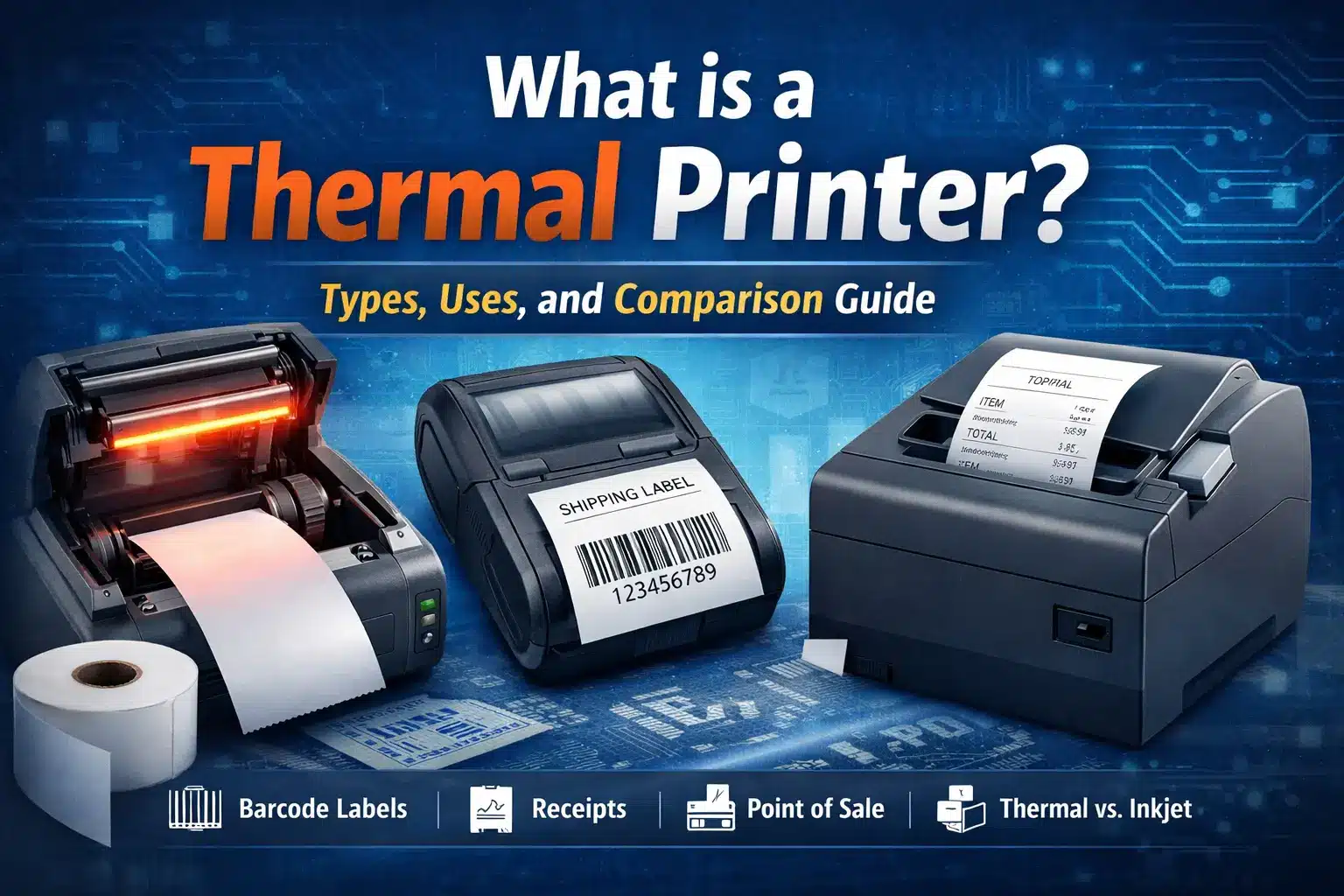
A thermal printer uses heat to create images or text on paper. This means it doesn’t need traditional ink or toner. Thermal printers don’t use ink cartridges. Instead, they use thermal paper. This paper reacts to heat to produce the printed content. The print head in a thermal printer heats the paper. It does this either in a direct manner or by using a ribbon. The type of thermal printing technology being used determines this.
People know thermal printers for their efficiency, speed, and cost-effectiveness. They are often used in industries where fast and dependable printing matters. This includes retail, shipping, healthcare, and manufacturing. Thermal printers come in two main types: direct thermal and thermal transfer. They serve different needs based on what you want to print.
The thermal printing process makes high-quality prints that last. These printers are popular for their durability. They are great for printing labels, receipts, barcodes, and product tags. Thermal printers are smaller and simpler to maintain. They also save money over time. In contrast, traditional inkjet or laser printers need regular ink or toner changes. This guide explains how thermal printers work. It also explains the benefits and types. Plus, it highlights key factors to help you pick the best one for your needs.
How Do Thermal Printers Work?
Thermal printers work by using heat to produce prints.
There are two main types of thermal printing:
- Direct thermal printing
- Thermal transfer printing
Each method uses a unique technology to heat the thermal paper. This process creates the image or text.
The two main types of thermal printers are
- Direct Thermal Printers – These printers use heat to change the color of thermal paper. No one involves ink or toner. The printer’s thermal print head heats the paper. The heated areas turn black, creating the image or text.
- Thermal Transfer Printers—These printers use heat to move ink from a ribbon to the paper. The print head heats the ribbon, which then melts the ink onto the surface of the thermal paper. This method produces more durable prints that are less prone to fading.
Direct Thermal Printing—Mechanism, Pros, and Use Cases
Direct thermal printing is the simplest method of thermal printing. It uses a print head to heat the thermal paper. This controlled heating darkens the areas that get hot. This produces the desired text or image. Direct thermal printing does not need ink, toner, or ribbons. This makes it a cost-effective choice for many uses.
Pros of Direct Thermal Printing:
- No ink or toner: Direct thermal printers don’t use ink or toner. This means lower operating costs and less maintenance.
- Faster Printing: These printers work quickly. They’re great for busy spots like retail and shipping.
- Compact and portable: Many direct thermal printers are small and lightweight. This makes them easy for mobile use and on-the-go printing.
Use Cases:
- Receipt printing is often used in retail. It prints receipts at point-of-sale (POS) systems.
- Shipping labels are common in logistics and e-commerce. Label printers use them to create shipping labels and barcodes.
- Tickets and Vouchers: These print tickets, boarding passes, and vouchers for travel and events.
Thermal Transfer Printing – Mechanism, Pros, and Use Cases
Thermal transfer printing involves the use of a ribbon coated with ink. When the thermal printer heats the ribbon, the ink melts and transfers onto the thermal paper. This method makes prints that last longer than those from direct thermal printers. It is good for uses where the print must withstand wear and tear.
Pros of Thermal Transfer Printing:
- Durability: The thermal transfer printer prints for a long time and resists fading. This makes it perfect for situations where durability matters.
- Versatility: Thermal transfer printing works on many materials. It can print on synthetic labels, plastic, and fabric. This makes it great for various uses.
- High-quality prints: This method produces sharp, clear prints. This is important for small text or barcodes.
Use Cases:
- Thermal transfer printers are often used in fields like manufacturing and retail. They print product labels that must remain easy to read over time.
- Barcode printing: These printers are popular for high-quality output. They ensure that the printers produce clear barcodes, so scanners can read them accurately.
- Each industrial application: Ideal for tough settings like warehouses, factories, and chemical plants. These labels endure extreme conditions.
Types of Thermal Printers
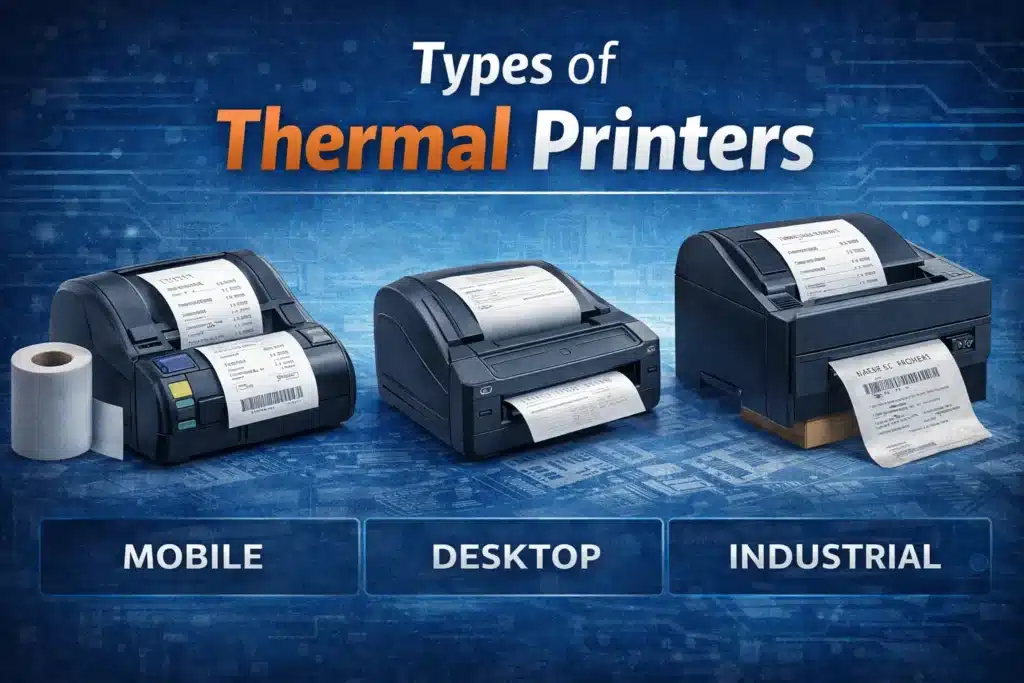
Thermal printers are available in various types. Each one is made for specific needs in different industries.
The three main types of thermal printers are:
- Mobile thermal printers
- Desktop thermal printers
- Industrial thermal printers
Each type has its own pros and cons. So, it’s key to pick the right printer based on what you need.
Mobile Thermal Printers
Mobile thermal printers are compact, portable printers designed for on-the-go printing. They are often used in industries like retail, delivery, and healthcare. This is where printing happens away from a fixed location.
Use Cases:
- Retail: This is used to print receipts and barcode labels on-site. It’s especially helpful for mobile point-of-sale (POS) systems.
- Delivery Services: Print shipping labels and track information in real time during deliveries.
- Healthcare: Great for printing patient wristbands, medication labels, and other small labels. This is handy when you’re on the go in a hospital or clinic.
Pros and Cons for On-the-Go Printing:
| Pros | Cons |
| Portability: Light and easy to carry, ideal for on-the-go printing. | Limited Paper Size: Usually prints on smaller thermal label paper, limiting print size. |
| Cost-Effective: No need for ink or toner, reducing operating costs. | Limited Printing Volume: Not suitable for high-volume printing. |
| Easy to Use: Simple to operate, making it a great choice for small businesses and fieldwork. | Durability: Not as rugged as industrial models, and prints may fade over time with excessive exposure to heat. |
| Wireless Printing: Can connect via Bluetooth or Wi-Fi, offering flexibility in printing from mobile devices. | Smaller Print Area: Best for smaller prints like labels and receipts, but not suited for large-format documents. |
Desktop Thermal Printers
Desktop thermal printers are designed for smaller businesses, offices, and retail spaces. These printers match the speed and efficiency of other thermal printers. But they are better for tight spaces.
Use Cases:
- Small businesses are great at quickly printing labels and receipts. They handle online orders and POS systems efficiently.
- POS systems are used in retail to print receipts, product labels, and barcode tags.
- Small Label Printing: Great for printing thermal labels for products, shipping, and inventory.
Benefits and Limitations for Small Spaces:
| Benefits | Limitations |
| Compact Size: Takes up minimal space on a desk or counter, making it ideal for small spaces. | Print Speed: Not as fast as industrial printers, limiting efficiency for high-volume printing. |
| Affordable: Less expensive compared to industrial models, making it budget-friendly for small businesses. | Print Capacity: Suitable for smaller print jobs; may struggle with large volumes or continuous printing. |
| Reliable: Offers consistent, high-quality prints for day-to-day business needs. | Limited Features: Generally lacks the advanced features of industrial models like high-volume printing or the ability to print on diverse materials. |
Desktop thermal printers are an excellent choice for businesses with moderate printing needs. They provide quick thermal label printing and do not take up much space.
Industrial Thermal Printers
Manufacturers build industrial thermal printers for high-volume printing. They excel in durability, efficiency, and handling large print jobs. These printers find frequent use in industries such as manufacturing, logistics, and shipping.
Use Cases:
- Manufacturing: Used for printing labels, barcodes, and tags for products, parts, and machinery.
- Logistics are important for printing shipping labels, tracking inventory, and making barcode tags.
- High-Volume Printing: Ideal for businesses that need to print lots of labels or receipts fast and dependably.
Advantages of Durability and Efficiency in Industrial Settings:
| Advantages | Disadvantages |
| High Durability: Built to withstand harsh industrial environments, including exposure to dust, moisture, and extreme temperatures. | High Initial Cost: More expensive upfront compared to desktop or mobile printers. |
| High-Speed Printing: Capable of printing large quantities quickly, making it ideal for label printing in warehouses and factories. | Large Size: Takes up more space and requires a dedicated area for operation. |
| Durable Prints: Thermal transfer printers use ribbons to create long-lasting prints that don’t fade easily, ideal for industrial labeling. | Complex Setup: Installation and maintenance may require more technical knowledge compared to simpler desktop models. |
| Versatile Media Handling: Capable of handling large rolls of high-quality thermal paper, which are often used in industrial settings. | Noise: May be louder than other types of thermal printers, which could be a concern in noise-sensitive environments. |
Industrial thermal printers work well for businesses needing high-volume, durable prints. These printers are made for tough settings, so they’re a great pick for big operations.
What are thermal printers used for?
Thermal printers are popular in many industries. They print with speed and efficiency, and they don’t need ink. These printers use heat-sensitive paper for printing. This makes them cost-effective and low-maintenance. They’re great for many different uses. Thermal printers are different from traditional printers. They don’t need ink, so they lower printing costs a lot. Thermal printers operate using a distinct method. They have a heated printhead that applies heat to special thermal paper. This creates prints on the paper without any intermediary.
Thermal printers are great for quick, high-quality printing. They work well for labels, receipts, and barcodes. In this section, we’ll look at how different industries use thermal printers.
Common Applications in Different Industries
Many industries use thermal printers because they are fast, cost-effective, and reliable. In retail, they often print receipts and barcode labels at POS systems. In logistics, thermal printers print shipping labels and inventory tags for tracking goods. Healthcare benefits from thermal printing for patient wristbands, lab labels, and medication labels. In manufacturing, durable barcodes are key for product labeling and inventory tracking.
Retail & Point-of-Sale Systems – Receipt Printing, Barcode Labels
Retail is one of the primary industries where thermal printers are used. These printers are very popular in point-of-sale (POS) systems. They print receipts and barcode labels.
- Receipt Printing: Retail stores use thermal printers to quickly print customer receipts. Thermal printers don’t use ink. This feature makes them a cost-effective option for high-volume printing at POS terminals.
- Barcode Labels: Thermal label printers print barcode labels on products. This helps with inventory tracking and sales management. These labels are clear and durable. They resist fading, which is essential for retail businesses.
Pros for Retail:
- Low maintenance due to no ink or toner.
- High-speed printing for quick customer transactions.
- Long-lasting prints that do not fade quickly.
Logistics & Shipping – Labels for Inventory and Packages
In logistics and shipping, thermal printers are widely used. They print shipping labels, barcodes, and tracking documents for packages. These printers handle high-volume printing. This is key in the busy logistics world.
- Shipping Labels: Thermal printers print labels for inventory and packages. These labels are essential for shipping. These printers use heat-sensitive paper that provides clear, readable labels.
- Barcode Printing: Thermal printers are popular for printing barcodes. They help track packages during shipping. This ensures easy inventory management and smooth delivery tracking.
Pros for Logistics:
- High-quality thermal print that is readable by barcode scanners.
- Cost-effective solution since printers do not require ink.
- Durable labels that can withstand the wear and tear of shipping environments.
Healthcare – Patient Wristbands, Lab Labels, Medication Labels
Healthcare is another industry that benefits greatly from thermal printing technology. These printers print patient wristbands, lab labels, and medication labels. They are key to accuracy and safety in patient care.
- Patient Wristbands: Hospitals and clinics use thermal printers to create wristbands that identify patients. These wristbands usually have key medical information. This includes patient ID, allergies, and treatment details.
- Lab Labels and Medication Labels: Thermal printers create labels for specimen containers and medication bottles in medical labs. These labels need to be clear and resistant to fading, which is why thermal printers are a popular choice.
Pros for Healthcare:
- Accurate and legible printing of critical information.
- Labels that stay intact in tough medical settings, like when exposed to liquids and chemicals.
- Easy to use, making it suitable for fast-paced healthcare settings.
Manufacturing – Labeling, Product Tracking
In the manufacturing industry, people use thermal printers a lot. They label products and parts, and they help track inventory. These printers help manufacturers create clear and durable labels. The labels are easy to read and resist wear over time.
- Manufacturers use thermal printers for product labeling. These labels show important details, like serial numbers, production dates, and safety instructions.
- Product Tracking: Thermal printers create barcode labels for tracking products. These labels help ensure efficient inventory management and streamline the production process.
Pros for Manufacturing:
- Thermal transfer printers create durable prints that can withstand harsh environments.
- Easy to integrate into automated production lines.
- Printers use heat-sensitive paper that is cost-effective for large-scale operations.
Government – Document and Identification Labeling
Government agencies use thermal printers for many labeling tasks. These include document labels and identification cards. These printers are great for printing barcodes, ID cards, and official documents. They ensure clarity, security, and durability.
- Document Labeling: Government offices use thermal printers to create labels for important documents. This includes files, records, and packages.
- Identification Cards: Thermal printers can print government IDs. These cards must be durable and tamper-resistant.
Pros for Government Use:
- Reliable and secure prints that are resistant to fading.
- Thermal printers print fast and efficiently. This cuts down wait times for documents and ID cards.
- Low operating costs exist since printers use heat-sensitive paper instead of ink.
Key Benefits of Thermal Printers
Thermal printers have many benefits compared to traditional printing methods. This is why they are popular in various industries. These printers focus on efficiency, cost-effectiveness, and durability. These are great for many tasks. You can use them for printing labels, receipts, and barcodes. Let’s explore the key benefits of thermal printers and why they are so widely used.
Cost Efficiency
One of the primary benefits of thermal printers is their cost efficiency. Thermal printers are different from inkjet printers. They don’t use costly ink cartridges. Instead, they print on heat-sensitive paper, so there’s no need for ink or toner. Thermal printers do not have ongoing ink or toner costs. This fact makes them much more affordable in the long run.
Comparison with Inkjet Printers:
| Aspect | Thermal Printers | Inkjet Printers |
| Initial Cost | Affordable for low to high-volume printing. | Often lower upfront cost, but higher ink costs. |
| Operating Costs | No ink or toner needed, reducing overall cost. | Ongoing ink cartridge replacements are needed. |
| Maintenance | Low maintenance and fewer parts to replace. | Requires regular cleaning and ink replacements. |
Thermal printers don’t need ink or toner, so they save money over time. This is great for businesses that print often. Over time, these savings can add up, making them an excellent investment.
Low Maintenance
Thermal printers are also known for their low maintenance. Traditional printers, such as inkjet printers, have many moving parts. Ink nozzles can clog, so they need regular cleaning. Thermal printers have fewer moving parts. This means they need less maintenance and are less likely to break.
- Durability: Manufacturers design thermal printers for longevity. They have durable print heads that require very little maintenance.
- Fewer Parts to Maintain: Thermal printers have no ink cartridges or complicated parts. This makes them easier to maintain than other types of printers.
In busy places like retail or shipping, thermal printers need little upkeep. This saves time and money. So, they’re a reliable choice for businesses that print often.
Speed and Quality
Thermal printers are great for fast printing. They help businesses quickly process transactions and print labels. Thermal printers are great for printing labels. They work well for product labels, shipping labels, and POS receipts. Plus, they can manage lots of print jobs quickly.
- Speed: Thermal printers print faster than inkjet printers. This speed is crucial in high-volume places like retail, logistics, or manufacturing.
- Quality: Thermal printers create clear, readable prints. They are ideal for barcodes, labels, and receipts. The prints are sharp and clear, making them easy to read and scan.
Thermal printers are fast and high-quality. They are a reliable choice for businesses that need quick printing. You won’t sacrifice legibility or precision with them.
| Feature | Thermal Printers | Inkjet Printers |
| Print Speed | Very fast; ideal for high-volume printing. | Slower compared to thermal printers. |
| Print Quality | Crisp, sharp prints; great for labels and barcodes. | Can have inconsistent results, especially on cheaper paper. |
| Noise Level | Quiet printing process. | Often noisy during printing, especially at high speeds. |
Durability and Reliability
Thermal printers stand out from traditional printers for two main reasons: they’re more durable and reliable. Thermal printers are tough and durable. They work well in harsh environments. That makes them perfect for industries like manufacturing, logistics, and healthcare.
- Resistance to Wear: Thermal printers print on heat-sensitive paper. This creates durable prints that resist smudging, fading, and water damage. These prints can last for long periods without deteriorating, even in harsh environments.
- Works Great in Tough Conditions: Thermal printers function well in dust, moisture, or extreme heat. They excel in industrial settings where regular printers struggle.
Thermal printing is ideal for labels that need to be clear and durable. Manufacturers use thermal printers to print barcode labels. These labels must stay clear through shipping, handling, and warehouse conditions. Thermal transfer printers use ribbons to create prints. These prints resist abrasion, making them great for long-term labeling needs.
| Advantages | Thermal Printers | Inkjet Printers |
| Durability | Prints are long-lasting and resistant to fading. | Prints may fade quickly and smudge over time. |
| Reliability | Consistent print quality even in challenging environments. | Can require frequent maintenance or ink replacements. |
| Environment Resistance | Can withstand dust, moisture, and extreme temperatures. | Vulnerable to environmental conditions. |
Thermal printers are popular in places that need strong, long-lasting prints. They are a trusted option for businesses in tough industries.
Thermal Printer Drawbacks
While thermal printers offer several advantages, they also have some limitations. Understanding these drawbacks is crucial before investing in one.
Print Quality Limitations
Thermal printers can only print in black and white. They do not support color printing. They are not suitable for uses that need bright colors or quality images. This includes things like marketing materials and photographs.
| Thermal Printers | Inkjet Printers |
| Monochrome prints | Full-color printing |
| Limited graphics | High-quality graphics |
Print Longevity
Thermal prints can fade over time, especially when exposed to heat or sunlight. Direct thermal printers, which use heat-sensitive paper, are particularly prone to fading. This makes them less suitable for long-term or archival printing needs.
- Fading Over Time: Thermal printers are not ideal for prints that need to last for years.
- Heat Sensitivity: Thermal paper can become illegible when exposed to excessive heat.
Special Paper Requirements
Thermal printers need thermal paper, which is more expensive than regular paper. Not all printers work with every kind of thermal paper. This may lead to compatibility issues.
- Cost: Thermal paper can add to long-term printing expenses.
- Paper compatibility: Different thermal printers need specific types of thermal paper.
Initial Investment
Thermal printers generally have a higher upfront cost than inkjet printers. But, they save money in the long run by eliminating the need for ink or toner. The initial investment can be tough for small businesses or those on a tight budget.
| Thermal Printers | Inkjet Printers |
| Higher initial cost | Lower upfront cost |
| Lower ongoing costs | Higher ink costs |
These drawbacks show that thermal printers are efficient and cost-effective for many tasks. However, they may not suit everyone. This is especially true for those who need long-lasting prints, color prints, or lower costs at first.
How to Choose the Right Thermal Printer for Your Needs
To choose the right thermal printer, get to know the different types. Each type meets specific printing needs. You must pick a printer that fits your needs for cost, speed, durability, and space. This is true whether you run a small business, manage a large firm, or work in retail.
Practical Guidance for Businesses
When picking a thermal printer, think about these factors: how much you’ll print, the types of documents or labels you need, and your budget. Here’s a breakdown of what to look for based on your business size and requirements.
For Small Businesses: What Type of Thermal Printer to Choose for Low-Volume Printing
Small businesses usually print less than large companies. So, it’s key to pick a thermal printer that is affordable, efficient, and easy to maintain. Desktop thermal printers are great for small businesses. They are compact, affordable, and perform well for moderate printing volumes.
- Best for Low-Volume Printing: Small shops often must print tags or receipts for orders. Desktop thermal printers are great for these tasks. They save money and handle moderate workloads well.
- Cost-Effective: These printers usually have a lower initial cost. They need little upkeep because they do not use ink or toner.
- Easy to Use: Thermal printers are easy to set up and use. They are perfect for small businesses with limited technical knowledge.
For Large Enterprises: Choosing Industrial Thermal Printers for High-Volume Needs
For big companies that print a lot, industrial thermal printers are the best option. These designers built the printers for big printing jobs. They focus on high efficiency and reliability.
- High-Volume Printing: Industrial thermal printers are great for warehouses, factories, and logistics companies. They can print large batches of labels or shipping tags quickly and in bulk.
- Durability: These printers can handle tough conditions. They also print quickly for long periods.
- Advanced Features: Thermal printers can handle complex printing tasks with ease. These include barcodes, asset tags, and product tracking labels.
For Retailers: Mobile vs. Desktop Thermal Printers for Point-of-Sale
Retailers must choose the right thermal printer for point-of-sale (POS) systems. This choice depends on whether you need a portable or a stationary solution.
- Mobile Thermal Printers: If your business is mobile—like pop-up shops, outdoor sales, or mobile POS systems—then mobile thermal printers are a smart option. These printers are small, light, and wireless. You can print receipts or labels wherever you are.
- Desktop Thermal Printers: These printers are perfect for fixed POS systems in stores. They print receipts quickly and efficiently. This makes them perfect for high-volume transactions.
| Feature | Mobile Thermal Printers | Desktop Thermal Printers |
| Portability | Lightweight, easy to carry | Stationary, best for fixed locations |
| Print Speed | Fast for small print jobs | Fast, ideal for high-volume printing |
| Cost | Higher per unit but lower operational cost | Generally, lower initial cost |
Cost-Effectiveness: Choosing Between Direct Thermal and Thermal Transfer
When picking a thermal printer, choose between direct thermal and thermal transfer. Your choice depends on how durable you need the prints to be and what you plan to use them for.
Direct Thermal: Best for Short-Term Printing (e.g., Receipts, Shipping Labels)
Direct thermal printers are great for short-term use. They use heat-sensitive paper. You often see them used for printing receipts, shipping labels, and tickets.
- Best for Short-Term Use: Prints fade over time. Direct thermal printers are great for labels and receipts used for short periods. They work well for POS receipts and shipping tags.
- Cost-Effective: Direct thermal printers don’t use ribbons or ink. This makes them a budget-friendly choice for businesses that need fast, temporary prints.
- Common applications: retail receipts, shipping labels, parking tickets, and more.
Thermal Transfer: Best for Durable Labels (e.g., Barcodes, Product Tracking)
Thermal transfer printers use a heated printhead. This printhead transfers ink from a ribbon onto thermal paper. This method creates prints that last longer and are more durable. This makes them great for uses where longevity matters.
- Best for Long-Term Use: Thermal transfer printers work well for labels in tough conditions. They are great for product tags, barcode labels, and inventory tracking labels.
- High-Quality Prints: The ink transfers to the paper. This creates prints that resist smudging, fading, and environmental damage.
- Common Applications: Barcodes, shipping labels, product labels for retail, and industrial applications.
Printer Size and Space Considerations
When picking a thermal printer, think about how much space you have. Thermal printers come in various sizes, so you’ll need to pick the one that fits your workspace.
- Desktop Models: These are compact units. They are perfect for small businesses or offices that have limited space. They are typically used for point-of-sale (POS) systems and smaller print jobs.
- Mobile Models: Mobile printers are great for travel. They use heat-sensitive paper. These are compact and lightweight, making them easy to carry around.
- Industrial Models: These are larger and built for high-volume printing. They need more space, but they provide better performance and durability. This is great for businesses that do a lot of printing.
| Printer Type | Space Requirements | Best for |
| Desktop Thermal Printers | Small, fits on desks or counters | Small businesses, POS systems, receipts |
| Mobile Thermal Printers | Very compact, portable | Retailers, field workers, mobile POS |
| Industrial Thermal Printers | Large, requires dedicated space | High-volume printing, manufacturing, and logistics |
| Issue | Cause | Solution | Frequency | Tip |
| Print Head Issues | Dirt or residue buildup on the print head. | Clean the print head with isopropyl alcohol. | Every 1-2 weeks or as needed | Use a lint-free cloth for cleaning. |
| Paper Jams | Incorrect paper loading or debris inside the printer. | Remove jammed paper and ensure correct paper loading. | Check before each use | Use high-quality thermal paper and load correctly. |
| Poor Print Quality | Use of low-quality thermal paper or a dirty print head. | Use high-quality thermal paper and clean the print head. | As needed | Adjust printer settings for better print quality. |
Thermal Printers vs. Inkjet Printers: Which One Is Right for You?
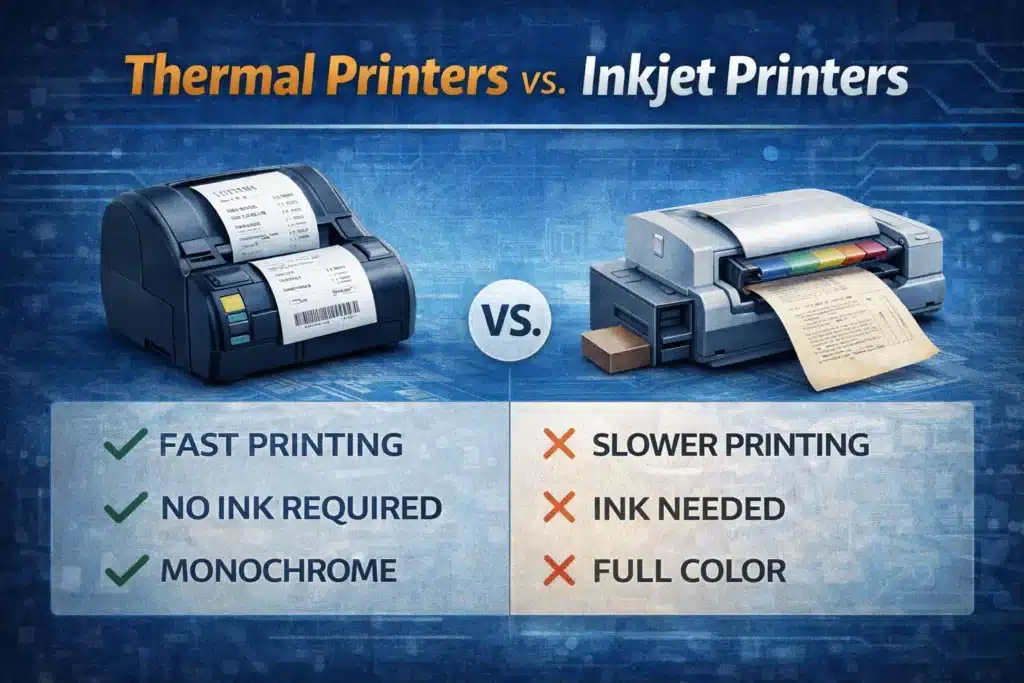
When choosing a printer, thermal and inkjet printers are two popular options. Both have their strengths and are suited for different needs. Knowing how these printers differ will help you pick the right one for your specific use case. Thermal printers are fast, low-maintenance, and efficient. Inkjet printers provide versatility, especially for color printing.
In this section, we will compare thermal printers and inkjet printers. We’ll look at speed, print quality, and cost. This will help you make a smart choice.
Key Differences in Technology and Output
Thermal printers and inkjet printers differ mainly in their printing technology. Thermal printers create prints using heat. Inkjet printers, on the other hand, spray ink onto paper to make images and text. Let’s explore the differences between these two printing technologies:
| Aspect | Thermal Printers | Inkjet Printers |
| Technology | Printers use heat-sensitive paper and a heated printhead. | Printers spray liquid ink onto paper. |
| Speed | Thermal printers excel in speed, especially for high-volume printing. | Inkjet printers are slower compared to thermal printers, especially in high-volume printing. |
| Print Quality | Thermal printers produce monochrome prints and are best suited for label printing, receipts, and barcodes. | Inkjet printers offer high-quality, full-color prints, making them ideal for photos, documents, and graphics. |
| Cost | Thermal printers are much more cost-effective in terms of long-term use because they do not require ink. | Inkjet printers require ink cartridges, which can be costly to replace. |
| Maintenance | Thermal printers require minimal maintenance since they do not require ink or toner. | Inkjet printers need regular cleaning and ink replacement, which adds to the maintenance cost. |
Thermal printers work well for label printing. Inkjet printers are better for high-quality color prints. Thermal printers also excel in environments where speed and durability are key.
Use Cases: Thermal vs. Inkjet
Thermal printers and inkjet printers each have unique strengths for different uses. Knowing what you need to print helps you pick the right printer.
Thermal Printers: Best for High-Volume, Durable Printing
Thermal printers are ideal for businesses and industries. They work best for tasks that need fast, high-volume, and durable printing. These printers are frequently used for tasks that don’t require color, such as:
- Label Printing: Thermal label printers print product labels, barcodes, and shipping labels. Thermal printers don’t use ink or toner, making them cheaper for businesses that print a lot of labels.
- Direct thermal printers often print store receipts, parking tickets, and event tickets.
- Durability: Thermal printing creates prints that resist smudging and fading. This makes them perfect for places where durability matters.
Inkjet Printers: Best for Versatile, Color Printing
Inkjet printers are more versatile. They can print in full color, so they serve many purposes:
- Photo Printing: Inkjet printers are great for high-quality photos. They provide vibrant colors and fine details. This makes them a favorite among home and professional photographers.
- Documents and Graphics: Inkjet printers excel at printing marketing materials, reports, and detailed graphics. They deliver sharp and vibrant color prints.
- Versatility: Inkjet printers can print on many paper types, unlike thermal printers. They work on glossy, matte, and photo paper. This makes them more flexible for diverse printing needs.
| Use Case | Thermal Printers | Inkjet Printers |
| Best for | High-volume, durable printing, such as receipts, shipping labels, and barcodes. | Versatile printing, including photos, color documents, and graphics. |
| Color | Monochrome printing (black and white). | Full-color printing capabilities. |
| Print Speed | Thermal printers are faster and ideal for high-volume tasks. | Slower printing speed, especially for color prints. |
| Cost-Effectiveness | Printers do not require ink, making them cost-effective. | Printers require ink, which increases operational costs. |
Understanding Thermal Paper and Supplies
Thermal printers work well and save money. To get the best results, know about thermal paper and the needed supplies. Thermal printers use heat-sensitive paper to make prints. So, choosing the right paper and supplies is key to good quality and lasting results. In this section, we’ll look at the types of thermal paper. We’ll explain how they work with printers. Lastly, we’ll share where to find the supplies you need.
Types of Thermal Paper
There are two main types of thermal paper for printers: direct thermal paper and thermal transfer paper. Each type has unique properties and benefits. These features make them suitable for various applications.
Direct Thermal Paper: Properties, Uses, and When to Choose It
Direct thermal paper is designed to work with direct thermal printers. This paper has a special coating that reacts to heat. It can print without ink, ribbons, or toners. The print head heats the paper, causing it to change color and form text or images.
- Properties: The paper has a heat-sensitive coating. It darkens when the print head heats it. It is available in rolls or sheets, making it versatile for different types of printers.
- Uses: Direct thermal paper is often used for printing receipts, shipping labels, and barcodes. It’s popular in industries like retail, logistics, and healthcare.
- When to Choose: Use direct thermal paper for fast, short-term prints, like receipts and labels. Prints on direct thermal paper can fade over time. This is especially true if they are exposed to heat or sunlight.
| Property | Direct Thermal Paper |
| Printing Method | Prints without ink or ribbons, uses heat. |
| Best For | Receipts, shipping labels, barcodes. |
| Durability | Fades over time, sensitive to heat and light. |
| Cost | Generally lower in cost than thermal transfer paper. |
Thermal Transfer Paper: Pros, Cons, and Best Applications
Thermal transfer paper works with thermal transfer printers. These printers need a ribbon to put ink on the paper. The ribbon melts the ink onto the paper, creating a durable print.
- Pros:
- Durability: Thermal transfer prints last longer than direct thermal prints. They resist tough conditions like moisture, heat, and friction.
- Print Quality: The prints are sharp and clear. They last a long time, making them great for high-quality labels.
- Cons:
- Higher Cost: Thermal transfer paper and its ribbons often cost more than direct thermal paper.
- More Maintenance: These printers need regular upkeep and ribbon changes. This can increase operational costs.
- Best Applications: Thermal transfer paper is great for durable labels. Use it for product tags, barcode labels, and inventory labels. It is widely used in manufacturing, logistics, and retail for long-lasting prints.
| Pros | Cons |
| Durable: Resistant to fading and wear. | Higher Costs: Requires ribbons, which increases costs. |
| High Print Quality: Sharp, legible prints. | More Maintenance: Regular ribbon replacements are required. |
| Best for Long-Term Use: Ideal for product tracking and barcode labels. | Slower Printing Speed compared to direct thermal printing. |
Compatibility with Printers
Choosing the right paper and ribbons for your thermal printer is key. This choice helps your printer work at its best. Thermal printers use a specific type of thermal paper, either direct or transfer. If you use the wrong paper, it can harm print quality or even damage the printer.
- Printer Compatibility: Always check the manufacturer’s guidelines. This ensures you use the right thermal paper for your printer model. Thermal transfer printers use a heated ribbon. Direct thermal printers just need special heat-sensitive paper.
- Thermal printers use various paper sizes and roll types. Each printer is made for certain paper widths. Ensure that the paper roll you choose fits the printer’s dimensions.
- Ribbons for Thermal Transfer Printers: Choose the right ribbon type for your thermal transfer printer: wax, resin, or a mix. This choice depends on your paper type and printing needs.
| Component | Compatibility |
| Thermal Paper | Choose based on printer type: direct or transfer. |
| Ribbons | Only needed for thermal transfer printers. |
| Paper Size and Roll Type | Check printer specifications for proper size. |
Where to Buy Thermal Printer Supplies
Buy the right thermal printer supplies. This keeps your printer working well and ensures high-quality prints. Here’s how you can source the best supplies:
- Authorized Dealers: Buy thermal paper and ribbons from authorized dealers or manufacturers. They offer high-quality products that work well with your printer model.
- Online Retailers: You can get thermal paper and ribbons from Amazon, eBay, and specialty printer supply stores. They offer options for all types of thermal printers. Be sure to check product reviews and ratings to ensure you are getting the best quality.
- Local Office Supply Stores: Need supplies fast? Many local stores have thermal printer paper and ribbons. However, always verify the quality and compatibility before making a purchase.
| Option | Pros | Cons |
| Authorized Dealers | Guaranteed compatibility and quality. | May be more expensive than online options. |
| Online Retailers | Wide variety and competitive pricing. | Delivery times may vary; check seller reviews. |
| Local Stores | Quick availability and easy returns. | Limited selection and higher prices. |
Thermal printers are popular for many uses. They print labels, receipts, and barcodes. Know your thermal paper options, compatibility, and where to buy supplies. This way, your thermal printer will run well and produce quality prints. Choosing the right materials is key. It helps your printer last longer and work better.
Modern Features and Connectivity in Thermal Printers
Modern thermal printers now come with features like wireless connectivity and Bluetooth. This makes it easy to connect them to mobile devices and cloud systems. These printers let users print labels or receipts straight from their smartphones or tablets. Thermal printers for labels now integrate with POS systems. This makes them perfect for retail, where quick and dependable printing is essential.
These printers easily connect with e-commerce platforms. This lets businesses print shipping labels right from their online stores. As a result, they boost efficiency and cut down on errors. Modern thermal printers use thermal paper for high-volume printing. They deliver accurate results without needing ink, ribbons, or much maintenance. This ensures optimal performance.
| Feature | Benefit |
| Wireless Connectivity | Print from smartphones, tablets, and laptops. |
| Bluetooth & Wi-Fi | Enables easy connection to mobile devices and cloud systems. |
| POS Integration | Quick and efficient receipt printing for retail. |
| E-commerce Compatibility | Print shipping labels directly from your online store. |
| No Ink or Toner | Thermal printers do not require ink or ribbons, reducing costs. |
Conclusion
When picking a thermal printer, think about what you need and how much you can spend. Thermal printers are cost-effective and fast. They need minimal upkeep. This makes them ideal for label printing, receipt printing, and barcode creation. Direct thermal printers work well for short-term needs. In contrast, thermal transfer printers are ideal for durable, long-lasting prints.
Know what type of thermal paper you need. Check if your printer works well with your business. This will help you make a smart choice. Desktop thermal printers are a low-cost, steady choice for small businesses. Yet, industrial thermal printers work better for large-scale tasks with high volumes.
Thermal printers are more cost-effective and efficient than inkjet or laser printers. This is especially true for businesses that print often. Select the thermal printer that fits your needs. You’ll appreciate this dependable tech for its portability, large output, and long-lasting prints. It offers long-term benefits that make it a great choice.
Frequently Asked Questions (FAQ)
Can thermal printers print in color?
Thermal printers generally print in monochrome (black and white). For color prints, inkjet printers or laser printers are more suitable.
Do thermal printers need special paper?
Yes, thermal printers use special heat-sensitive paper made for their technology. Optimal performance requires direct thermal and thermal transfer paper.
Are thermal prints permanent?
Thermal prints can fade over time, especially in high heat or direct sunlight. Thermal transfer prints are more durable and last longer than direct thermal prints.
Can thermal printers be used for high-volume printing?
Yes, thermal printers are popular for high-volume printing. You’ll find them primarily in retail, logistics, and manufacturing. Industrial thermal printers are specifically designed for large-scale operations.
Which is the best thermal printer for small businesses?
Desktop thermal printers are best for small businesses. They are affordable and simple to use. They’re perfect for printing receipts and labels in small to medium quantities.
How can I troubleshoot my thermal printer?
To troubleshoot, first clean the print head. Next, check for paper jams. Also, make sure you’re using the right thermal paper. If issues persist, consult the user manual or seek professional help.