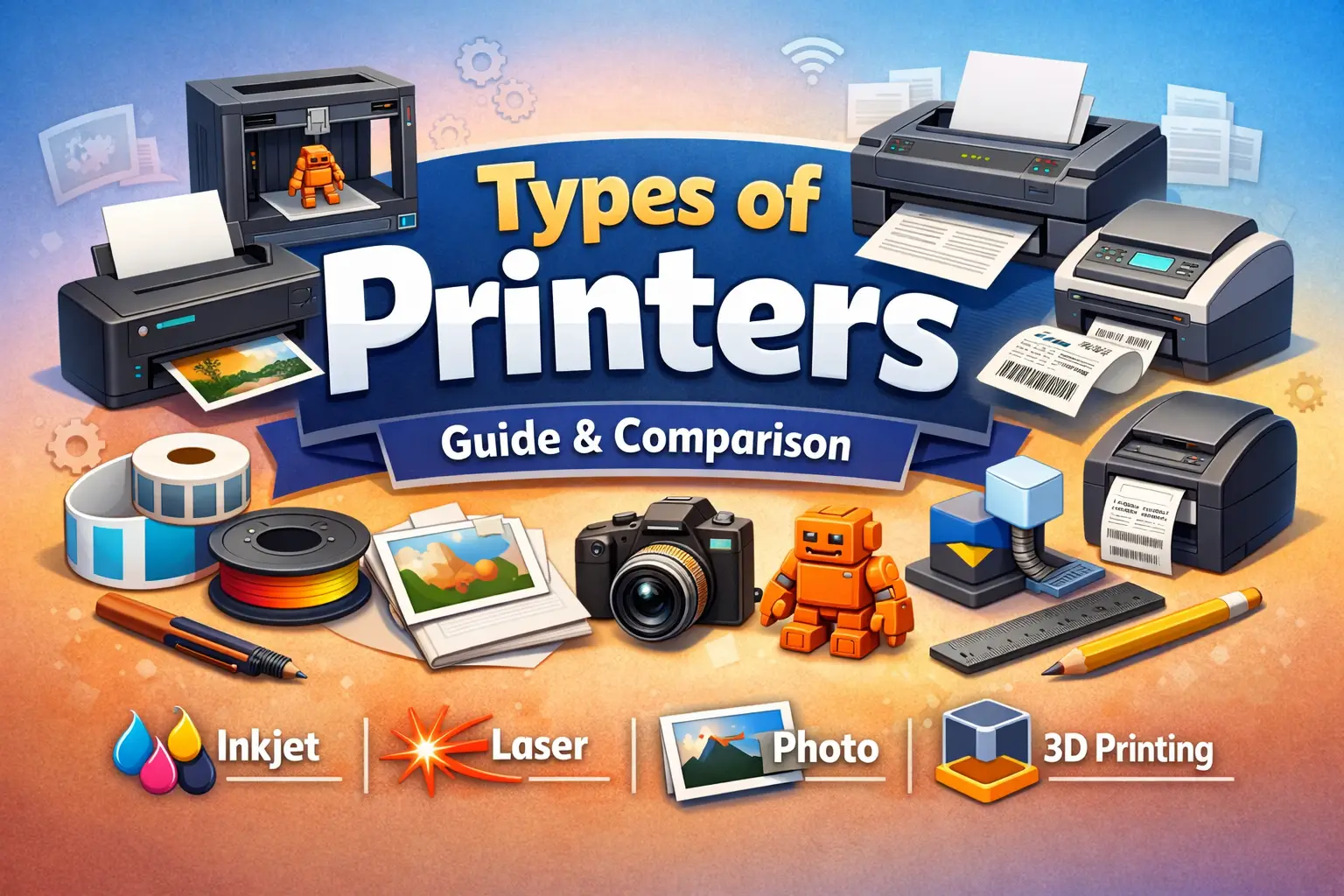
Different types of printers are available today. Knowing them can really help you choose the right one for your home, office, or creative projects. From reliable inkjet and laser printers to 3D, photo, and label printers, each type has unique features, benefits, and best uses. This guide covers everything you need to know about printers. We’ll explore their functions, pros, and cons. We’ll also cover key details like printing speed, paper compatibility, and maintenance. This way, you can choose the right printer for your needs easily.
Common Printer Types
Choosing the right type of printer can make a huge difference in productivity, print quality, and cost. From home use to professional offices, understanding the common printer types helps you decide which one fits your needs. Here, we discuss the most common printers. We’ll cover how they work, their pros and cons, and where they’re best used.
Inkjet Printers (Home & Office)
A home user printing school assignments, bills, and occasional photos will benefit more from an inkjet printer. It handles color printing well and does not require a high upfront cost.
How Inkjet Printers Work
An inkjet printer sprays tiny droplets of liquid ink directly onto paper. It shifts the printhead side to side, placing exact amounts of ink to form clear text and images. Modern inkjet printers can produce high-quality prints at home or in small offices.
Pros and Cons
Pros:
- Excellent print quality for text and images.
- Compact and affordable.
- Ideal for home and small-office use
Cons:
- Slower printing speeds compared to laser printers
- Higher costs per page due to ink cartridges
- Requires frequent maintenance if it is used heavily.
Printing Speed & Resolution (PPM & DPI)
| Feature | Typical Range | Notes |
|---|---|---|
| Pages Per Minute (PPM) | 5–20 | Slower than laser printers for large volumes |
| Resolution (DPI) | 600–1200 | Produces sharp text and high-quality images |
Ideal Paper Types & Applications
- Standard office paper, photo paper, labels.
- Best for home printing, photographs, school assignments, and light office documents.
Laser Printers
In a small office where employees print documents daily, a laser printer performs better. It prints faster, handles large volumes, and reduces long-term printing costs.
How Laser Printers Work
A laser printer uses a laser beam to create an electrostatic image on a drum. Toner powder sticks to the charged areas, then is fused onto paper with heat. This allows fast, precise printing, especially for text-heavy documents.
Pros and Cons
Pros:
- High-speed printing for large volumes.
- Lower cost per page than inkjet printers.
- Sharp, professional-quality text
Cons:
- Higher initial cost
- Color laser printing is more expensive than monochrome printing.
- Not ideal for high-quality photo printing.
Toner Cost vs Inkjet Cost
Laser printers are more cost-effective for frequent printing. Toner cartridges cost more at first, but they last longer than inkjet cartridges. This means you pay less per page in the long run.
Paper Compatibility and Speed
| Feature | Typical Range | Notes |
|---|---|---|
| PPM | 20–60 | Suitable for office use |
| Paper Types | Standard, cardstock, labels | Check compatibility before printing |
LED Printers
How LED Printers Work
An LED printer is similar to a laser printer but uses an array of light-emitting diodes instead of a laser to create the image on the drum.
Advantages Over Laser Printers
- Fewer moving parts → less maintenance
- Often more compact and quieter.
- High-speed printing with consistent quality
Ideal Use Cases
- Offices with high-volume printing
- Businesses require fast, reliable, low-maintenance printers.
Dot Matrix Printers
How Dot Matrix Printers Work
A dot matrix printer has a print head that hits an inked ribbon. This presses against paper to create letters and images made of tiny dots.
Pros and Cons
Pros:
- Durable and reliable for long-term use.
- Can print on multi-part forms (carbon copies).
- Low operating costs
Cons:
- Noisy during operation.
- Lower print quality than modern printers.
Best Use Scenarios
- Industrial or warehouse environments.
- Invoices, receipts, and multi-copy forms
Solid Ink Printers
Working Mechanism
Solid ink printers use colored wax blocks that are melted and jetted onto paper. This method allows vibrant color printing with minimal waste.
Benefits and Drawbacks
Benefits:
- Brilliant, high-quality color prints
- Minimal environmental waste
- Easy to maintain
Drawbacks:
- Slower than laser printers for large volumes.
- Higher upfront cost
Ideal Users
- Graphic designers, marketing teams, or offices requiring rich color prints
Thermal Printers
Direct Thermal vs Transfer Thermal Printers
- Direct thermal: Uses heat-sensitive paper → no ink is required
- Transfer thermal: Uses ribbon to transfer ink onto paper.
Uses: Receipts, Labels, Tickets
- Retail stores, logistics, event tickets, and shipping labels
H3: Multifunction / All-in-One Printers
Combining Printing, Scanning, Copying, Faxing
A multifunction printer integrates several devices into one. It can print, scan, copy, and even fax, saving space and cost.
Advantages for Home and Business
- Reduces the need for many devices.
- Ideal for offices or homes needing versatility.
- Often includes wireless printing and cloud integration.
Specialized & Niche Printers
Laser and inkjet printers work well for most home and office jobs. Still, some unique printing needs require special printer technologies. These printers offer unique features, higher precision, or larger formats. Learning about these types of printers helps you choose the best one for professional, creative, or industrial needs.
3D Printers – FDM vs Resin
How FDM Printers Work
Fused Deposition Modeling (FDM) printers build 3D objects layer by layer using thermoplastic filaments. The printer heats the filament. Then, it pushes the filament through a nozzle and lays it on a platform to form accurate shapes. 3D printers like this are popular for prototyping and educational purposes.
How Resin Printers Work
Resin printers use a UV light source to harden the liquid resin layer by layer. These printers provide high-resolution prints with fine details, making them suitable for jewelry, dental models, and miniatures.
Applications: Prototyping, Home Use, Industry
- Prototyping: Rapid product design
- Home Use: Hobbyists, educational models
- Industry: Manufacturing, dental, medical, and engineering applications
Photo Printers & Dye-Sublimation Printers
Professional Photography vs Home Photo Printing
A photo printer is designed specifically to produce high-quality images. Professional photography printers deliver museum-quality prints, while home photo printers are ideal for casual photo printing and family albums.
Paper & Ink Types
- Ink cartridges: specialized inks for vivid color printing
- Photo paper: glossy, matte, or luster finishes
- Dye-sublimation printers heat solid dye to transfer color onto paper.
| Feature | Pros | Cons |
|---|---|---|
| Print Quality | Sharp, vibrant photos | Costly ink and paper |
| Speed | Moderate | Slower than laser printers |
| Durability | Long-lasting prints | Requires proper storage |
Label Printers
Thermal vs Inkjet Label Printers
- Thermal printer: Uses heat-sensitive paper; no ink needed
- Inkjet printing: Sprays ink onto labels for detailed designs. Thermal printers are more common for receipts and shipping labels.
Best Uses for Businesses and Home
- Shipping and logistics
- Product labeling in retail
- Home organization and craft projects
Fabric / Textile / T-Shirt Printers
DTF, DTG, Sublimation Printers Explained
- DTF (Direct to Film): Prints on film, then transfers to fabric.
- DTG (Direct to Garment): Sprays ink directly onto clothing.
- Sublimation printers: Use heat to transfer dye onto polyester or coated surfaces.
Applications and Compatibility
- Custom T-shirts, bags, and promotional items
- Works with cotton, polyester, or blended fabrics, depending on the printer type.
Large Format & Plotter Printers
Architectural, Engineering, and Design Uses
Large-format printers, or plotters, print wide documents like blueprints, maps, and posters. They are essential in architecture, engineering, and graphic design.
Paper Sizes, Resolution, and Speed
| Feature | Typical Range | Notes |
|---|---|---|
| Paper Width | Up to 60 inches | Supports oversized prints |
| Resolution | 600–1200 DPI | Detailed, high-quality prints |
| Print Speed | 1–10 minutes per page | Varies by document size and complexity |
Mobile / Portable Printers
Wireless Printing Options
Portable printers often support Wi-Fi, Bluetooth, or mobile app printing. They are compact, lightweight, and designed for on-the-go printing.
Ideal for Travel and Remote Work
- Business professionals needing quick printouts
- Students and educators printing assignments remotely
- Photographers printing small photos on-site
How to Choose the Right Printer
Choosing the right printer type is not about buying the most expensive model. It depends on how you plan to print documents, how often you print, and what kind of output you expect. This section helps you make clear decisions, free from technical confusion, by focusing on real-world applications.
Budget Considerations
Your budget includes more than the price of the printer. You must also consider ink, toner, and long-term maintenance.
- Inkjet printers offer a lower upfront cost, making them affordable for home users.
- Laser printers cost more initially, but toner lasts longer.
- Color laser printers are expensive to buy, but cheaper per page for heavy use.
| Cost Factor | Inkjet | Laser |
|---|---|---|
| Initial price | Low | Medium to High |
| Ink / Toner cost | Higher per page | Lower per page |
| Maintenance | Frequent cartridge changes | Less frequent |
| Best for | Low-volume users | High-volume users |
If you print often, a laser printer saves money over time. If you print occasionally, an inkjet printer makes more sense.
Usage & Frequency
How often and where you print matter more than brand names.
- Home use: Inkjet printers or an all-in-one printer work well for homework and basic needs.
- Office use: Laser printers or color laser printers handle daily printing efficiently.
- Professional photography: Photo printers or advanced inkjet printers deliver better color accuracy.
- Industrial use: Specialized printers handle large volumes and tough environments.
If you print documents daily, choose a laser printer. If printing is rare, an inkjet is enough.
Color vs Monochrome Printing Needs
Before buying, decide whether you need color printing or only black-and-white output.
- Monochrome printers print only black text.
- Color printers print text and images in full color.
- Inkjet and laser printers both support color, but performance differs.
| Printing Need | Recommended Option |
|---|---|
| Text only | Monochrome laser printer |
| Text + images | Inkjet printer |
| High-volume color | Color laser printers |
If you mostly print documents, color is not necessary. If you print charts, images, or presentations, color matters.
Paper Type & Size Compatibility
Not all printers support every paper type. Always check compatibility before buying.
Common supported materials include:
- Standard A4 paper
- Card stock
- Labels
- Cotton paper
- Fabric (only for specialized printers)
Inkjet printers handle more paper types. Laser printers work best with standard paper and cardstock. Some printers are similar to laser printers in paper handling but use different technology.
Connectivity Options
Modern printers offer many ways to connect, making printing easier and faster.
- USB: Simple and reliable for single users
- Wi-Fi: Print wirelessly from phones and laptops
- Cloud printing: Print from anywhere using online services
- Network printers: Best for offices with multiple users
An all-in-one printer often includes Wi-Fi and mobile printing, which adds convenience for home and small offices.
Quick Decision Guide
| Need | Best Choice |
|---|---|
| Low budget, light use | Inkjet printer |
| Fast, frequent printing | Laser printer |
| Office sharing | Network laser printer |
| Scanning + copying | All-in-one printer |
Final Tip from Experience
After working with different printers across home and office environments, one rule stays true:
Choose based on how you print, not what looks impressive. The right printer saves money, time, and frustration.
Maintenance, Cost, and Longevity
When choosing the right printer, many people only look at the purchase price. In real use, maintenance costs and lifespan matter more. Different machines handle wear, ink, heat, and workload in different ways. Knowing these factors helps you choose a printer that meets your needs and lasts for years.
Printers are available in many designs, and each one behaves differently over time. Some are made for speed, some for durability, and others for great colour printing.
Ink vs Toner Costs
Cost-effectiveness per page
Ink and toner costs affect long-term expenses more than the printer itself. Ink-based machines work well for text and images, but the ink dries faster and needs frequent replacement.
Laser-based models cost more at first. However, they save money in the long run. This is because laser printers use powdered toner, which lasts longer and prints more pages.
| Feature | Ink Printers | Laser Printers |
|---|---|---|
| Cost per page | Higher | Lower |
| Best use | Low-volume printing | High-volume printing |
| Drying issues | Common | Rare |
| Storage life | Short | Long |
Ink systems like ink tank printers reduce refill costs and are popular in home and small office setups. On the other hand, using a laser is more cost-effective for offices that print daily.
Some commercial environments still rely on dot-matrix printers because they use ribbons and work well with continuous paper. For factories and logistics, continuous ink printers handle nonstop production lines.
Printer Lifespan
Average page count and durability
A printer’s lifespan depends on build quality, technology, and workload. Most printers are designed for a monthly duty cycle, which tells you how much they can safely print.
- Ink printers last 3–5 years with light use
- Laser printers often last 7–10 years
- Industrial machines last even longer
Modern models that use a laser beam are more durable because fewer parts touch the paper. This reduces wear and tear.
LED printers are similar to laser models in durability. In fact, printers are similar to laser designs when they use fixed light sources instead of moving parts. That is why led printers use fewer mechanical components and last longer.
For large banners and posters, large-format printers are built with stronger frames and longer service life.
Common Problems and How to Avoid Them
Paper jams, smudges, connectivity issues, overheating
Even high-end devices face problems if not used correctly. Most issues happen because of poor maintenance or wrong paper use.
Common problems include:
- Paper jams from low-quality sheets
- Smudges due to wet ink
- Wi-Fi drops and driver errors
- Overheating from long print sessions
To reduce problems:
- Always use the correct paper type
- Clean rollers monthly
- Update printer software
- Avoid overloading print jobs
Some advanced machines, like those where solid ink printers utilise wax-based blocks, reduce smudging and waste. Others focus on different printing methods to improve efficiency.
Remember, a printer can print thousands of pages smoothly only when it matches its workload. That is why printers are ideal only when used for their intended purpose
Final Expert Insight
From personal testing and long-term reviews, various types of printers behave differently under pressure. Printers are commonly used in homes, offices, schools, and factories, but they should never be treated the same.
Some printers are used for speed, others for quality, and some for durability. Choosing the wrong model leads to higher costs and early failure. Always focus on usage patterns, not just price.
If you want reliability, low cost per page, and long life, invest time in choosing the printer for your needs, not just the cheapest option.
Future of Printing Technology
Printing technology continues to evolve as user needs change. Today, various printers are on the market. The focus of innovation is on being efficient, connected, and sustainable. From basic home use to advanced industrial applications, many types of printers are becoming smarter, smaller, and more energy efficient.
A printer is a peripheral machine that connects to computers and mobile devices to produce physical output. Printers have been used for many things over time. They print documents, photos, labels, receipts, and even physical objects. Modern printers are designed to print faster, cleaner, and with less waste than older models.
Eco-Friendly & Energy-Saving Printers
Low power consumption recyclable components.
Eco-friendly printing is now a major focus for manufacturers. New models aim to reduce electricity use, cut down waste, and support recycling.
Energy-efficient printers:
- Use sleep and auto-off modes.
- Consume less power during standby.
- Support recycled paper and cartridges.
Laser printers are quick, but newer models use less heat. Many models that look like lasers now work differently. For instance, laser printers use steady light sources. This helps them save energy by avoiding moving parts.
LED printers may consume less power because they have fewer mechanical components. However, they are often heavier than inkjet printers due to their internal structure.
| Feature | Inkjet | Laser / LED |
|---|---|---|
| Power use | Low | Medium |
| Heat generation | Very low | Moderate |
| Recycling support | Ink bottles | Toner cartridges |
Printers are getting more efficient, but they still take up a lot of space in offices that need high-volume output. This is especially true when you compare them to compact home models.
Smart / IoT Printers
Mobile app printing, remote monitoring, cloud printing
Smart printers now connect directly to the internet. This allows users to print, monitor ink, and manage tasks remotely.
Key features include:
- Mobile printing apps
- Cloud-based document access
- Automatic supply alerts
Printers normally connect through USB or Wi-Fi, but smart models also support cloud services. This is common in offices where common types of printers used must serve multiple users.
For personal use, home inkjet printers are popular because they are affordable and easy to set up. An inkjet printer is a compact option that fits well in small spaces.
Business environments prefer laser devices. This is because laser printers are great for fast document output and are very durable. Still, inkjet printers are used widely for photo printing and low-volume tasks.
Hybrid & Emerging Technologies
Printers combining multiple functions (photo + 3D + document)
Hybrid printers are changing what people expect from one device. Some new machines combine scanning, copying, photo printing, and even object creation.
Examples of emerging technology:
- All-in-one photo and document printers
- Devices that print and cut labels.
- Machines where 3D printers offer object creation using plastic or resin.
A thermal printer is a type of printer used for receipts and labels. It works without ink and is common in retail. Older systems, like dot matrix printers, still exist. They use impact printing, which is great for multi-part forms.
Modern laser models still lead in offices, even if they’re heavier and larger than inkjets. These devices rely on powdered ink, which is why printers use toner cartridges for long-term printing efficiency.
Conclusion
Printers come in many types, and each one is made for a different job.
Some printers are best for homes, while others work better in offices or businesses.
Inkjet printers are good for color and photos, and laser printers are fast for documents.
Special printers like photo, label, and 3D printers help with creative and professional work.
Before buying a printer, think about how often you will use it.
Also consider what you want to print and how much it may cost over time.
The right printer can save money, time, and effort.
When you choose wisely, printing becomes easy and stress-free.
Frequently Asked Question
1. What are the 4 types of printers?
The four common types of printers are inkjet, laser, dot matrix, and thermal printers. Inkjet printers are good for home use, laser printers are fast for offices, dot matrix printers are used for bills, and thermal printers print receipts.
2. What are the 7 types of printers?
Seven common types of printers are inkjet, laser, LED, dot matrix, thermal, photo, and 3D printers. Each type is made for a different job, like printing documents, photos, receipts, or even objects.
3. Which type of printer is best?
There is no single best printer for everyone. Inkjet printers are best for home use, laser printers are best for offices, and photo printers are best for pictures. The best printer depends on what you need to print.
4. What is a mono printer?
A mono printer is a printer that prints only in black and white. It is fast, costs less to run, and is mostly used in offices for printing documents.
5. Why is it called a 3D printer?
It is called a 3D printer because it prints real objects, not just pictures on paper. It builds items layer by layer, making them three-dimensional, like toys, tools, or models.